

LandMeasure: GPS Area & Field
Grima Hdez Utilities iPhoneiPadiPod touch
LandMeasure: GPS Area & Field is a free Utilities app for iPhone and iPad by Grima Hdez. Rated 5.0/5 from 1 ratings. Requires iOS 17.0.
- Rating
- 5.0
- 1 ratings
- Price
- Free
- on the App Store
- Size
- 6 MB
- Age 4+
- Updated
- Oct 24
- 2026 · v1.3.0
Screenshots



About LandMeasure: GPS Area & Field
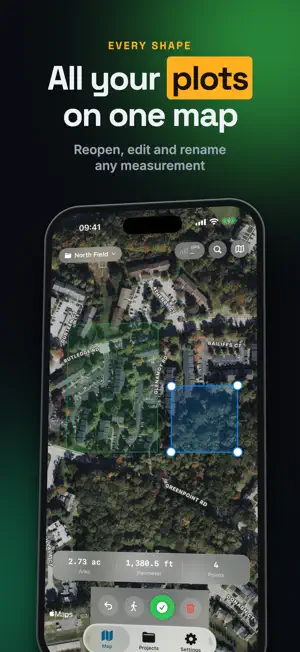
Measure any field, plot, or roof in minutes — no tape, no guesswork. LandMeasure turns your iPhone into a GPS land-measuring tool. Walk the boundary of a property and watch the area calculate live, or drop pins on the satellite map to measure any parcel from your couch. TWO WAYS TO MEASURE - WALK MODE: walk the perimeter and GPS tracks your path. Bad fixes are filtered automatically, so a moment of weak signal will not corrupt your measurement. - MAP MODE: tap corners on the satellite map to outline any field, lot, or roof — measure land anywhere in the world without being there. HONEST NUMBERS Area is computed with spherical geometry, so large parcels stay correct. What limits the result is your phone's GPS (a few metres), so every measurement shows its margin before you rely on it. EVERY UNIT YOU NEED Acres, hectares, square meters, square feet — plus perimeter and point-to-point distance. Instant conversion between units. BUILT FOR REAL FIELD WORK - Satellite, hybrid, and standard map views - Save your measurements, reopen them to edit points, rename them and add notes - Find an address or type coordinates to jump there - Every shape of a project shows together on the map - Export professional PDF reports to share with clients, buyers, or agencies WHO USES LANDMEASURE Farmers sizing fields. Landowners checking parcels. Realtors verifying lot sizes. Roofers and landscapers quoting jobs. Surveyors needing a fast first estimate. Free to try — go Pro for unlimited measurements and PDF export. COMMON QUESTIONS How accurate is phone GPS for measuring land? Each point lands within a few metres, so a field, a paddock or a roof comes out close enough to quote or to plan. The live accuracy reading tells you how good your fix is before you trust the number. Do I have to walk the boundary? No. Map mode lets you tap the corners on the satellite view and measure a parcel anywhere in the world without being there. Walk mode is for when you want the ground truth. Can I use a measurement as a legal boundary? No. Treat it as a good estimate: the legal line comes from a licensed surveyor and the register, not from a phone. What this is good for is quoting, planning and checking that a number you were given is roughly right. Which units does it give? Acres, hectares, square metres and square feet, plus perimeter and point-to-point distance, converting between them instantly. Can I send the result to a client? Yes. Measurements are saved and export as a PDF report you can hand to a buyer, a client or an agency. What is free and what does Pro add? You can try it for free. Pro removes the limit on measurements and adds the PDF export. Terms & Condition: https://masaapps360.com/landmeasure/terms/ Privacy Policy: https://masaapps360.com/landmeasure/privacy/
What’s new
Version 1.3.0 · Updated October 24, 2026
Find any place: search an address or type coordinates and the map jumps there. Reopen a saved measurement to move, add or remove points. Rename measurements and add notes. All shapes of a project show together on the map. Removed a setting that did nothing.
App privacy
The developer, Grima Hdez, reported these privacy practices to Apple.
Data Used to Track You
The following data may be used to track you across apps and websites owned by other companies:
- Usage Data: Advertising Data
Data Not Linked to You
The following data, which may be collected but is not linked to your identity, may be used for the following purposes:
- Usage Data: Advertising Data
Used for: Third-Party Advertising