

Subvibe: Subtitle Editor SRT
Alex Pupko Photo & Video iPhoneiPadiPod touch
Subvibe: Subtitle Editor SRT is a free Photo & Video app for iPhone and iPad by Alex Pupko. Rated 5.0/5 from 1 ratings. Requires iOS 18.0.
- Rating
- 5.0
- 1 ratings
- Price
- Free
- on the App Store
- Size
- 23 MB
- Age 4+
- Updated
- Oct 26
- 2026 · v1.1.1
Screenshots


About Subvibe: Subtitle Editor SRT
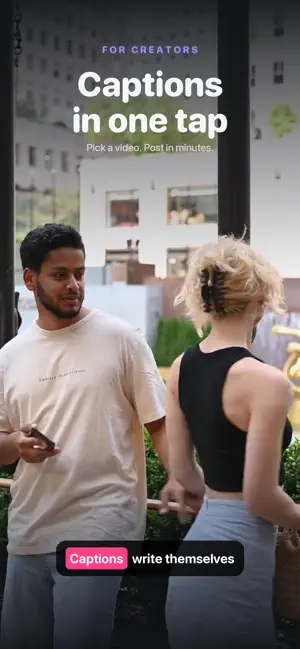
Auto-captions are never right the first time. A name is misspelled, two lines are merged, the timing drifts by half a second — and most apps give you no way to fix any of it. Subvibe gives you the timeline. Tap a word to retype it. Drag a block to retime it. Split, merge, restyle — then translate the whole track into any of 20 languages and export it as a clean .srt file or burn it straight into the video. Your video never leaves your iPhone — only the audio is used to generate subtitles. Prefer full privacy? Switch speech recognition to on-device mode and work with no connection at all. • SUBTITLE EDITOR — retype, split, merge and restyle every line on the timeline • EXACT TIMING — drag blocks to fix drift and match speech frame by frame • TRANSLATE ON DEVICE — 20 languages, nothing uploaded, no account • AUTO SUBTITLES — accurate speech-to-text, in the cloud or right on your device • BEAUTIFUL STYLES — fonts, colors, outlines, backgrounds, and one-tap designer templates • ANIMATIONS — word-by-word reveal and highlight effects that pop on social • EXPORT YOUR WAY — save video with burned-in subtitles, or export an SRT file • ON-DEVICE MODE — switch speech recognition to your device and work fully offline Perfect for creators, editors, and anyone who wants clean, accurate subtitles without sending their videos to the cloud. Your first 3 exports are free with a watermark. Subvibe Pro unlocks unlimited watermark-free exports and premium styles. Terms of Use (EULA): https://www.apple.com/legal/internet-services/itunes/dev/stdeula/ Privacy Policy: https://docs.google.com/document/d/1hXd1QO3xk1MygdgdEwPeV9dd9PeqXiJIZ_3eEFh_eUE/edit?usp=sharing
What’s new
Version 1.1.1 · Updated October 26, 2026
Several clips, one video Pick up to 10 clips from Photos or Files: Subvibe joins them into one video and subtitles it in one go. Remove pauses cuts the silences out. Punchline Make the key word of a line big, magazine style, in any style. Plus ten Punchline templates with fonts picked to match. Faster editing Pull a subtitle's edge to the playhead in one tap and cut a subtitle right in the text editor. See how much space drafts take and clear them.
App privacy
The developer, Alex Pupko, reported these privacy practices to Apple.
Data Used to Track You
The following data may be used to track you across apps and websites owned by other companies:
- Purchases: Purchase History
- Identifiers: Device ID
- Usage Data: Advertising Data
Data Linked to You
The following data, which may be collected and linked to your identity, may be used for the following purposes:
- Identifiers: Device ID
Used for: Third-Party Advertising, Analytics, App Functionality
Data Not Linked to You
The following data, which may be collected but is not linked to your identity, may be used for the following purposes:
- Purchases: Purchase History
- Usage Data: Advertising Data, Product Interaction, Other Usage Data
- Diagnostics: Other Diagnostic Data, Crash Data
- Other Data: Other Data Types
- User Content: Audio Data
Used for: Third-Party Advertising, Analytics, App Functionality
Alternatives to Subvibe: Subtitle Editor SRT
Looking for apps like Subvibe: Subtitle Editor SRT? Here are 6 similar apps on the App Store. The highest rated is CapScribe: Auto Captions (5.0/5), and all 6 are free to download.
-
 CapScribe: Auto Captions
5.0
CapScribe: Auto Captions
5.0
-
 Video Transcriber: Subtitles
5.0
Video Transcriber: Subtitles
5.0
-
 subMatik
5.0
subMatik
5.0
-
 Quick Captions: Subtitles
-
 Subtext: Auto Captions
-
 AI Video Translator: Captioner
5.0
AI Video Translator: Captioner
5.0
| App | Rating | Price | Last updated | Compare |
|---|---|---|---|---|
| Subvibe: Subtitle Editor SRT | 5.0 / 5 (1 rating) | Free | October 26, 2026 | |
| CapScribe: Auto Captions | 5.0 / 5 (1) | Free | Oct 16, 2026 | Compare |
| Video Transcriber: Subtitles | 5.0 / 5 (1) | Free | Oct 12, 2026 | Compare |
| subMatik | 5.0 / 5 (1) | Free | Sep 29, 2026 | Compare |
| Quick Captions: Subtitles | – | Free | Oct 17, 2026 | Compare |
| Subtext: Auto Captions | – | Free | Sep 4, 2026 | Compare |
| AI Video Translator: Captioner | 5.0 / 5 (1) | Free | Oct 20, 2026 | Compare |