

Folio: Read the Classics
Tetsuhiro Nomura Book iPhoneiPadiPod touch
Folio: Read the Classics is a free Book app for iPhone and iPad by Tetsuhiro Nomura. Requires iOS 16.0. Updated August 3, 2026.
- Price
- Free
- on the App Store
- Size
- 10 MB
- Age 4+
- Updated
- Aug 3
- 2026 · v1.0.3
Screenshots


About Folio: Read the Classics
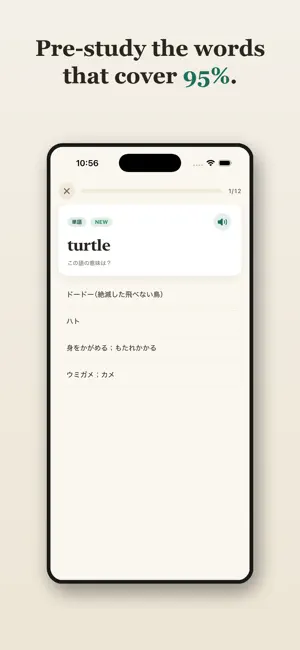
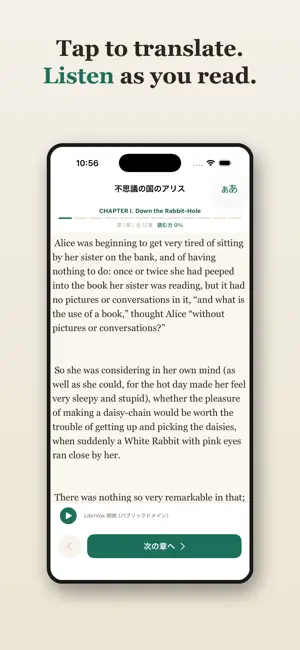
Folio gets you to actually finish an English classic — in the original, cover to cover. Most reading apps drop you into a hard text and hope you cope. Folio is different: it's a prep course, not just a reader. Before you read, you pre-study the ~600 words that cover 95% of that specific book — plus its key grammar, idioms, and character names — using spaced repetition with self-rated confidence. Once your "reading power" is high enough, you read the unabridged original with a tap-to-translate dictionary and LibriVox audiobook narration. HOW IT WORKS 1. Pre-study the book. Spaced-repetition flashcards for the vocabulary, grammar, idioms, and names that unlock the text — chapter by chapter. Folio catches the words you only think you know. 2. Watch your reading power rise. A per-chapter gauge fills as you study, rewarding real recall. 3. Read the original. The full, unabridged text with tap-to-translate and audio. Finish it and earn a completion card. IN YOUR LANGUAGE The texts stay in English. Definitions, notes, and example translations appear in your language: Japanese, Simplified Chinese, Spanish, Korean, Brazilian Portuguese, or French. THE LIBRARY A growing library of public-domain classics — start free with Alice's Adventures in Wonderland, then unlock the full collection. HONEST BY DESIGN - No account, no sign-in. Everything is stored on your device. - No ads, no tracking. - Book texts from Project Gutenberg and Standard Ebooks; narration from LibriVox — all public domain. Start free, and read your first classic to the very last page. Terms of Use (EULA): https://readfolio.co/terms Privacy Policy: https://readfolio.co/privacy
What’s new
Version 1.0.3 · Updated August 3, 2026
• Every grammar note has been rewritten. Instead of naming the rule, each note now explains in plain language what that specific sentence is actually saying (281 notes across all five books). • If you close the app mid-session, you can now pick up where you left off next time. Your answers are still saved one at a time, as before. • When nothing is due for review, you're no longer stuck: you can review ahead, starting with whatever comes due soonest.
App privacy
The developer, Tetsuhiro Nomura, reported these privacy practices to Apple.
Data Not Collected
The developer does not collect any data from this app.
Alternatives to Folio: Read the Classics
Looking for apps like Folio: Read the Classics? Here are 6 similar apps on the App Store. The highest rated is Morsel: Bite-Sized Classics (5.0/5), and all 6 are free to download.
-
 Linea Reader
-
 Morsel: Bite-Sized Classics
5.0
Morsel: Bite-Sized Classics
5.0
-
 Talingoo
-
 ZoReads
-
 Literary Atlas
-
 IO reader: Books in Reels
5.0
IO reader: Books in Reels
5.0
| App | Rating | Price | Last updated | Compare |
|---|---|---|---|---|
| Folio: Read the Classics | – | Free | August 3, 2026 | |
| Linea Reader | – | Free | Sep 28, 2026 | Compare |
| Morsel: Bite-Sized Classics | 5.0 / 5 (1) | Free | Jul 22, 2026 | Compare |
| Talingoo | – | Free | Jun 17, 2026 | Compare |
| ZoReads | – | Free | Jun 5, 2026 | Compare |
| Literary Atlas | – | Free | Oct 3, 2026 | Compare |
| IO reader: Books in Reels | 5.0 / 5 (5) | Free | Sep 12, 2026 | Compare |