

Gamepad Tester: Input & Drift
selvasundar m Utilities iPhoneiPadiPod touch
Gamepad Tester: Input & Drift is a free Utilities app for iPhone and iPad by selvasundar m. Rated 5.0/5 from 5 ratings. Requires iOS 14.0.
- Rating
- 5.0
- 5 ratings
- Price
- Free
- on the App Store
- Size
- 5 MB
- Age 4+
- Updated
- Jul 10
- 2026 · v1.0
Screenshots
About Gamepad Tester: Input & Drift
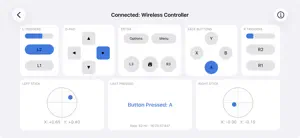
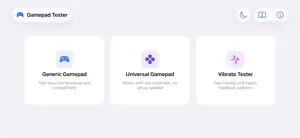
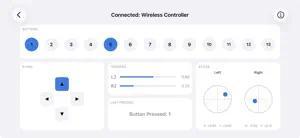
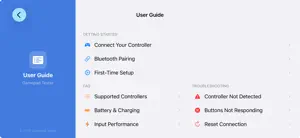
Gamepad Tester is the fast, no-setup way to check that your game controller works correctly on iPhone and iPad. Connect over Bluetooth or a cable, and every button, trigger, analog stick, and d-pad direction lights up on screen in real time. Whether you are buying a used controller, hunting down stick drift, or just making sure a new gamepad is fully functional, Gamepad Tester shows you exactly what your controller is sending. WHAT YOU CAN TEST • Buttons and triggers: see every press register instantly, with live trigger pressure values. • Analog sticks: precise X and Y readouts make stick drift easy to spot. Leave the sticks centered and watch for unwanted movement. • D-pad: confirm all four directions and the diagonals. • Rumble and haptics: fire built-in vibration presets, or set the left and right motor strength and duration yourself. • Battery: see your controller's charge level when it reports one. • Controller light: change the LED color on DualShock 4 and DualSense controllers. THREE TEST MODES • Generic Gamepad: a clear, labeled layout with live values and a live input update rate readout. • Universal Gamepad: works with any controller by mapping every input to a numbered slot, ideal when a controller is not fully recognized. • Vibrate Tester: presets and manual controls for rumble and haptics. WORKS WITH • MFi-certified controllers, such as Backbone One and Razer Kishi • Xbox controllers over Bluetooth • PlayStation DualShock 4 and DualSense Controllers that iOS does not recognize natively may not appear, even if they work on other platforms. NO SETUP, NO ACCOUNT Just connect a controller and start testing. There is no sign-in and no configuration, and your controller input is processed on your device. A built-in User Guide covers pairing, supported controllers, battery, stick drift, vibration, and troubleshooting. Gamepad Tester is free and supported by ads.
Ratings & reviews
5.0
5 ratings
App privacy
The developer, selvasundar m, reported these privacy practices to Apple.
Data Not Linked to You
The following data, which may be collected but is not linked to your identity, may be used for the following purposes:
- Identifiers: Device ID
- Usage Data: Product Interaction, Advertising Data
- Diagnostics: Crash Data, Performance Data
Used for: Third-Party Advertising, Analytics, App Functionality
Alternatives to Gamepad Tester: Input & Drift
Looking for apps like Gamepad Tester: Input & Drift? Here are 6 similar apps on the App Store. The highest rated is Controller Tester FGC (5.0/5), and all 6 are free to download.
-
 GamePad Tester & Massager
-
 SensePad: Gamepad Tester
4.2
SensePad: Gamepad Tester
4.2
-
 Controller Tester FGC
5.0
Controller Tester FGC
5.0
-
 X Gamepad Tester
3.8
X Gamepad Tester
3.8
-
 DriftPad: Gamepad Tester
-
 BLE Joystick
2.8
BLE Joystick
2.8
| App | Rating | Price | Last updated | Compare |
|---|---|---|---|---|
| Gamepad Tester: Input & Drift | 5.0 / 5 (5 ratings) | Free | July 10, 2026 | |
| GamePad Tester & Massager | – | Free | Oct 9, 2026 | Compare |
| SensePad: Gamepad Tester | 4.2 / 5 (53) | Free | Oct 6, 2026 | Compare |
| Controller Tester FGC | 5.0 / 5 (2) | Free | Jun 1, 2026 | Compare |
| X Gamepad Tester | 3.8 / 5 (17) | Free | Feb 13, 2026 | Compare |
| DriftPad: Gamepad Tester | – | Free | Sep 8, 2026 | Compare |
| BLE Joystick | 2.8 / 5 (13) | Free | Sep 11, 2026 | Compare |