

SWU Scan: Collection & Decks
Reventi AB Utilities iPhoneiPadiPod touch
SWU Scan: Collection & Decks is a free Utilities app for iPhone and iPad by Reventi AB. Requires iOS 26.5. Updated October 5, 2026.
- Price
- Free
- on the App Store
- Size
- 239 MB
- Age 4+
- Updated
- Oct 5
- 2026 · v2.0.0
Screenshots

About SWU Scan: Collection & Decks
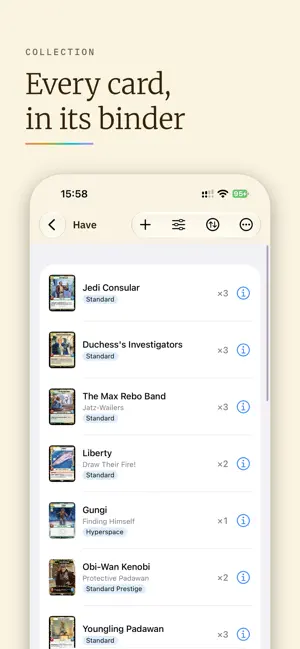
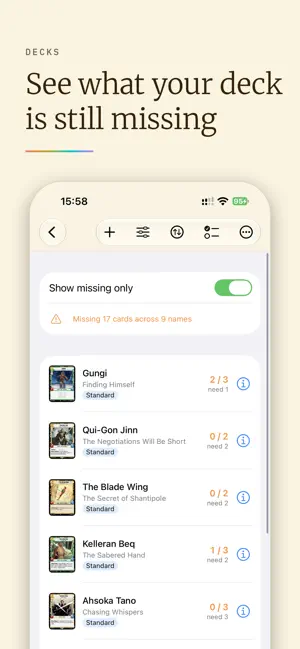
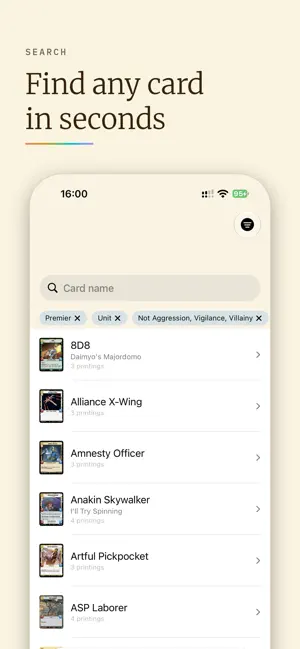
Stop typing card names. Point, scan, done. Build binders, see what your decks are missing and find trades with players at your local game store. SWU Scan is made for Star Wars: Unlimited players. Hold a card up to your camera and it's recognised in a moment, down to the exact printing. No account needed. SCAN — every set, every printing: hyperspace, showcase, prestige and promos. COLLECT — binders for what you own, want lists for what you're hunting, and search with filters. DECKS — build decks and see exactly which cards you're still missing from your collection. IMPORT & EXPORT — bring in decks from SWUDB and Melee, and back up or restore your whole collection, free. Collection Tools adds SWUDB collection sync, deck export to SWUDB and Melee, and TCGplayer and Cardmarket listing files. TRADE — find players nearby and see at a glance who has what you want. FOR EVERY PLAYER — the app can read each card aloud, so blind and low-vision players can scan too. Free: scanning, search, decks, trading, and three binders (have and want lists together) with no limit on cards. One-time purchases add Prices, Collection Tools (more binders, card condition, exports), Auto-Add and Tournament Tools (drafts, deck checks), or get them all with Pro. No subscription. SWU Scan is an unofficial fan app, not endorsed by Lucasfilm, Disney or Fantasy Flight Games. Star Wars: Unlimited and related names and images belong to their respective owners.
What’s new
Version 2.0.0 · Updated October 5, 2026
SWU Scan 2.0 has a whole new look. • New design: a fresh look throughout the app, with new colours, fonts and icons. • New app icon, with light, dark and tinted versions. • Home: what’s new, new card sets and quick actions in one place. Choose your start screen in Settings. • Search filters: pick several sets, types, rarities or printings at once, choose a format to see only its sets, and filter the search in your collection too. • Add cards to a binder, want list or deck without scanning. • Fixes: binder and deck sorting now works while "Show missing only" is on, and ties sort by set and number.
App privacy
The developer, Reventi AB, reported these privacy practices to Apple.
Data Not Collected
The developer does not collect any data from this app.