

Pay Link Card
ILIA KOLOBOV Business iPhoneiPadiPod touch
Pay Link Card is a free Business app for iPhone and iPad by ILIA KOLOBOV. Rated 5.0/5 from 2 ratings. Requires iOS 18.2. Updated August 15, 2026.
- Rating
- 5.0
- 2 ratings
- Price
- Free
- on the App Store
- Size
- 34 MB
- Age 4+
- Updated
- Aug 15
- 2026 · v1.1
Screenshots
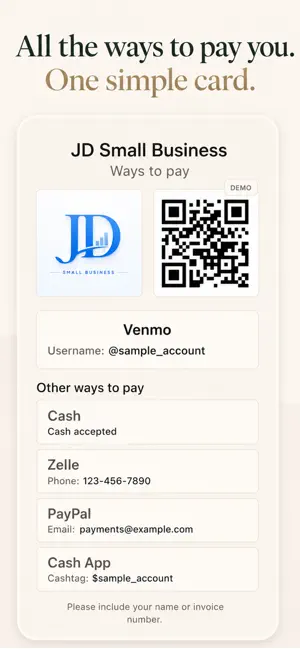
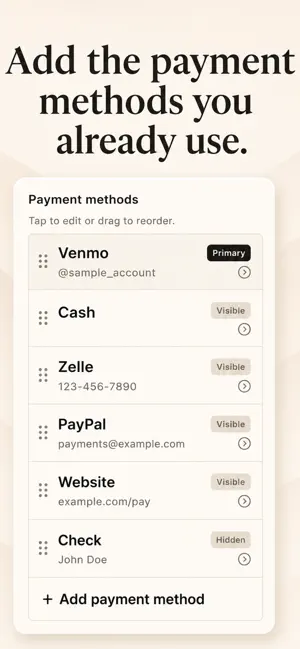


About Pay Link Card
Make it easy for clients, customers, friends, or family to see how they can pay you. Pay Link Card puts all your payment methods in one clean, easy-to-read card. Add the payment details you already use—such as a username, phone number, email, payment link, instructions, or a QR code image saved from your payment app. Show your card directly on your phone or share it as an image whenever someone asks, “How can I pay you?” USE PAY LINK CARD FOR • Client and customer payments • Freelance and service work • Tips and donations • Local sales and events • Friends and family • Cash or check instructions SUPPORTED PAYMENT OPTIONS Add details for Venmo, Cash App, Zelle, PayPal, cash, checks, websites, donation links, booking links, and custom payment methods. SIMPLE PAYMENT CARD Keep multiple ways to pay in one place and choose the most important payment method to display first. Customers can quickly see the payment information they need without searching through old messages or asking you to repeat it. ADD YOUR OWN QR CODE Save a QR code image from your payment app and add it to your card. Pay Link Card does not create, scan, or verify QR codes. COPY, SHARE, SAVE, OR PRINT Copy payment details in one tap, share your complete payment card, save it as an image, or print it for your workspace, counter, event table, or service vehicle. PRIVATE AND LOCAL • No account required • No cloud sync • No ads • No subscription • No tracking • Your card is stored locally on your device IMPORTANT Pay Link Card does not process payments, hold money, connect to bank accounts, or verify payment information. It simply helps you organize and present the ways people can pay you. Pay Link Card is an independent app and is not affiliated with or endorsed by Venmo, Cash App, Zelle, PayPal, or their parent companies. All trademarks belong to their respective owners.
What’s new
Version 1.1 · Updated August 15, 2026
• Larger, easier-to-scan QR codes on card details • Faster, smoother card image saving and exporting • More prominent Save button for clearer editing • Refined sharing, support, and overall usability
App privacy
The developer, ILIA KOLOBOV, reported these privacy practices to Apple.
Data Not Collected
The developer does not collect any data from this app.
Alternatives to Pay Link Card
Looking for apps like Pay Link Card? Here are 6 similar apps on the App Store. The highest rated is Zenobia Pay (5.0/5), and 5 of the 6 are free to download.


| App | Rating | Price | Last updated | Compare |
|---|---|---|---|---|
| Pay Link Card | 5.0 / 5 (2 ratings) | Free | August 15, 2026 | |
| Zenobia Pay | 5.0 / 5 (3) | Free | Jul 21, 2025 | Compare |
| Flash POS | – | Free | Apr 17, 2026 | Compare |
| DayStreaks | 5.0 / 5 (2) | 2.99 USD | Jan 26, 2026 | Compare |
| Lumen Mail | – | Free | Oct 31, 2026 | Compare |
| Energy Petroleum | 5.0 / 5 (3) | Free | Sep 4, 2026 | Compare |
| SplitPal: Split Bills | – | Free | Jun 17, 2026 | Compare |
Compare Pay Link Card with the top alternatives: ratings, updates, ASO score and keyword gaps →