

LensWords: Language Camera
Altai Ventures LLC Education iPhoneiPadiPod touch
LensWords: Language Camera is a free Education app for iPhone and iPad by Altai Ventures LLC. Requires iOS 17.0. Updated October 5, 2026.
- Price
- Free
- on the App Store
- Size
- 77 MB
- Age 4+
- Updated
- Oct 5
- 2026 · v1.0.6
Screenshots


About LensWords: Language Camera
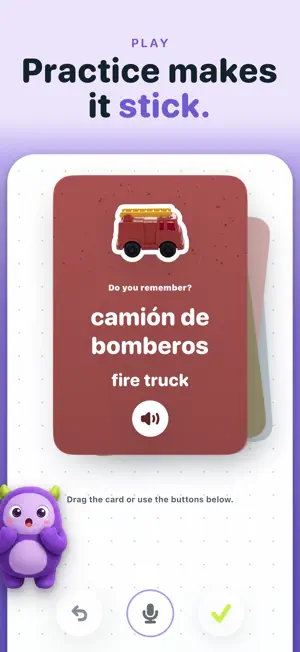
LensWords turns everyday objects into language cards. Choose a learning language, take or import a photo, confirm the object name, hear the word pronounced, and save it as a clean sticker-style vocabulary card. Use LensWords at home, while traveling, or anywhere you can point your camera at a concrete object. Build a personal notebook of real-world words, practice the ones that need recall, and keep a simple streak as you learn. Features: - Photo translation: point the camera at a real object and see its name in your learning language - Photo-based object recognition - Vocabulary cards across supported learning languages - 16 learning languages: English, Spanish, French, German, Italian, Portuguese, Vietnamese, Chinese, Japanese, Korean, Russian, Arabic, Hindi, Thai, Indonesian, and more - Pronunciation playback - Custom correction when the object name is wrong - Sticker-style notebook - Lightweight practice and recall - Streaks, badges, and learning memory LensWords Premium (optional): LensWords Premium raises your daily scans from 5 to 20, removes the 100-word notebook limit, and lets a single practice session review up to 40 cards. Choose the plan that works for you: - LensWords Premium Annual — $29.99 per year, auto-renewable, with a 7-day free trial. This is the default plan. - LensWords Premium Monthly — $4.99 per month, auto-renewable, with a 7-day free trial. - LensWords Premium Lifetime — $69.99 one-time purchase. This is not a subscription: it does not renew and is billed once. For the Annual and Monthly subscriptions: payment is charged to your Apple Account when you confirm the purchase, and each subscription renews automatically for the same length and price unless cancelled at least 24 hours before the end of the current period. Manage or cancel any subscription anytime in your Apple Account settings. Privacy Policy: https://altaiventures.co/privacy/ Terms of Use (EULA): https://altaiventures.co/terms/
What’s new
Version 1.0.6 · Updated October 5, 2026
During setup, your first scan is now saved to your notebook automatically once the object is recognized, with an Undo if you change your mind. After that first scan, LensWords opens straight to your notebook. It no longer sends you back to setup. Fixed: if naming an object took a long time, the Save word button could stay hidden. Plus a few small fixes and improvements.
App privacy
The developer, Altai Ventures LLC, reported these privacy practices to Apple.
Data Not Linked to You
The following data, which may be collected but is not linked to your identity, may be used for the following purposes:
- Purchases: Purchase History
- Usage Data: Product Interaction, Other Usage Data
- User Content: Photos or Videos
Used for: Analytics, App Functionality
Alternatives to LensWords: Language Camera
Looking for apps like LensWords: Language Camera? Here are 6 similar apps on the App Store. The highest rated is Vocabeam: AI Scan & Learn (5.0/5), and all 6 are free to download.
-
 Vocabeam: AI Scan & Learn
5.0
Vocabeam: AI Scan & Learn
5.0
-
 Paper Rooms
-
 Vocalet: Photo Vocabulary AI
-
 math worksheets generator pro
-
 CamLingo
-
 DMV Permit Practice: RoadSigns
5.0
DMV Permit Practice: RoadSigns
5.0
| App | Rating | Price | Last updated | Compare |
|---|---|---|---|---|
| LensWords: Language Camera | – | Free | October 5, 2026 | |
| Vocabeam: AI Scan & Learn | 5.0 / 5 (1) | Free | Aug 31, 2026 | Compare |
| Paper Rooms | – | Free | Jun 28, 2026 | Compare |
| Vocalet: Photo Vocabulary AI | – | Free | Jun 29, 2026 | Compare |
| math worksheets generator pro | – | Free | Feb 24, 2026 | Compare |
| CamLingo | – | Free | Jul 9, 2025 | Compare |
| DMV Permit Practice: RoadSigns | 5.0 / 5 (1) | Free | Sep 27, 2026 | Compare |