

Clarity AI: Photo Enhancer
Alexandru Vlad Tanasescu Photo & Video iPhoneiPadiPod touch
Clarity AI: Photo Enhancer is a free Photo & Video app for iPhone and iPad by Alexandru Vlad Tanasescu. Requires iOS 17.0. Updated July 10, 2026.
- Price
- Free
- on the App Store
- Size
- 3 MB
- Age 4+
- Updated
- Jul 10
- 2026 · v1.0
Screenshots
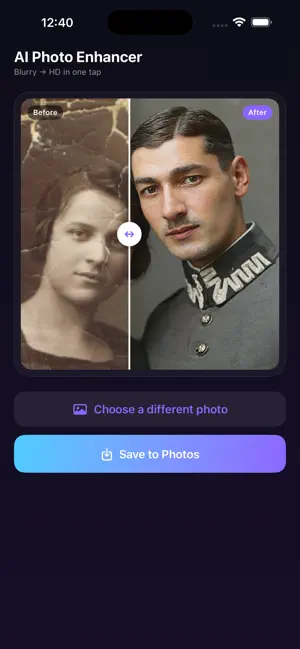
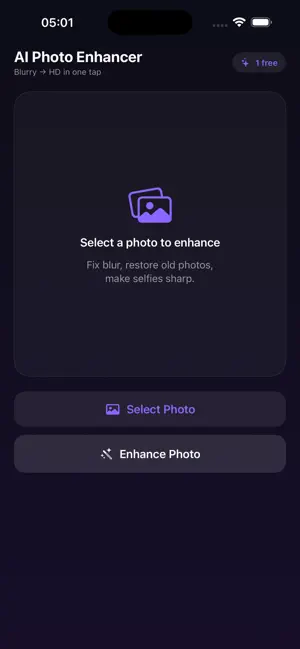
About Clarity AI: Photo Enhancer
Bring your old, blurry, or damaged photos back to life with AI — in one tap. WHAT IT DOES - Repairs scratches, creases and damage on old photos - Colorizes black and white pictures - Fixes blur and sharpens faces - Restores faded, washed-out colors HOW IT WORKS 1. Pick a photo from your gallery 2. Tap Enhance Photo 3. Compare before and after with a slider 4. Save the HD result to your Photos Your first enhancement is free. After that, enhance any photo with a simple one-time purchase — no subscription, ever. Choose Faithful mode to keep faces as true to the original as possible. No account or sign-up needed. The photo you select is processed to create the enhanced result; it is not stored.
App privacy
The developer, Alexandru Vlad Tanasescu, reported these privacy practices to Apple.
Data Not Linked to You
The following data, which may be collected but is not linked to your identity, may be used for the following purposes:
- User Content: Photos or Videos
Used for: App Functionality
Alternatives to Clarity AI: Photo Enhancer
Looking for apps like Clarity AI: Photo Enhancer? Here are 6 similar apps on the App Store. The highest rated is Rez AI: Photo Enhancer (5.0/5), and all 6 are free to download.
-
 Nerola: AI Hairstyle Try On
-
 Velora Photo Restore
-
 Rez AI: Photo Enhancer
5.0
-
 MyPhotoAI
-
 Zeus Enhance: Photo Effects
4.0
-
 ColorFix - Colorize Photos
5.0
| App | Rating | Price | Last updated | Compare |
|---|---|---|---|---|
| Clarity AI: Photo Enhancer | – | Free | July 10, 2026 | |
| Nerola: AI Hairstyle Try On | – | Free | Aug 24, 2026 | Compare |
| Velora Photo Restore | – | Free | Jul 1, 2026 | Compare |
| Rez AI: Photo Enhancer | 5.0 / 5 (3) | Free | Jun 1, 2026 | Compare |
| MyPhotoAI | – | Free | Jan 9, 2026 | Compare |
| Zeus Enhance: Photo Effects | 4.0 / 5 (1) | Free | Oct 3, 2026 | Compare |
| ColorFix - Colorize Photos | 5.0 / 5 (2) | Free | May 12, 2026 | Compare |