

Sawti: Arabic Voice to Text
Rami Hanna Productivity iPhoneiPadiPod touch
Sawti: Arabic Voice to Text is a free Productivity app for iPhone and iPad by Rami Hanna. Requires iOS 26.4. Updated September 25, 2026.
- Price
- Free
- on the App Store
- Size
- 6 MB
- Age 4+
- Updated
- Sep 25
- 2026 · v1.0.7
Screenshots
About Sawti: Arabic Voice to Text
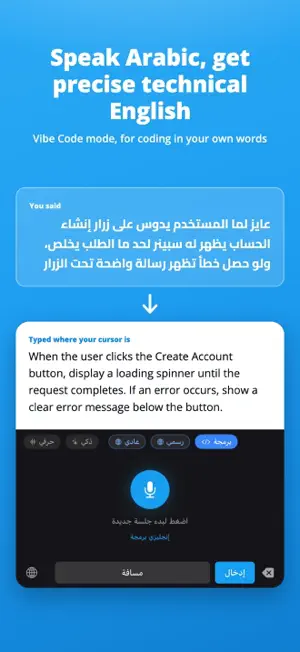
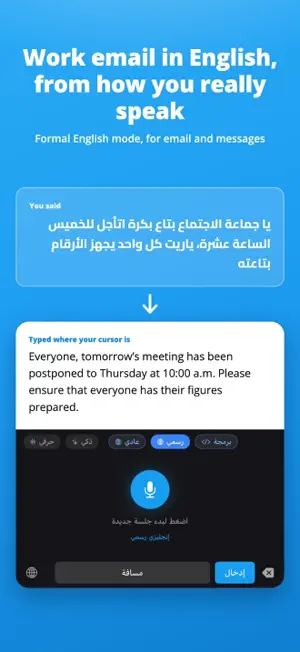
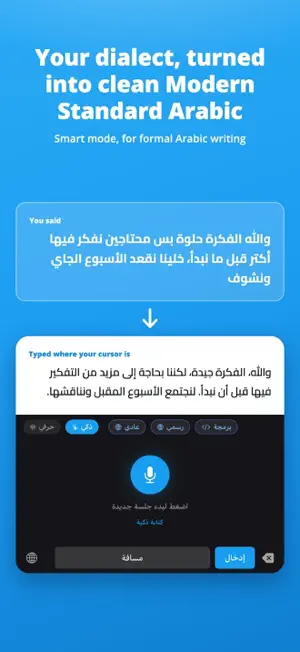
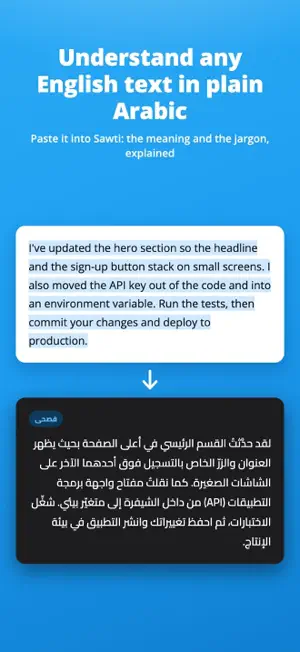
You think in Arabic. The keyboard, the chat box, the ticket, the doc are all in English. Sawti closes that gap. Tap the mic and speak your everyday Arabic. Sawti types clean, professional English where your cursor is: in a chat, an email, a message, your code editor. No more fighting a right-to-left, left-to-right jumble. It works the other way too. Paste dense English text into Sawti and it explains it in simple, everyday Arabic, making the technical words clear instead of translating them literally. FIVE WRITING MODES - Literal Dictation: what you said, minus the filler, in the same language. - Smart: turn spoken dialect into polished Modern Standard Arabic. - Casual English: speak Arabic, get natural everyday English. - Formal English: speak Arabic, get professional English for work. - Vibe Code: describe a feature or bug in Arabic, get clear technical English. THE KEYBOARD Turn on the Sawti keyboard and type with your voice in any app: WhatsApp, email, notes, anywhere you write. Tap the mic, speak, and your words appear where your cursor is. WHY FULL ACCESS The keyboard needs it for one reason: to send your recording to our service to be turned into text. It does not read or keep what you type with your fingers. ONE ACCOUNT, EVERY DEVICE Sign in with Apple, Google or email. The same account opens Sawti on iPhone, iPad, Windows, Mac and Android. PRIVACY Your voice is sent once, turned into text, and deleted. It is never sold, and Sawti never tracks you across other apps. Built for Arabic speakers.
What’s new
Version 1.0.7 · Updated September 25, 2026
New store screenshots and a clearer description in Arabic and English, plus small improvements.
App privacy
The developer, Rami Hanna, reported these privacy practices to Apple.
Data Linked to You
The following data, which may be collected and linked to your identity, may be used for the following purposes:
- Contact Info: Email Address
Used for: App Functionality
Data Not Linked to You
The following data, which may be collected but is not linked to your identity, may be used for the following purposes:
- User Content: Audio Data
Used for: App Functionality
Alternatives to Sawti: Arabic Voice to Text
Looking for apps like Sawti: Arabic Voice to Text? Here are 6 similar apps on the App Store.
-
 Translate Voice Camera OCR
-
 Recapio - Audio Video to Text
-
 Weektor: Weekly Planner
-
 Scanvite
-
 Mahami | مهامي
-
 Let's Tolk - Offline Translate
| App | Rating | Price | Last updated | Compare |
|---|---|---|---|---|
| Sawti: Arabic Voice to Text | – | Free | September 25, 2026 | |
| Translate Voice Camera OCR | – | Free | Jul 11, 2026 | Compare |
| Recapio - Audio Video to Text | – | Free | Jul 7, 2026 | Compare |
| Weektor: Weekly Planner | – | Free | Aug 30, 2026 | Compare |
| Scanvite | – | 0.99 USD | Jun 23, 2026 | Compare |
| Mahami | مهامي | – | Free | Jul 7, 2026 | Compare |
| Let's Tolk - Offline Translate | – | Free | Sep 23, 2026 | Compare |