

Illuminate Lighting Console
ILLUMINATE L.P Utilities iPad
Illuminate Lighting Console is a free Utilities app for iPad by ILLUMINATE L.P. Requires iOS 15.0. Updated October 7, 2026.
- Price
- Free
- on the App Store
- Size
- 215 MB
- Age 4+
- Updated
- Oct 7
- 2026 · v1.0.4
Screenshots

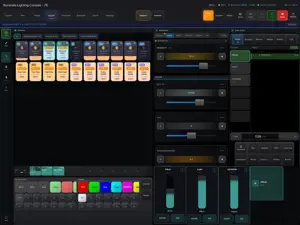

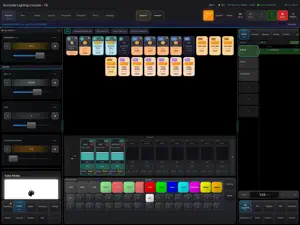
About Illuminate Lighting Console
Illuminate Lighting Console is the iPad client for the Illuminate Professional Lighting Platform: a modern DMX control system for live performance, theatre, concerts, broadcast, houses of worship, and production teams. Use Illuminate to patch fixtures, program looks, build cues, rehearse shows, and control Art-Net/sACN lighting networks from a touch-first professional console workflow. A compatible Art-Net/sACN network node or lighting network is required to control physical fixtures. PROFESSIONAL CONSOLE WORKFLOW - Full DMX-512 output over Art-Net and sACN protocols - Multi-universe show programming - Grand Master with smooth HTP/LTP layer merging - Locate, Highlight, Blind, and Park modes FIXTURE LIBRARY AND PLATFORM SERVICES - Import and patch fixture profiles quickly - Automatic channel mapping with physical attribute ranges - Multi-engine fixtures with individual cell control - Signed fixture/personality library update path PROGRAMMING AND PLAYBACK - Color picker with RGB, CCT, and Color Crossfade - Real-time effects engine for pulse, chase, rainbow, and movement looks - Cuelist recording with per-cue fade times - Programmer with Undo/Redo support - 10 faders per playback page PLOT AND MEDIA - Drag-and-drop fixture layout - Live color preview on the plot - Media pixel mapping with custom content - Fullscreen mode for focused operation CONNECTIVITY - Art-Net and sACN over Wi-Fi or Ethernet - MIDI controller mapping for faders, buttons, and notes - OSC input support - Network status indicator with interface selection BUILT FOR PRODUCTION - Designed for iPad with touch-optimized controls - Adjustable UI scale for different iPad screens - Dark interface for control booths and backstage work - Low-latency output for responsive live operation The app is free to download and includes demo programming workflows. Illuminate Pro is available as a monthly or annual auto-renewable subscription through Apple In-App Purchase. A subscription enables 12 DMX universes on up to two iPads. Payment, renewal, cancellation, and receipts are managed by Apple. Terms of Use (EULA): https://www.apple.com/legal/internet-services/itunes/dev/stdeula/
What’s new
Version 1.0.4 · Updated October 7, 2026
- Effects improvements. - Connectivity improvements. - Security improvements.
App privacy
The developer, ILLUMINATE L.P, reported these privacy practices to Apple.
Data Linked to You
The following data, which may be collected and linked to your identity, may be used for the following purposes:
- Purchases: Purchase History
- Contact Info: Email Address, Name
- User Content: Photos or Videos, Customer Support, Other User Content
- Identifiers: User ID, Device ID
- Diagnostics: Other Diagnostic Data
Used for: App Functionality
Alternatives to Illuminate Lighting Console
Looking for apps like Illuminate Lighting Console? Here are 6 similar apps on the App Store. The highest rated is Blackout Lighting Console v3 (5.0/5), and all 6 are free to download.


| App | Rating | Price | Last updated | Compare |
|---|---|---|---|---|
| Illuminate Lighting Console | – | Free | October 7, 2026 | |
| Ikan Light Deck | – | Free | Aug 12, 2026 | Compare |
| AimSat | – | Free | Oct 5, 2026 | Compare |
| Lumographe Early | – | Free | Nov 3, 2026 | Compare |
| Pixiq | – | Free | Aug 11, 2026 | Compare |
| Blackout Lighting Console v3 | 5.0 / 5 (2) | Free | Nov 3, 2026 | Compare |
| Amateur Radio Beacon | – | Free | Feb 10, 2026 | Compare |