

Geometry Drawing Tool
Ashvin Kevadiya Education iPhoneiPadiPod touch
Geometry Drawing Tool is a free Education app for iPhone and iPad by Ashvin Kevadiya. Rated 5.0/5 from 1 ratings. Requires iOS 13.0. Updated July 8, 2026.
- Rating
- 5.0
- 1 ratings
- Price
- Free
- on the App Store
- Size
- 35 MB
- Age 4+
- Updated
- Jul 8
- 2026 · v1.0
Screenshots


About Geometry Drawing Tool
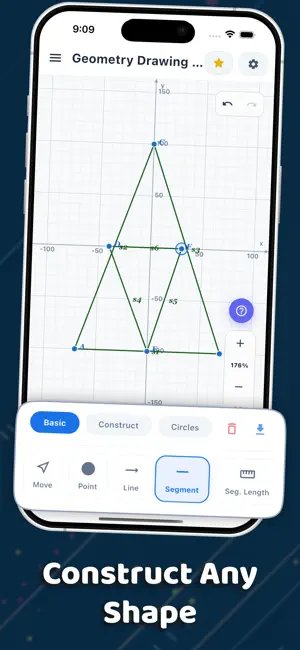
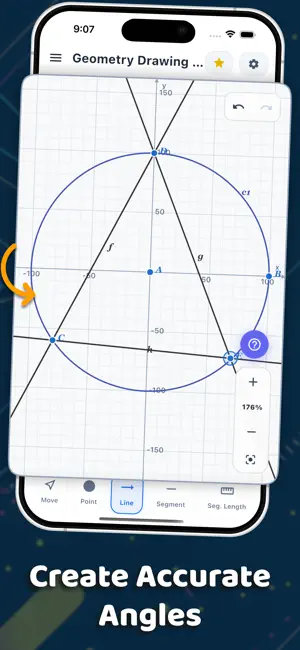
Master geometry with an all-in-one interactive geometry toolkit designed for students, teachers, engineers, architects, and anyone who loves mathematics. Whether you're solving homework, creating precise geometric constructions, or exploring mathematical concepts, Geometry Calculator AI makes learning and drawing geometry simple, accurate, and enjoyable. Create geometric constructions with ease using points, lines, circles, triangles, polygons, angles, and more. Move objects interactively, measure distances and angles instantly, and explore geometry through hands-on learning. Key Features Draw Accurate Geometry * Create points, lines, rays, segments, circles, arcs, polygons, and angles * Build precise geometric constructions * Draw triangles, quadrilaterals, and custom shapes Measure with Precision * Measure angles, lengths, distances, and areas * Calculate geometric properties instantly * Perfect for classroom assignments and professional use Interactive Geometry * Drag points to explore dynamic constructions * Visualize geometric relationships in real time * Learn by experimenting with different shapes Advanced Transformations * Rotate, reflect, translate, and scale objects * Mirror shapes across lines and points * Explore symmetry and transformations Perfect for Learning * Improve geometry skills through interactive exploration * Ideal for middle school, high school, and college students * Great for teachers creating classroom demonstrations Save & Share * Save your constructions * Export and share your projects * Continue your work anytime Ideal For • Students learning geometry • Teachers and educators • Engineers • Architects • Designers • Mathematics enthusiasts • Exam preparation • Homework and assignments Whether you're constructing triangles, measuring angles, drawing circles, exploring polygons, or learning Euclidean geometry, Geometry Calculator AI provides the tools you need in one powerful and easy-to-use app. Download Geometry Drwaing Tools today and make geometry easier, smarter, and more interactive than ever. In-app purchase Details: Lifetime Access for ads free version Privacy Policy : https://visionaso.in/manager/privacypolicy.html Terms of use : https://visionaso.in/manager/termscondition.html
App privacy
The developer, Ashvin Kevadiya, reported these privacy practices to Apple.
Data Not Collected
The developer does not collect any data from this app.
Alternatives to Geometry Drawing Tool
Looking for apps like Geometry Drawing Tool? Here are 6 similar apps on the App Store. The highest rated is Elementary Math ScratchPad (5.0/5), and 5 of the 6 are free to download.
-
 Geometry: Fix Homework & Quiz
-
 CDL Practice Test Pro
-
 Euclid Lab
-
 Geometry Calculator++
3.4
-
 PauseInk
-
 Elementary Math ScratchPad
5.0
| App | Rating | Price | Last updated | Compare |
|---|---|---|---|---|
| Geometry Drawing Tool | 5.0 / 5 (1 rating) | Free | July 8, 2026 | |
| Geometry: Fix Homework & Quiz | – | Free | May 5, 2026 | Compare |
| CDL Practice Test Pro | – | Free | Oct 25, 2026 | Compare |
| Euclid Lab | – | Free | Sep 8, 2026 | Compare |
| Geometry Calculator++ | 3.4 / 5 (5) | 2.99 USD | Dec 7, 2025 | Compare |
| PauseInk | – | Free | Oct 18, 2026 | Compare |
| Elementary Math ScratchPad | 5.0 / 5 (1) | Free | Feb 5, 2026 | Compare |