

Flash Me : Photo to Flashcards
Odell Brown Education iPhoneiPadiPod touch
Flash Me : Photo to Flashcards is a free Education app for iPhone and iPad by Odell Brown. Requires iOS 16.4. Updated September 29, 2026.
- Price
- Free
- on the App Store
- Size
- 76 MB
- Age 12+
- Updated
- Sep 29
- 2026 · v1.0.2
Screenshots


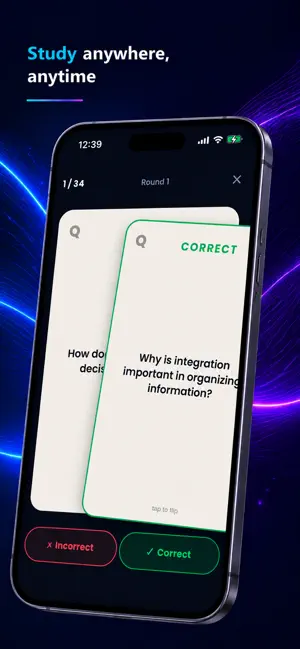
About Flash Me : Photo to Flashcards
Your notes, turned into flashcards — instantly. Snap a photo of your notes, or drop in a PDF, Word doc, PowerPoint, or text file, and Flash Me builds a full set of clean, editable flashcards in seconds. No typing. No busywork. Just study. • Snap it, study it — point your camera at a page and watch the cards appear. • Any material — photos, PDF, Word, PowerPoint, and plain text. • Fully editable — fix, tweak, add, or delete any card in a tap. • Smart Organize — let AI sort a big deck into clean, named groups. • Course-first — keep every subject's decks together. • Streaks & daily goals — build a study habit that sticks. Start free — no account needed. Your first 9 scans are on the house. After that, a Flash Me subscription (or a one-time Lifetime purchase) unlocks creating new cards and studying your decks — hundreds of cards a month. You can always view, edit, and organize the decks you've already made for free. Cards are AI-generated to help you study — always give them a quick review before a test. — Flash Me offers auto-renewing subscriptions (Monthly, 6 Months, Yearly) and a one-time Lifetime purchase. • Payment is charged to your Apple ID at confirmation of purchase. • Subscriptions renew automatically unless auto-renew is turned off at least 24 hours before the period ends. • Manage or cancel anytime in your App Store account settings. • Terms of Use: https://cryptoodie.github.io/flashme-legal/terms.html • Privacy Policy: https://cryptoodie.github.io/flashme-legal/privacy.html
What’s new
Version 1.0.2 · Updated September 29, 2026
Smoother scanning, a redesigned camera tip, faster and more accurate flashcard generation, an easier way to reorder and manage your decks, and a clearer view of your monthly usage — plus reliability fixes so paying subscribers are never wrongly blocked.
App privacy
The developer, Odell Brown, reported these privacy practices to Apple.
Data Not Linked to You
The following data, which may be collected but is not linked to your identity, may be used for the following purposes:
- Purchases: Purchase History
- User Content: Photos or Videos, Other User Content
- Identifiers: User ID
Used for: App Functionality