

TuneWake
SATOSHI MAEDA Lifestyle iPhoneiPadiPod touch
TuneWake is a free Lifestyle app for iPhone and iPad by SATOSHI MAEDA. Requires iOS 26.5. Updated August 26, 2026.
- Price
- Free
- on the App Store
- Size
- 8 MB
- Age 4+
- Updated
- Aug 26
- 2026 · v1.0.3
Screenshots


About TuneWake
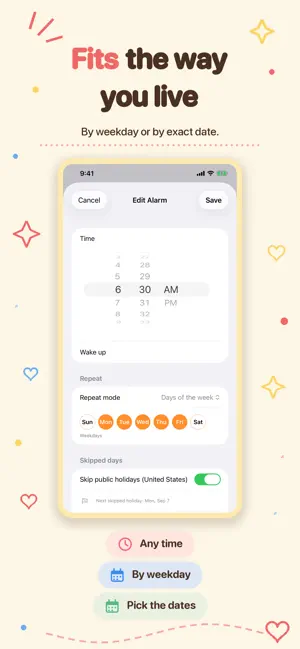
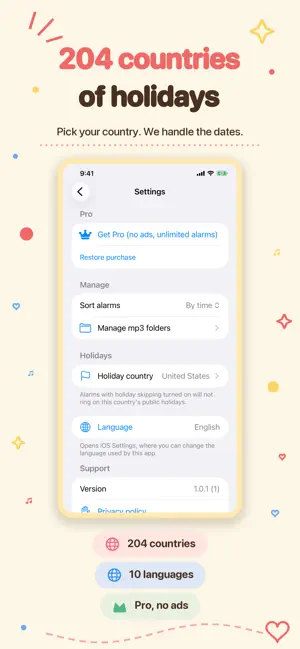
Wake up to your own mp3. Stay asleep on holidays. ■ Wake up to music you choose - Set any mp3 on your device as the alarm sound - Point an alarm at a folder and it picks a random track each time - A different song every morning ■ Holidays are skipped automatically - Public holidays for 204 countries - Detected from your device region, changeable anytime in Settings - Skip individual dates too, for trips and long weekends - No accidental alarm on your day off ■ Repeat, exactly how you need it - Once - Days of the week (every day / weekdays / weekends in one tap) - A specific date - Any set of dates you pick ■ Built to actually wake you - Shows on the Lock Screen - Snooze - See your next alarm at a glance ■ Home Screen widget - Current time and your next alarm, right on the Home Screen ■ Pricing - Free: up to 5 alarms - Pro (one-time purchase): unlimited alarms, no ads Made for you if you - want to wake up to a song you actually love - are tired of the same default alarm tone - do not want an alarm on holidays or days off - need weekday-only or date-specific schedules Requires iOS 26.5 or later. Alarm sounds use mp3 files you already have on your device. Streaming from music services is not supported.
What’s new
Version 1.0.3 · Updated August 26, 2026
- Public holiday skipping now covers 204 countries - Choose the holiday country in Settings - Now available in 10 languages
App privacy
The developer, SATOSHI MAEDA, reported these privacy practices to Apple.
Data Used to Track You
The following data may be used to track you across apps and websites owned by other companies:
- Identifiers: Device ID
Data Not Linked to You
The following data, which may be collected but is not linked to your identity, may be used for the following purposes:
- Identifiers: Device ID
Used for: Third-Party Advertising