

TrackBridge: Head Tracking
Robin Rowinski Utilities iPhoneiPadiPod touch
TrackBridge: Head Tracking is a free Utilities app for iPhone and iPad by Robin Rowinski. Rated 5.0/5 from 1 ratings. Requires iOS 17.0.
- Rating
- 5.0
- 1 ratings
- Price
- Free
- on the App Store
- Size
- 5 MB
- Age 12+
- Updated
- Jul 19
- 2026 · v1.0.1
Screenshots
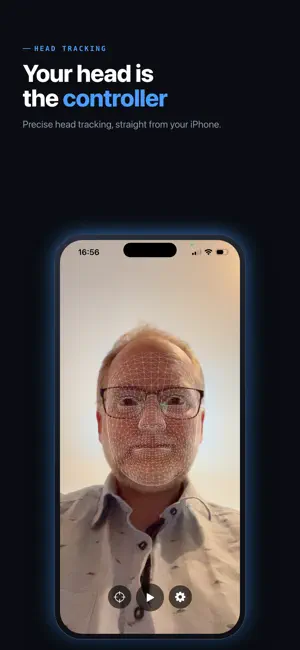
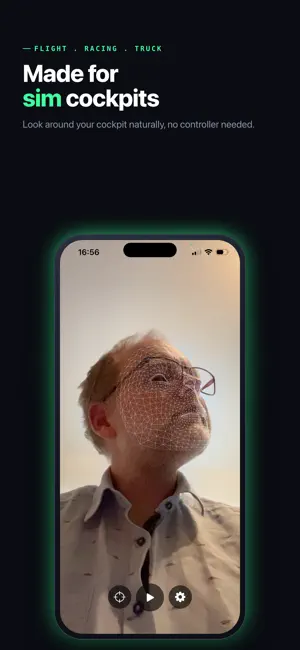


About TrackBridge: Head Tracking
Turn your iPhone into a precise head tracker for flight, racing, and truck sims - no extra hardware, no TrackIR, no account. Move your head, and the in-game camera follows. TrackBridge uses your iPhone's TrueDepth camera to capture your head's rotation and position, then streams it over your local network to OpenTrack on your PC. From there it drives head look in the sims you already play. HOW IT WORKS Your iPhone reads your head pose (yaw, pitch, roll and position) and sends it via UDP to OpenTrack. OpenTrack passes it on to your game - the same setup people use with dedicated tracking hardware, just with the phone you already own. QUICK SETUP 1. Install OpenTrack on your PC (free, open source). 2. In OpenTrack, set Input to "UDP over network". 3. Open TrackBridge and enter your PC's IP address (default port 4242). 4. Place your phone facing you - on a stand, a mount, or against your monitor. 5. Start tracking and look around in your sim. An in-app guide walks you through it the first time. FEATURES - 6 degrees of freedom: head rotation and position - Low-latency UDP streaming over your local Wi-Fi or hotspot - Works with any game OpenTrack supports - No dedicated hardware, no infrared clip, no reflectors - No account, no sign-up, no personal data required - Simple, focused interface - set it up once and play FREE, SUPPORTED BY ADS TrackBridge is free. To keep it that way, it's supported by rewarded video ads: watch one short video and unlock 4 hours of uninterrupted tracking. No subscriptions, no hidden costs, nothing to buy. SYSTEM REQUIREMENTS - iPhone with a TrueDepth camera (iPhone X or newer) - A PC running OpenTrack (Windows, Linux, or Mac) - iPhone and PC on the same local network Whether you're flying in your favorite flight sim, racing wheel-to-wheel, or hauling freight across the map in a truck sim, TrackBridge gives you natural, hardware-free head tracking straight from your iPhone.
What’s new
Version 1.0.1 · Updated July 19, 2026
Thanks for using TrackBridge! This is a small housekeeping update. No new features this time, just keeping things tidy. Have a request or found an issue? Reach us from the Support page, we read every message.
App privacy
The developer, Robin Rowinski, reported these privacy practices to Apple.
Data Not Linked to You
The following data, which may be collected but is not linked to your identity, may be used for the following purposes:
- Location: Coarse Location
- Identifiers: Device ID
- Usage Data: Product Interaction, Advertising Data
- Diagnostics: Crash Data, Performance Data, Other Diagnostic Data
Used for: Third-Party Advertising, Analytics, App Functionality
Alternatives to TrackBridge: Head Tracking
Looking for apps like TrackBridge: Head Tracking? Here are 6 similar apps on the App Store. The highest rated is Adaptive HeadTrack (5.0/5), and 5 of the 6 are free to download.
-
 Honyaku talk - Translate
-
 Spider Identifier: Spider AI
-
 Adaptive HeadTrack
5.0
Adaptive HeadTrack
5.0
-
 APTROCK
-
 HTTPS for Safari
3.5
HTTPS for Safari
3.5
-
 Flight Computer
| App | Rating | Price | Last updated | Compare |
|---|---|---|---|---|
| TrackBridge: Head Tracking | 5.0 / 5 (1 rating) | Free | July 19, 2026 | |
| Honyaku talk - Translate | – | Free | Oct 21, 2026 | Compare |
| Spider Identifier: Spider AI | – | Free | Jun 25, 2025 | Compare |
| Adaptive HeadTrack | 5.0 / 5 (1) | Free | Sep 29, 2026 | Compare |
| APTROCK | – | Free | Nov 8, 2024 | Compare |
| HTTPS for Safari | 3.5 / 5 (2) | 1.99 USD | Oct 10, 2026 | Compare |
| Flight Computer | – | Free | Aug 19, 2026 | Compare |