

VidFlex - AI Video Generator
Asam Iftikhar Photo & Video iPhoneiPadiPod touch
VidFlex - AI Video Generator is a free Photo & Video app for iPhone and iPad by Asam Iftikhar. Rated 4.0/5 from 9 ratings. Requires iOS 17.6.
- Rating
- 4.0
- 9 ratings
- Price
- Free
- on the App Store
- Size
- 207 MB
- Age 17+
- Updated
- Aug 11
- 2026 · v2.0
Screenshots
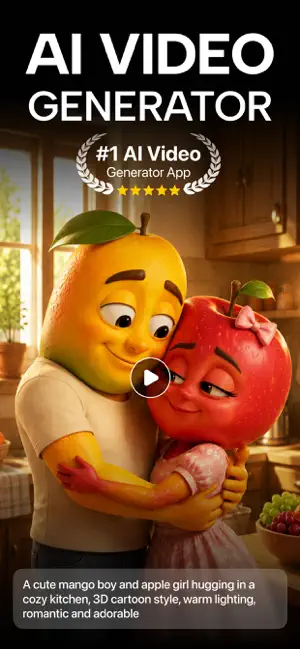
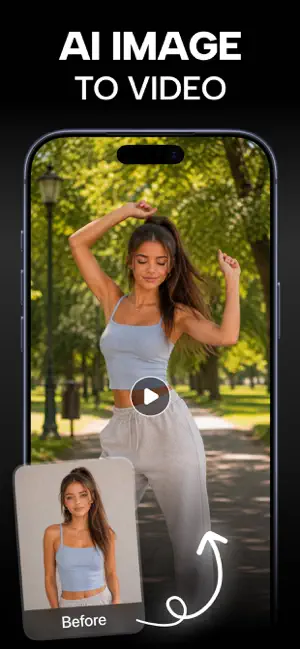

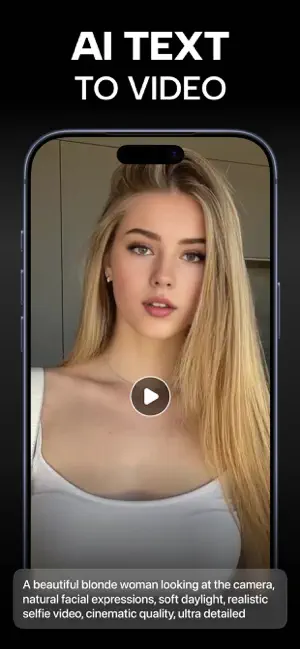
About VidFlex - AI Video Generator
Turn any photo, product, or idea into a scroll-stopping video in seconds. No editing, no timeline, no gear — just bring your idea, tap create, and watch it move. Whether you're making product ads, remixing viral trends, or animating a favorite photo, VidFlex turns what used to take hours into a few quick taps. THREE WAYS TO CREATE Tap the create button and pick your mode: • Ad Generation — Upload a product photo, add a headline and a call to action, then choose a Scene (Studio, Podium, Marble, Nature) and an Animation (360° Orbit, Push In, Turntable, Hero Focus). VidFlex builds a polished, professional product ad for you automatically — even an ordinary phone snapshot becomes a designed, video-ready scene. • Image to Video — Bring any photo to life. Add an optional motion or camera direction, pick a duration (5s or 10s), and choose your AI model (VidFlex Standard, powered by Seedance 2.0 Fast). Leave the prompt blank for natural motion, or steer the shot precisely. Your still photo becomes cinematic, moving video. • Text to Video — No photo needed. Describe a scene, mood, or action in words and VidFlex generates the video for you. VIRAL TEMPLATES Skip the blank canvas. Browse featured picks and themed collections on the Home screen, preview the exact result, then tap "Choose a photo" to drop yourself into a trending format — from stadium celebrations to fitness and lifestyle scenes. Every template shows its credit cost up front, and you can hop between wildly different styles just by picking a new one and adding a new photo. The library refreshes with what's trending, so your videos stay current. DISCOVER FROM HOME Your Home screen keeps fresh ideas in front of you: a spotlight on Product Ads, a Featured row of high-impact templates, and swipeable categories with "See all." Your credit balance sits right at the top with one-tap top-up. TRANSPARENT CREDITS Everything runs on simple credits, and every generation shows its exact cost next to your balance before you commit — no surprises, no hidden fees. Pick shorter clips or efficient models to stretch your credits further, and top up anytime. YOUR VIDEO LIBRARY Every video you make is saved to your personal library, counted and organized, ready to rewatch and share whenever you like. BUILT TO FEEL EFFORTLESS A sleek dark interface with warm gold accents, a simple bottom bar (Home, Create, Settings), clear tappable controls, and helpful cues at every step. Whether it's your first video or your five-hundredth, VidFlex stays fast, friendly, and fun. PERFECT FOR Online sellers and small businesses making product ads, creators chasing viral clips, storytellers visualizing ideas, and anyone who wants to turn photos and passions into cinematic moments. Bring your idea, tap create, and watch it move. Your next scroll-stopping video is only seconds away. Note: Payment will be charged to your iTunes account at confirmation of purchase. Your subscription will automatically renew unless auto-renew is turned off at least 24-hours before the end of the current subscription period. Your account will be charged for renewal within 24-hours prior to the end of the current subscription period. Automatic renewals will cost the same price you were originally charged for the subscription. You can manage your subscriptions and turn off auto-renewal by going to your Account Settings on the App Store after purchase. Read our terms of service and Privacy Policy for more information. privacy policy https://sites.google.com/view/amd-apps/privacy-policy terms of use https://sites.google.com/view/amd-apps/terms-codition End User License Agreement https://sites.google.com/view/amd-apps/end-user-license-agreement
Ratings & reviews
4.0
9 ratings
What’s new
Version 2.0 · Updated August 11, 2026
- Major Bug Fixing
App privacy
The developer, Asam Iftikhar, reported these privacy practices to Apple.
Data Used to Track You
The following data may be used to track you across apps and websites owned by other companies:
- User Content: Photos or Videos
- Identifiers: Device ID
- Usage Data: Advertising Data
- Diagnostics: Crash Data
Data Linked to You
The following data, which may be collected and linked to your identity, may be used for the following purposes:
- User Content: Photos or Videos
- Identifiers: Device ID
- Usage Data: Advertising Data
- Diagnostics: Crash Data
Used for: Analytics
Alternatives to VidFlex - AI Video Generator
Looking for apps like VidFlex - AI Video Generator? Here are 6 similar apps on the App Store. The highest rated is Lymora - Ai Video Generator (5.0/5), and all 6 are free to download.
-
 Hootz - AI Video Generator
4.4
Hootz - AI Video Generator
4.4
-
 AI Video Generator
4.8
AI Video Generator
4.8
-
 Photo to Video: AI Video Maker
3.0
Photo to Video: AI Video Maker
3.0
-
 AI Video&AI Photo Maker-Vireal
2.0
AI Video&AI Photo Maker-Vireal
2.0
-
 Lymora - Ai Video Generator
5.0
Lymora - Ai Video Generator
5.0
-
 AI Video Generator: Beo Image
2.6
AI Video Generator: Beo Image
2.6
| App | Rating | Price | Last updated | Compare |
|---|---|---|---|---|
| VidFlex - AI Video Generator | 4.0 / 5 (9 ratings) | Free | August 11, 2026 | |
| Hootz - AI Video Generator | 4.4 / 5 (87) | Free | Aug 31, 2026 | Compare |
| AI Video Generator | 4.8 / 5 (21) | Free | Aug 19, 2026 | Compare |
| Photo to Video: AI Video Maker | 3.0 / 5 (2) | Free | Aug 11, 2026 | Compare |
| AI Video&AI Photo Maker-Vireal | 2.0 / 5 (3) | Free | Jul 28, 2026 | Compare |
| Lymora - Ai Video Generator | 5.0 / 5 (1) | Free | Aug 11, 2026 | Compare |
| AI Video Generator: Beo Image | 2.6 / 5 (5) | Free | May 13, 2026 | Compare |