

XLSX Repair: XLS File Recovery
Rush Tools LLC Utilities iPhoneiPadiPod touchMac
XLSX Repair: XLS File Recovery is a free Utilities app for iPhone and iPad by Rush Tools LLC. Requires iOS 15.0. Updated October 23, 2026.
- Price
- Free
- on the App Store
- Size
- 26 MB
- Age 4+
- Updated
- Oct 23
- 2026 · v1.0.16
Screenshots

About XLSX Repair: XLS File Recovery
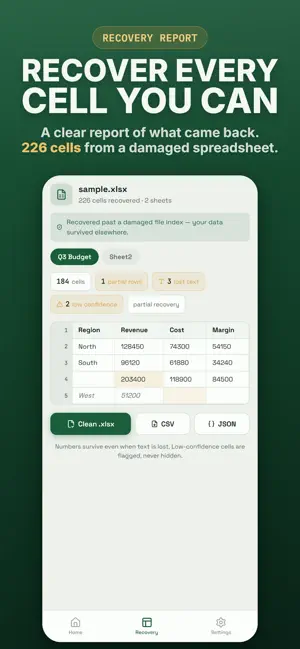
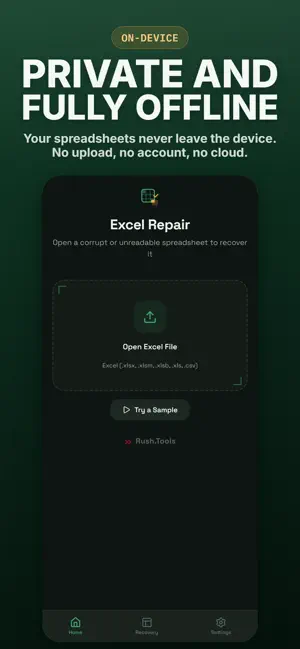
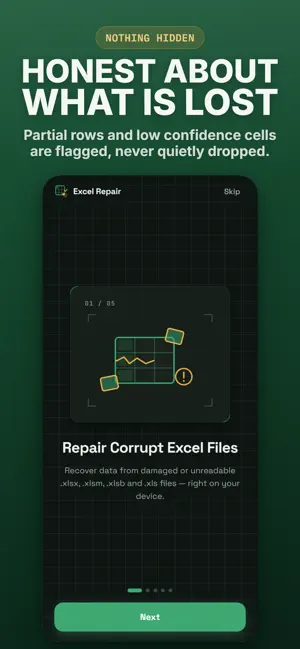
Cannot open an important spreadsheet? XLSX Repair recovers corrupt, damaged, and unreadable Excel files so you can get your data back fast. Open a broken XLSX, XLSM, XLSB, XLS, or CSV file, see exactly what was recovered, and export a clean, working spreadsheet in seconds. When a file is corrupted and cannot be opened, shows a problem with some content, or says the content is unreadable, XLSX Repair scans it, rescues every value it can, and gives you a fresh file you can use again. WHAT IT DOES • Recover corrupt and damaged Excel spreadsheets • Open files that other apps refuse to open • Repair broken XLSX, XLSM, and XLSB workbooks • Restore older XLS files and CSV data • Rescue numbers, text, dates, and cells from damaged sheets • Preview every recovered cell, sheet, and value • Export a clean spreadsheet, or save your data as CSV WORKS WITH YOUR SPREADSHEETS • Excel formats: XLSX, XLSM, XLSB, XLS • CSV data files • Files from email attachments, downloads, messages, and cloud storage • Open straight from the Files app or the share sheet ERRORS IT HELPS WITH • The file is corrupt and cannot be opened • Excel found unreadable content • The file format or extension is not valid • We found a problem with some content • Files that were corrupted, damaged, or would not open at all HONEST RECOVERY YOU CAN TRUST • A clear report shows what was recovered and what was lost • Uncertain values are flagged, never hidden • Everything runs offline on your device. Your files never leave your iPhone, iPad, or Mac PERFECT FOR • Anyone who received a spreadsheet that will not open • Students, accountants, analysts, and small business owners • Recovering data from an old, broken, or damaged Excel file A note on what is possible: some severely damaged files cannot be fully recovered, and password protected workbooks are not supported. XLSX Repair always shows what it can recover before you export, so there are never any surprises. XLSX Repair is an independent app and is not affiliated with, endorsed by, or sponsored by Microsoft. Excel, XLSX, XLSM, XLSB, and XLS are used only to indicate the file formats the app works with. Privacy Policy: https://rush.tools/privacy Terms of Use: https://rush.tools/terms
What’s new
Version 1.0.16 · Updated October 23, 2026
Minor refinements. (XLSX Repair: XLS File Recovery)
App privacy
The developer, Rush Tools LLC, reported these privacy practices to Apple.
Data Not Collected
The developer does not collect any data from this app.
Alternatives to XLSX Repair: XLS File Recovery
Looking for apps like XLSX Repair: XLS File Recovery? Here are 6 similar apps on the App Store. The highest rated is WatchMuse (5.0/5), and all 6 are free to download.
-
 Office: Docs, PDF, Spreadsheet
-
 Smith Shanklin Sosa AI Legal
-
 Space Saver - Duplicate Finder
-
 Nordic Energy Manager
-
 WatchMuse
5.0
WatchMuse
5.0
-
 CarGuy
5.0
CarGuy
5.0
| App | Rating | Price | Last updated | Compare |
|---|---|---|---|---|
| XLSX Repair: XLS File Recovery | – | Free | October 23, 2026 | |
| Office: Docs, PDF, Spreadsheet | – | Free | Aug 31, 2026 | Compare |
| Smith Shanklin Sosa AI Legal | – | Free | Nov 17, 2023 | Compare |
| Space Saver - Duplicate Finder | – | Free | Oct 18, 2026 | Compare |
| Nordic Energy Manager | – | Free | Mar 11, 2025 | Compare |
| WatchMuse | 5.0 / 5 (2) | Free | Oct 5, 2026 | Compare |
| CarGuy | 5.0 / 5 (4) | Free | Sep 26, 2026 | Compare |