

NotationAI: Music Scanner
旋炜 李 Music iPhoneiPadiPod touch
NotationAI: Music Scanner is a free Music app for iPhone and iPad by 旋炜 李. Requires iOS 17. Updated October 21, 2026.
- Price
- Free
- on the App Store
- Size
- 137 MB
- Age 4+
- Updated
- Oct 21
- 2026 · v1.1.0
Screenshots



About NotationAI: Music Scanner
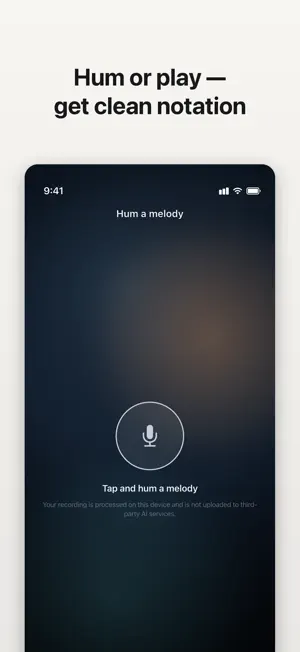
Turn musical ideas into editable scores with an AI assistant built directly into a professional notation editor. Ask NotationAI to continue a melody, add harmony, build accompaniment or arrange for an ensemble. Review every suggestion in the score, hear the result, and edit, undo or keep every note. KEY FEATURES • AI Score Assistant — Develop melodies, harmony, accompaniment and arrangements without leaving the score. • Piano Note Entry — Enter notes and chords quickly with a responsive on-screen piano. • Professional Notation — Create and refine solo, ensemble and multi-staff scores with complete editing tools. • HQ Instruments & Playback — Choose from a full General MIDI library, audition notes instantly, and follow highlighted notes across multiple parts. • Live Collaboration — Share view or edit access and work together with live presence, cursors and selections. • Import & Export — Start from MusicXML, MXL, MIDI, MuseScore files, a photographed score or a performed melody; export MusicXML, MIDI, PDF or PNG. Core notation, playback and local draft recovery work without an account. Sign in when you choose online AI features, cloud storage, private sharing or live collaboration. About Subscriptions: - Some features are only available to Pro users. - Payment will be deducted from your iTunes account after you confirm the purchase. - The subscription renews automatically unless auto-renewal is turned off at least 24 hours before the end of the current period. - After purchase, you can manage your subscription and turn off auto-renewal by going to your Account Settings in the iTunes store. - You can cancel your subscription by entering: http://support.apple.com/en-us/HT202039 Terms of Service: https://notationai.app/terms Privacy Policy: https://notationai.app/privacy https://www.apple.com/legal/internet-services/itunes/dev/stdeula/
What’s new
Version 1.1.0 · Updated October 21, 2026
• Start writing music, humming, or arranging with AI faster, with smoother navigation and editing. • Explore clearer free-trial options and manage your subscription more easily.
App privacy
The developer, 旋炜 李, reported these privacy practices to Apple.
Data Linked to You
The following data, which may be collected and linked to your identity, may be used for the following purposes:
- Purchases: Purchase History
- Location: Coarse Location
- Identifiers: User ID, Device ID
- Usage Data: Product Interaction
- Diagnostics: Other Diagnostic Data
- Contact Info: Email Address
- User Content: Photos or Videos, Audio Data, Other User Content
Used for: Analytics, App Functionality
Alternatives to NotationAI: Music Scanner
Looking for apps like NotationAI: Music Scanner? Here are 6 similar apps on the App Store.
-
 PianoSheet AI: Song to Sheet
-
 Muse Forge
-
 Altogether Sheet Music
-
 Piano Score Workshop
-
 EasyLoops: for music creators
-
 BopBot: Bebop Solo Generator
| App | Rating | Price | Last updated | Compare |
|---|---|---|---|---|
| NotationAI: Music Scanner | – | Free | October 21, 2026 | |
| PianoSheet AI: Song to Sheet | – | Free | Oct 19, 2026 | Compare |
| Muse Forge | – | Free | Oct 6, 2026 | Compare |
| Altogether Sheet Music | – | Free | Oct 10, 2026 | Compare |
| Piano Score Workshop | – | 4.99 USD | Oct 22, 2026 | Compare |
| EasyLoops: for music creators | – | 2.99 USD | Aug 18, 2026 | Compare |
| BopBot: Bebop Solo Generator | – | Free | Aug 4, 2026 | Compare |