

Expensly: Auto Budget Tracker
Farhan Fazil Finance iPhoneiPadiPod touch
Expensly: Auto Budget Tracker is a free Finance app for iPhone and iPad by Farhan Fazil. Requires iOS 15.1. Updated October 14, 2026.
- Price
- Free
- on the App Store
- Size
- 77 MB
- Age 4+
- Updated
- Oct 14
- 2026 · v1.2.1
Screenshots
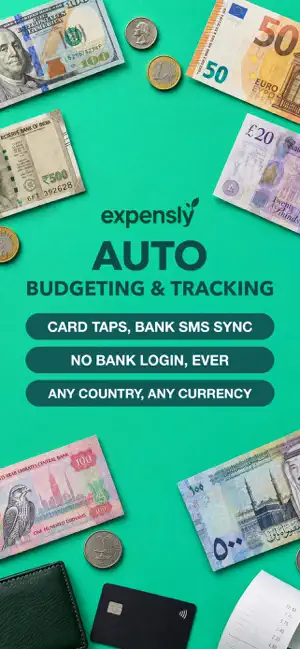


About Expensly: Auto Budget Tracker
Save for what you love, with even less effort. NEW: SEE WHAT WAS LOGGED FOR YOU • Home now has three views: Simple, Full and Auto-log. • Auto-log shows how many purchases were logged for you this month, how much typing you saved, and bars for each day or month. • Every purchase shows how it got logged: bank SMS, Apple Pay, Action button, Double tap or Siri. EASIER AUTOMATIC LOGGING • A new, shorter setup: pick how you pay (bank SMS, bank app notification or Apple Pay) and try it right away. • Screen capture reads every purchase on the screen and never logs the same one twice. • The Action button and Double tap now show "Working" as soon as they run. • Shopping alert now has a short video guide with voice. YOUR MONTH AT A GLANCE • New calendar page: see each day's spending, filter by category and tap a day for details. • Forecast is clearer: one answer for the month and one simple chart. • Days with no spending now show on Home. MORE TO ENJOY • Choose your app icon: Wink or Peek. Notifications use the one you pick. • Swipe your category rings on Home, add or remove categories in a tap. • Settings has a fresh new look, with backgrounds shown as big previews. • "Can I buy it?" is simpler and fits on one screen. • Teal Sunflower is now the default theme for everyone. PREMIUM • Try Premium free for 7 days on Monthly or Yearly. • A clearer Premium page that shows everything you get, with Yearly and Monthly easy to compare. • Make your own categories, as many as you like. FIXES • Your budgets stay safe when you edit your plan. • The app icon shows its true colours on iOS 26. • Many small fixes and speed improvements. Terms of Use (EULA): https://expensly.app/terms.html Privacy Policy: https://expensly.app/privacy.html
What’s new
Version 1.2.1 · Updated October 14, 2026
Save for what you love, with even less effort. NEW: SEE WHAT WAS LOGGED FOR YOU • Home now has three views: Simple, Full, and Auto-log. • Auto-log shows how many purchases were logged for you this month, how much typing you saved, and bars for each day or month. • Every purchase shows how it got logged: bank SMS, Apple Pay, Action button, Double tap or Siri. EASIER AUTOMATIC LOGGING • A new, shorter setup: pick how you pay (bank SMS, bank app notification or Apple Pay) and try it right away. • Screen capture reads every purchase on the screen and never logs the same one twice. • The Action button and Double tap now show "Working" as soon as they run. • Shopping alert now has a short video guide with voice. YOUR MONTH AT A GLANCE • New calendar page: see each day's spending, filter by category and tap a day for details. • Forecast is clearer: one answer for the month and one simple chart. • Days with no spending now show on Home. MORE TO ENJOY • Choose your app icon: Wink or Peek. Notifications use the one you pick. • Swipe your category rings on Home, add or remove categories in a tap. • Settings has a fresh new look, with backgrounds shown as big previews. • "Can I buy it?" is simpler and fits on one screen. • Teal Sunflower is now the default theme for everyone. PREMIUM • Try Premium free for 7 days on Monthly or Yearly. • A clearer Premium page that shows everything you get, with Yearly and Monthly easy to compare. • Make your own categories, as many as you like. FIXES • Your budgets stay safe when you edit your plan. • The app icon shows its true colours on iOS 26. • Many small fixes and speed improvements.
App privacy
The developer, Farhan Fazil, reported these privacy practices to Apple.
Data Linked to You
The following data, which may be collected and linked to your identity, may be used for the following purposes:
- Financial Info: Other Financial Info
- Contact Info: Email Address
- Identifiers: User ID
Used for: App Functionality
Alternatives to Expensly: Auto Budget Tracker
Looking for apps like Expensly: Auto Budget Tracker? Here are 6 similar apps on the App Store.
-
 Hesabi AI
-
 Flousi Finance
-
 Tally: Budget Expense Tracker
-
 Expensly - Spending Tracker
-
 SpendLens — Expense Tracker
-
 Quits: Split Bills & Expenses
| App | Rating | Price | Last updated | Compare |
|---|---|---|---|---|
| Expensly: Auto Budget Tracker | – | Free | October 14, 2026 | |
| Hesabi AI | – | Free | Oct 7, 2026 | Compare |
| Flousi Finance | – | Free | Aug 16, 2026 | Compare |
| Tally: Budget Expense Tracker | – | Free | Jul 29, 2026 | Compare |
| Expensly - Spending Tracker | – | Free | Nov 7, 2024 | Compare |
| SpendLens — Expense Tracker | – | Free | Sep 20, 2026 | Compare |
| Quits: Split Bills & Expenses | – | Free | Aug 18, 2026 | Compare |