

PVE Admin
apply IT UG (haftungsbeschraenkt) Developer Tools iPhoneiPadiPod touch
PVE Admin is a free Developer Tools app for iPhone and iPad by apply IT UG (haftungsbeschraenkt). Rated 5.0/5 from 1 ratings. Requires iOS 26.0.
- Rating
- 5.0
- 1 ratings
- Price
- Free
- on the App Store
- Size
- 11 MB
- Age 4+
- Updated
- Oct 13
- 2026 · v1.4.1
Screenshots



About PVE Admin
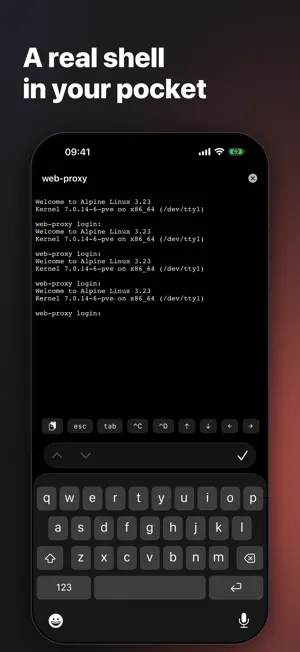
PVE Admin puts your Proxmox VE cluster in your pocket. Monitor and manage your nodes, virtual machines, and containers from iPhone and iPad — wherever you are. FEATURES • Dashboard — cluster health at a glance: nodes online, running guests, CPU and memory load. • Virtual machines & containers — start, stop, reboot, shut down, create, clone, migrate, and delete, with live CPU, memory, disk, and network charts. • In-app console — a real terminal to containers and nodes, a graphical console for VMs, no SSH client needed. • Snapshots & backups — create and roll back snapshots, run and schedule backups, and restore. • Live Activities — backup, restore, clone, migrate, and downloads with progress on the Lock Screen and in the Dynamic Island. • Widget — nodes, running guests, and load on the Home Screen without opening the app. • Network configuration — edit bridges, VLAN tags, IP, gateway, and firewall per interface. • Node maintenance — check and install available package updates, services, disks with SMART data, and ZFS pools. • System log — follow a node's journal live. • Storage — browse storages, ISOs, templates, disks, and backups; download and clean up. • Tasks — follow cluster tasks with live, streaming logs. • Pending-reboot indicator — see exactly which config changes are waiting for a restart. • Access management — users, groups, roles, permissions, API tokens, realms, and two-factor. • Firewall, resource pools, high availability, and replication. • Push notifications — cluster events by severity, including finished backups and available updates. SECURITY & PRIVACY • Certificate pinning, API-token or ticket login, and TOTP two-factor authentication. • Face ID / Touch ID app lock. • Anonymous, opt-out usage analytics — no account, no tracking. PVE Admin is not affiliated with Proxmox Server Solutions GmbH.
What’s new
Version 1.4.1 · Updated October 13, 2026
Bug fix • The firewall rules list failed to load ("The data couldn't be read") as soon as a rule had an IP address or subnet as source or destination. Fixed, along with editing such a rule. • The rules of a security group could not be shown or edited. Fixed.
App privacy
The developer, apply IT UG (haftungsbeschraenkt), reported these privacy practices to Apple.
Data Not Linked to You
The following data, which may be collected but is not linked to your identity, may be used for the following purposes:
- Usage Data: Product Interaction
- Identifiers: Device ID
Used for: Analytics, App Functionality
Alternatives to PVE Admin
Looking for apps like PVE Admin? Here are 6 similar apps on the App Store. The highest rated is ProxMan (4.7/5), and all 6 are free to download.
-
 Proxmox Manager Server
-
 ProxMate Widgets
3.0
ProxMate Widgets
3.0
-
 ProxMan
4.7
ProxMan
4.7
-
 ProxMate Backup
4.0
ProxMate Backup
4.0
-
 Proxmox VE Companion
4.5
Proxmox VE Companion
4.5
-
 ProxMate
4.2
ProxMate
4.2
| App | Rating | Price | Last updated | Compare |
|---|---|---|---|---|
| PVE Admin | 5.0 / 5 (1 rating) | Free | October 13, 2026 | |
| Proxmox Manager Server | – | Free | Jun 10, 2026 | Compare |
| ProxMate Widgets | 3.0 / 5 (2) | Free | Jan 21, 2026 | Compare |
| ProxMan | 4.7 / 5 (93) | Free | Sep 19, 2026 | Compare |
| ProxMate Backup | 4.0 / 5 (4) | Free | Oct 19, 2026 | Compare |
| Proxmox VE Companion | 4.5 / 5 (11) | Free | Apr 28, 2026 | Compare |
| ProxMate | 4.2 / 5 (26) | Free | Oct 19, 2026 | Compare |
Compare PVE Admin with the top alternatives: ratings, updates, ASO score and keyword gaps →