

RasterLab Mobile
Hyth Focus Inc. Utilities iPhoneiPadiPod touch
RasterLab Mobile is a free Utilities app for iPhone and iPad by Hyth Focus Inc. Rated 5.0/5 from 3 ratings. Requires iOS 15.0. Updated September 17, 2026.
- Rating
- 5.0
- 3 ratings
- Price
- Free
- on the App Store
- Size
- 45 MB
- Age 4+
- Updated
- Sep 17
- 2026 · v2.5.0
Screenshots
About RasterLab Mobile
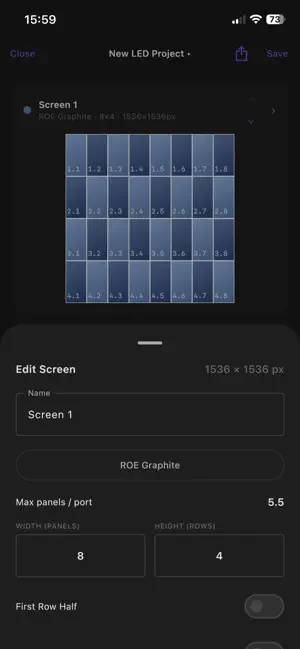
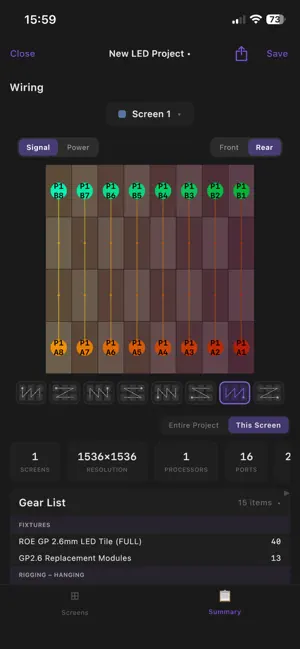
Your LED screen pre-production just got easier. RasterLab is an LED screen based configuration and pre-production app designed for users of different levels from producers to technical directors needing a high-level or quick reference for LED screen management, to LED technicians and engineers who need to dig down into the details of building a live show fast and reliably. And the best part, both of these users can interact! A producer can share their project with an engineer, and through background magic, will be nearly show site ready. RasterLab is able to quickly provide you with highly detailed, uniquely shaped screens that might be more than simple rectangles. RasterLab also will (based on your products, processing, configuration styles) auto-generate detailed stats such as resolutions, weight estimates, power draws, wiring diagrams, equipment lists, and of course grids nearly instantly. Exports allow easy interactions with media content creation (Photoshop, Illustrator, After Affects), Anomes Millumin and Resolume Arena configuration, and the recently introduced Analogy Way LivePremier configuration with one button (desktop version only).
What’s new
Version 2.5.0 · Updated September 17, 2026
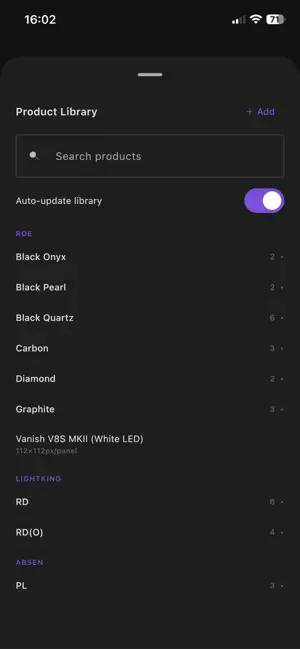
New Features Expanded Mobile Configurations Summary PDF Export the same Summary PDF the desktop app makes, right from your phone: share menu → PDF. Grid layouts, processor layout, wiring and power diagrams, and the gear list all match desktop "Generate gear list by screen" and "Export for Breakout" (one PDF per breakout, each with only its own screens) work just like desktop, and your breakout setup is saved with the project New Gear tab allows you see and edit the full gear list on your phone just as you would on desktop New undo button (↶) in the top bar steps back through your screen edits Snapshots Save any screen as a snapshot and recall it into any project from the + button → "From Snapshot…" Snapshots now travel with your projects so save or recall is stored in the project file. Opening that project on another phone or on desktop shows it in the recall window under "In this project", tap Add to put it in your own library Export your whole snapshot library to a file and import it on another device Screen Groups The same screen groups functionality from desktop is now available on mobile, no longer restricting you to standalone screens or non-interactable group pages Product Library ROE Sapphire 2×2 / 1×2 brick frames with combo hanging/stacking bars Unilumin Upad III2 90° outside corners (LEFT and RIGHT cabinets, up to 4 corners per screen with a warning) Feature Updates X / Y position and override resolution fields do math: + − × ÷ buttons appear above the field while you type with the answer shown as you go. Tap = or leave the field to apply it Android: updates now download inside the app with a progress bar and install from there, instead of sending you to the browser. You can also turn on automatic updates so the app downloads new versions on its own and asks when it's ready to install (Settings → Updates, or the checkbox in the update window) Live Monitor: much deeper control and health monitoring of Megapixel HELIOS processors Screens in a group can no longer have different frame rates or bit depths, since a group runs off one processor output Bug Fixes Screens in a group using different LED products no longer overlap in the wiring diagrams Manual Y-cable patching fills correctly on auto-route, including between screens in a "Treat as one screen" group A screen with an output resolution override no longer asks for an extra processor it doesn't need Curves are capped at 360° Fixed an issue causing custom products not to appear in the product library
App privacy
The developer, Hyth Focus Inc., reported these privacy practices to Apple.
Data Not Collected
The developer does not collect any data from this app.