

Noteline - Markdown Notes
Foo AI Corp. Productivity iPhoneiPadiPod touch
Noteline - Markdown Notes is a free Productivity app for iPhone and iPad by Foo AI Corp. Requires iOS 14.0. Updated October 23, 2026.
- Price
- Free
- on the App Store
- Size
- 7 MB
- Age 4+
- Updated
- Oct 23
- 2026 · v1.1.7
Screenshots
About Noteline - Markdown Notes
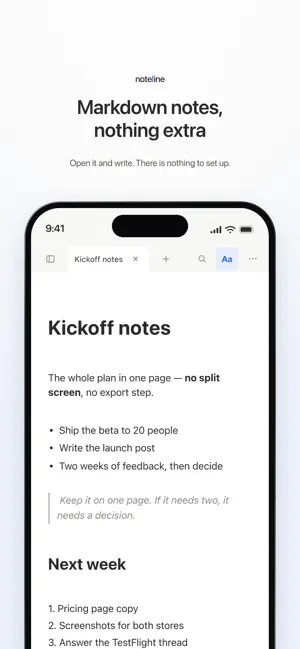
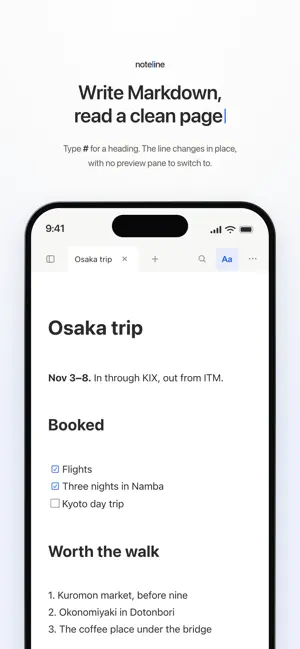
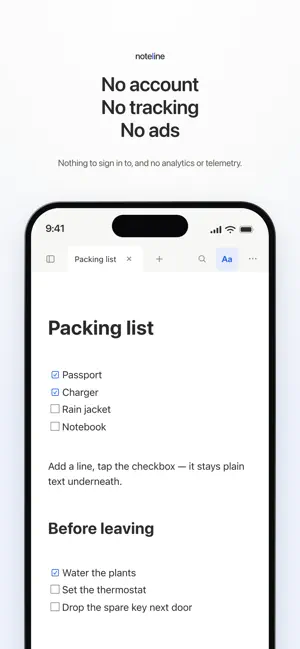
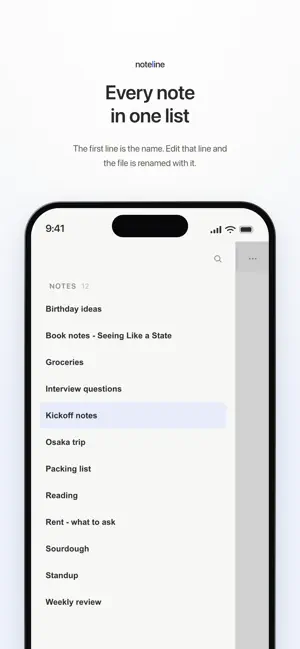
Noteline is a fast, minimal note app for people who write in Markdown. Type a # and it becomes a heading. Type **bold** and it turns bold — right where you typed it. Noteline gives you live preview: your formatting renders inline as you write, so there's no split-screen and no clutter. Just clean text that quietly becomes a clean document. Your notes are plain .md files stored on your device. No account, no sign-in, no servers of ours — and if you want them on your other devices, you can keep the folder in your own iCloud Drive. Open them, back them up, move them, or edit them in any other Markdown app. Noteline works fully offline and stays out of your way. Every note is plain Markdown — the same format AI tools read and write — so your notes stay usable by whatever you reach for next. It's the calm, focused place to think, take notes, and write. Features: • Live preview Markdown — headings, bold, italics, lists, and checkboxes render inline as you type • Local-first — your notes are plain .md files on your device • Works fully offline — no connection required, ever • No account, no sign-in — nothing to set up • Open format — your files stay portable and yours • The format AI speaks — plain Markdown that AI tools read and write directly • Minimal, distraction-free interface • Checklists and task lists for quick to-dos • Fast and lightweight No ads. No tracking. No telemetry. Just notes.
What’s new
Version 1.1.7 · Updated October 23, 2026
Faster large folders, and the right line below tables • Folders with thousands of notes open and list without pausing • The up arrow below a table now moves to the line right above it, not into the previous paragraph
App privacy
The developer, Foo AI Corp., reported these privacy practices to Apple.
Data Not Collected
The developer does not collect any data from this app.
Alternatives to Noteline - Markdown Notes
Looking for apps like Noteline - Markdown Notes? Here are 6 similar apps on the App Store.
-
 Remine - Never Forget Again -
-
 NoteStream — Capture Your Mind
-
 TODO.md - Markdown Task List
-
 Subnotes
-
 Atelier Libretto
-
 Tri Clipper
| App | Rating | Price | Last updated | Compare |
|---|---|---|---|---|
| Noteline - Markdown Notes | – | Free | October 23, 2026 | |
| Remine - Never Forget Again - | – | Free | Oct 21, 2026 | Compare |
| NoteStream — Capture Your Mind | – | Free | Jun 2, 2026 | Compare |
| TODO.md - Markdown Task List | – | Free | Oct 23, 2026 | Compare |
| Subnotes | – | Free | Oct 27, 2026 | Compare |
| Atelier Libretto | – | Free | Oct 20, 2026 | Compare |
| Tri Clipper | – | 1.99 USD | Oct 16, 2026 | Compare |