

FormatFox: File Converter
Levin David Schwab Utilities iPhoneiPadiPod touch
FormatFox: File Converter is a free Utilities app for iPhone and iPad by Levin David Schwab. Requires iOS 17.0. Updated October 12, 2026.
- Price
- Free
- on the App Store
- Size
- 6 MB
- Age 4+
- Updated
- Oct 12
- 2026 · v1.0.3
Screenshots



About FormatFox: File Converter
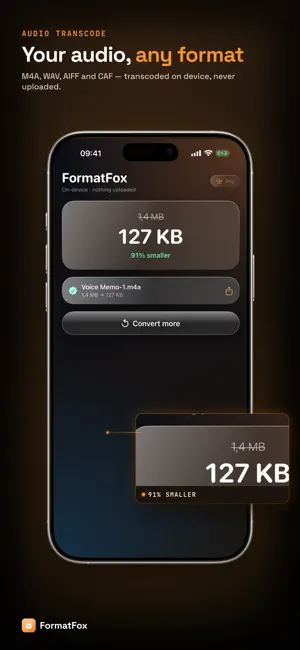
FormatFox is a free iPhone app that converts images, PDFs, and audio entirely on your device — no subscription, no uploads, and no account. It converts HEIC, JPG, and PNG, resizes images, and combines multiple photos into a single PDF, all offline. A one-time Pro unlock adds batch conversion and audio transcoding to M4A, WAV, AIFF, and CAF. Most converters meter you to one file, hide a weekly subscription behind the Save button, or quietly upload your private files to a server. FormatFox does none of that. Every conversion runs 100% on your device. Your files are not uploaded. It even works in Airplane Mode. FREE, forever: • Convert HEIC, JPG and PNG • Resize images • Combine photos into a single PDF • See the exact before → after size of every file PRO — one simple, one-time unlock (no subscription): • Batch-convert many files at once • Transcode audio: M4A, WAV, AIFF, CAF • Quality & compression control • Keep EXIF metadata • "Convert with FormatFox" share action from any app • Remove ads No account. No login. No tracking of your files. Just convert and get on with your day. Recommendations for our other apps load online. Their views and taps are counted as daily totals, without personal profiles or user/device identifiers. See our privacy policy.
What’s new
Version 1.0.3 · Updated October 12, 2026
A new Settings area lets you find app information and explore our other apps through recommendations where available.
App privacy
The developer, Levin David Schwab, reported these privacy practices to Apple.
Data Used to Track You
The following data may be used to track you across apps and websites owned by other companies:
- Identifiers: Device ID
- Usage Data: Product Interaction
Data Linked to You
The following data, which may be collected and linked to your identity, may be used for the following purposes:
- Location: Coarse Location
- Identifiers: Device ID
- Usage Data: Product Interaction, Advertising Data
Used for: Third-Party Advertising, Developer’s Advertising or Marketing, Analytics, App Functionality
Data Not Linked to You
The following data, which may be collected but is not linked to your identity, may be used for the following purposes:
- Diagnostics: Performance Data, Other Diagnostic Data, Crash Data
Used for: Third-Party Advertising, Developer’s Advertising or Marketing, Analytics, App Functionality
Alternatives to FormatFox: File Converter
Looking for apps like FormatFox: File Converter? Here are 6 similar apps on the App Store. The highest rated is pdfxpress (5.0/5), and all 6 are free to download.
-
 PowerPlanner: Solar & Inverter
-
 Reelr
Reelr
-
 Formix: Photo Video Converter
-
 FileFlip: File Converter
-
 Shrink PDF Audio Video Photo
-
 pdfxpress
5.0
pdfxpress
5.0
| App | Rating | Price | Last updated | Compare |
|---|---|---|---|---|
| FormatFox: File Converter | – | Free | October 12, 2026 | |
| PowerPlanner: Solar & Inverter | – | Free | Sep 4, 2026 | Compare |
| Reelr | – | Free | Oct 11, 2026 | Compare |
| Formix: Photo Video Converter | – | Free | Apr 22, 2026 | Compare |
| FileFlip: File Converter | – | Free | Mar 9, 2026 | Compare |
| Shrink PDF Audio Video Photo | – | Free | Aug 31, 2026 | Compare |
| pdfxpress | 5.0 / 5 (1) | Free | Feb 26, 2026 | Compare |