

RetroCam AI Photo Editor
Harsh Patel Photo & Video iPhoneiPadiPod touch
RetroCam AI Photo Editor is a free Photo & Video app for iPhone and iPad by Harsh Patel. Requires iOS 16.4. Updated July 22, 2026.
- Price
- Free
- on the App Store
- Size
- 55 MB
- Age 4+
- Updated
- Jul 22
- 2026 · v1.0.4
Screenshots



About RetroCam AI Photo Editor
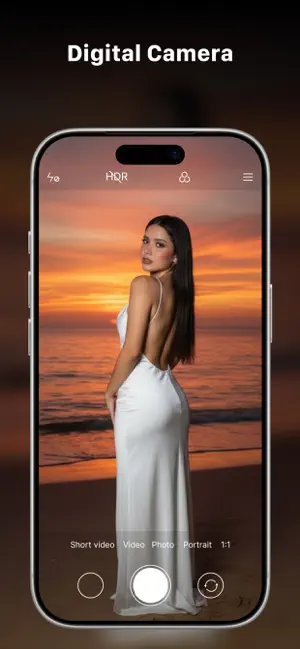
RetroCam AI — Your Pocket Film Studio Bring the soul of vintage film to every photo. RetroCam AI transforms your camera into a creative powerhouse with stunning real-time filters, pro capture modes, and one-tap editing — no experience needed. Whether you're chasing golden-hour glow, dreamy retro vibes, or bold cinematic tones, RetroCam AI makes every shot look like art. REAL-TIME FILTERS See your filter live in the viewfinder before you shoot. Choose from 30+ handcrafted looks: • Warm Vintage, Golden Hour & Sepia for cozy, nostalgic tones • VHS, Retro Film & Lomo for authentic analog grain • Cinematic, Noir & Dream Glow for a moody, filmic feel • Neon Night, Cyberpunk & Matrix for bold, futuristic edges • Cool Blue, Arctic, Forest, Ocean & more nature-inspired palettes PRO CAMERA MODES • Burst — fire 5 rapid shots and pick the perfect frame • Light Trails — long-exposure magic for stunning motion and night scenes • Super Zoom — capture crisp detail at 10× and 20× FILTER STUDIO Don't just shoot — reimagine. Import any photo from your library and apply the full filter collection. Compare before & after, fine-tune your look, and save in high quality. PRO-GRADE PRESETS Instantly turn ordinary photos into masterpieces with a single tap. Every preset is tuned for real, share-worthy results — not gimmicks. MADE TO BE EFFORTLESS • Clean, premium interface designed for speed • Live preview means no guesswork • Save to your camera roll in full resolution • Share your creations anywhere in one tap WHY RETROCAM AI? Most camera apps bury you in menus. RetroCam AI keeps it simple: open, pick a vibe, and shoot. The filters do the heavy lifting so you can focus on the moment. From everyday snapshots to scroll-stopping posts, RetroCam AI helps you create images you'll be proud to share. Download RetroCam AI today and start shooting beautifully. Have feedback or a filter request? We'd love to hear from you — reach out anytime.
What’s new
Version 1.0.4 · Updated July 22, 2026
This update brings new filtering and editing features, along with performance improvements and bug fixes to make the app faster, smoother, and more reliable.
App privacy
The developer, Harsh Patel, reported these privacy practices to Apple.
Data Used to Track You
The following data may be used to track you across apps and websites owned by other companies:
- Usage Data: Advertising Data
Data Not Linked to You
The following data, which may be collected but is not linked to your identity, may be used for the following purposes:
- Usage Data: Advertising Data
Used for: Other Purposes
Alternatives to RetroCam AI Photo Editor
Looking for apps like RetroCam AI Photo Editor? Here are 6 similar apps on the App Store.
-
 DotMatrix Studio
-
 PixOpus-Photo Editor & Filter
-
 Picture Filters
-
 ChromaSync Pro Filters
-
 Diga: Digicam Photo Editor
-
 Aely: Aesthetic Photo Editor
| App | Rating | Price | Last updated | Compare |
|---|---|---|---|---|
| RetroCam AI Photo Editor | – | Free | July 22, 2026 | |
| DotMatrix Studio | – | Free | Aug 24, 2026 | Compare |
| PixOpus-Photo Editor & Filter | – | Free | Jul 24, 2026 | Compare |
| Picture Filters | – | Free | Jan 2, 2026 | Compare |
| ChromaSync Pro Filters | – | Free | Dec 30, 2025 | Compare |
| Diga: Digicam Photo Editor | – | Free | Jul 12, 2026 | Compare |
| Aely: Aesthetic Photo Editor | – | Free | Jun 18, 2026 | Compare |