

Push2Unlock App Blocker
Hung Le Ngoc Productivity iPhoneiPadiPod touch
Push2Unlock App Blocker is a free Productivity app for iPhone and iPad by Hung Le Ngoc. Requires iOS 17.0. Updated July 6, 2026.
- Price
- Free
- on the App Store
- Size
- 11 MB
- Age 4+
- Updated
- Jul 6
- 2026 · v1.0
Screenshots
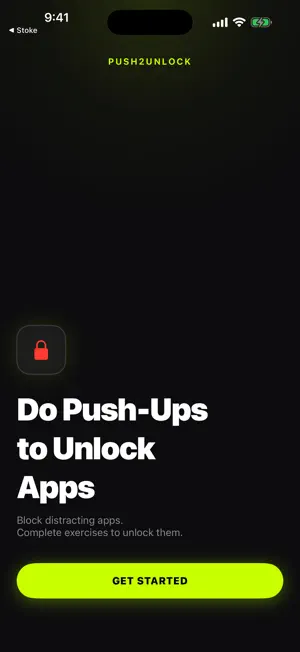

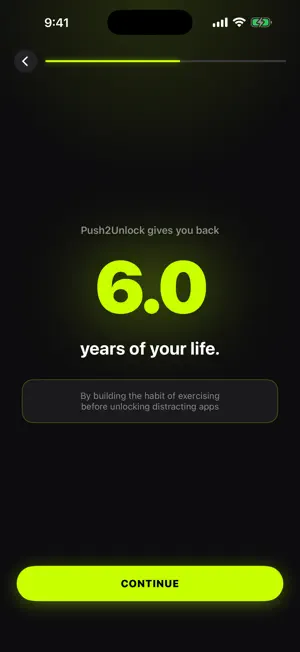

About Push2Unlock App Blocker
Push2Unlock blocks the apps that steal your time — and makes you earn them back with real exercise. When you try to open a blocked app, you see a lock screen instead of an endless feed. To unlock, do a set of push-ups, squats, or sit-ups in front of your camera. Your iPhone counts every rep on-device using Apple Vision. Finish the set and you get a timed window — 15, 30, 60, or 120 minutes — before your apps automatically re-lock. A few minutes of movement for a few minutes of scrolling. That's the deal. WHY PUSH2UNLOCK • Reliable rep counting — angle-based detection with smoothing and anti-cheat. Half reps and hand-waving don't count. • Live form feedback — real-time hints like "Go lower" or "Move back, I can't see your whole body" while you exercise. Most blockers just show a number. • 100% private — all pose detection runs on your device with Apple Vision. No video is ever recorded, saved, or uploaded. No account, no sign-up. FEATURES • Block any app or website using Apple Screen Time • Three exercises: push-ups, squats, and sit-ups • Timed unlock windows: 15 / 30 / 60 / 120 minutes • Blocking Modes — reusable app groups like "Social Media" or "Deep Work" • Schedules — auto-lock at set times and days, including overnight • Live Activity & Dynamic Island countdown of your unlock window • Streaks, daily quests, and stats charts to keep you going • Spoken rep counts and haptic feedback — great when your phone is on the floor • Edit-freeze — locked modes can't be edited away mid-session, so you can't cheat yourself out of a workout HOW IT WORKS 1. Pick the apps you want to block. 2. Set how many reps unlock them. 3. When you reach for a blocked app, do your reps. 4. Earn your screen time. Apps re-lock automatically. PRIVACY FIRST Your camera feed never leaves your iPhone. Pose detection is processed live and discarded frame by frame. There are no accounts and no servers — everything stays on your device. SUBSCRIPTION Push2Unlock offers a 3-day free trial for the annual plan, then $29.99/year. Alternatively, subscribe to our monthly plan for $6.99/month. Prices may vary by region. Payment is charged to your Apple ID; subscriptions renew automatically unless canceled at least 24 hours before the end of the period. Manage or cancel anytime in your App Store account settings. Requires an iPhone running iOS 17 or later, Screen Time permission, and camera access. Terms of Use: https://push2unlock.xboostapp.io/terms Privacy Policy: https://push2unlock.xboostapp.io/privacy
App privacy
The developer, Hung Le Ngoc, reported these privacy practices to Apple.
Data Not Collected
The developer does not collect any data from this app.
Alternatives to Push2Unlock App Blocker
Looking for apps like Push2Unlock App Blocker? Here are 6 similar apps on the App Store. The highest rated is Kinetic: Push-Ups to Unlock (5.0/5), and all 6 are free to download.
-
 Push Ups App Blocker: RepLock
-
 DoomLift: Screen Time Workout
-
 StepLock: Walk to Open
-
 LockBuddy: Fitness App Blocker
1.0
LockBuddy: Fitness App Blocker
1.0
-
 RepBlock: Pushup App Blocker
4.3
RepBlock: Pushup App Blocker
4.3
-
 Kinetic: Push-Ups to Unlock
5.0
Kinetic: Push-Ups to Unlock
5.0
| App | Rating | Price | Last updated | Compare |
|---|---|---|---|---|
| Push2Unlock App Blocker | – | Free | July 6, 2026 | |
| Push Ups App Blocker: RepLock | – | Free | Oct 19, 2026 | Compare |
| DoomLift: Screen Time Workout | – | Free | Sep 4, 2026 | Compare |
| StepLock: Walk to Open | – | Free | Oct 13, 2026 | Compare |
| LockBuddy: Fitness App Blocker | 1.0 / 5 (1) | Free | Aug 10, 2026 | Compare |
| RepBlock: Pushup App Blocker | 4.3 / 5 (14) | Free | Sep 28, 2026 | Compare |
| Kinetic: Push-Ups to Unlock | 5.0 / 5 (3) | Free | Sep 10, 2026 | Compare |