

Vision Assistant AI
Smaran Rangarajan Utilities iPhoneiPadiPod touch
Vision Assistant AI is a free Utilities app for iPhone and iPad by Smaran Rangarajan. Rated 5.0/5 from 3 ratings. Requires iOS 17.0. Updated August 9, 2026.
- Rating
- 5.0
- 3 ratings
- Price
- Free
- on the App Store
- Size
- 1 MB
- Age 4+
- Updated
- Aug 9
- 2026 · v2.5
Screenshots
About Vision Assistant AI
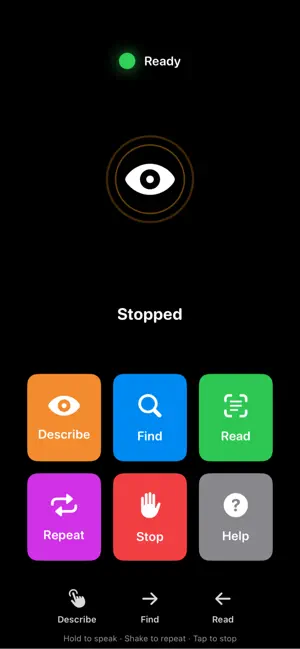
Vision Assistant is an accessibility-focused camera and voice assistant designed to help people who are visually impaired better understand the world around them. The app uses the camera to identify nearby objects, describe scenes, read visible text, and provide spoken guidance. Users can interact hands-free with voice commands, including asking for help whenever they need instructions. Key features include: • Spoken scene descriptions • Object and direction guidance • Text reading from the camera view • Voice command support • Audio-first onboarding and help instructions • Large, clear controls designed for accessibility • Haptic and speech feedback for easier navigation Vision Assistant is designed to support everyday awareness, but it should not be used as a replacement for mobility tools, professional assistance, or personal judgment. Results may vary depending on lighting, camera visibility, network connection, and object clarity.
What’s new
Version 2.5 · Updated August 9, 2026
# What's New in This Version ## 1. Describe now covers the whole scene, not just what's closest Double-tap Describe used to focus mostly on the nearest object. It now describes **both**: - **Foreground** — obstacles, objects within reach, anything underfoot - **Background** — the wider room, doorways, or people further away So a single description gives you the full picture of your surroundings, not just the closest item. ## 2. Find now searches the whole camera view, foreground and background Previously, Find used a zoomed-in camera view that could crop out anything not centered and close. Find now uses the full, wide field of view, so it can locate your object whether it's close by or further into the background. ## 3. Find distance is now actually accurate Distance used to say "about 3 feet" for almost everything, regardless of how far the object really was. This was a bug in how distance was estimated — it's now calculated properly, per object and per frame, using the object's real size on screen. You should now get distance estimates that actually reflect how far the object is (closer objects read as closer, farther objects read as farther). *Note: if an object can't be precisely measured (e.g. Find falls back to a lower-detail detection mode), the app will now say something like "found it nearby" instead of guessing a specific, potentially wrong number.* ## 4. Find direction (left/right) is fixed There was a bug where Find could occasionally announce the wrong side — e.g. saying an object is on your right when it's actually on your left. This was caused by an internal orientation mismatch and has been corrected. Directional guidance should now reliably match what's actually in front of you. ## 5. Describe is now conversational — ask follow-up questions After Describe finishes speaking, the app will now prompt: *"You can ask a question about what I described, or say done to finish."* You can then ask multiple follow-up questions about that same scene (e.g. "what color is it?", "how many people are there?", "is there a chair nearby?") and get relevant spoken answers, without needing to re-describe the whole scene each time. - Say **"done"**, **"stop"**, or similar to end the conversation whenever you're ready. - Starting a new Describe, Find, or Read action will automatically end the current follow-up conversation.
App privacy
The developer, Smaran Rangarajan, reported these privacy practices to Apple.
Data Not Collected
The developer does not collect any data from this app.
Alternatives to Vision Assistant AI
Looking for apps like Vision Assistant AI? Here are 6 similar apps on the App Store. The highest rated is Iris Sight (5.0/5), and all 6 are free to download.


| App | Rating | Price | Last updated | Compare |
|---|---|---|---|---|
| Vision Assistant AI | 5.0 / 5 (3 ratings) | Free | August 9, 2026 | |
| Iris Sight | 5.0 / 5 (1) | Free | Apr 23, 2026 | Compare |
| EyeSearch | – | Free | May 2, 2026 | Compare |
| See For Me AI | 5.0 / 5 (1) | Free | Apr 23, 2026 | Compare |
| EGD2021 | – | Free | Jun 25, 2025 | Compare |
| Textura - Text to Image | – | Free | Sep 20, 2026 | Compare |
| Glimpse Vision AI | 5.0 / 5 (1) | Free | Oct 17, 2026 | Compare |