

WordHint for Safari
震雷 钱 Utilities iPhoneiPadiPod touch
WordHint for Safari is a free Utilities app for iPhone and iPad by 震雷 钱. Rated 4.5/5 from 2 ratings. Requires iOS 18.0. Updated October 9, 2026.
- Rating
- 4.5
- 2 ratings
- Price
- Free
- on the App Store
- Size
- 82 MB
- Age 4+
- Updated
- Oct 9
- 2026 · v3.6
Screenshots


About WordHint for Safari
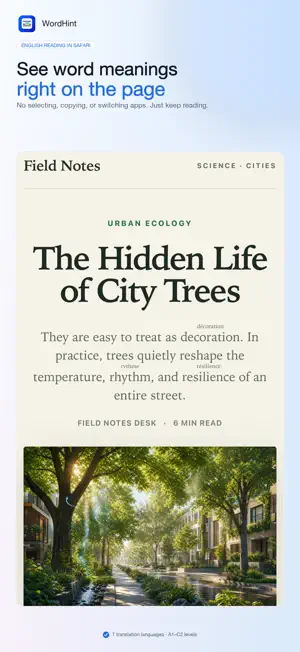
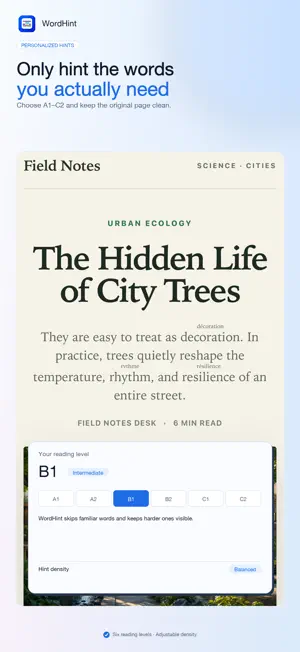
WordHint helps you read English websites with less interruption. Open the Safari extension on an English page and WordHint adds concise meanings above difficult words. Choose hints in Simplified Chinese, Traditional Chinese, Japanese, Korean, French, Russian, or Arabic, then keep reading without leaving the page. Tap a marked word to view more detail, save it for later, or mark it as known. Select a word to look it up, or turn that off in settings. Open saved words for example sentences and on-device speech; WordHint Pro unlocks spaced flashcards. Key features: - Inline word meanings that keep the original page readable - Hint languages: Simplified Chinese, Traditional Chinese, Japanese, Korean, French, Russian, and Arabic - Reading levels A1–C2 as your English ability—words easier than your level stay unmarked; higher levels show fewer, harder words - Above-word, parentheses, and dashed-underline display modes - Look up a selected word, with an option to turn this off - Local vocabulary with examples, TTS, and Pro spaced flashcards - Free manual hints; Pro unlocks automatic hints, custom appearance, and unlimited saves - Fully offline processing with no account, ads, analytics, or tracking WordHint requests website access because Safari extensions need permission to read visible page text and add annotations. Page content and browsing history never leave your device.
What’s new
Version 3.6 · Updated October 9, 2026
WordHint 3.6 improves on-page meanings, lets you keep your word list, and fits iPhone Duo. New - iPhone Duo uses the cover screen as one column. On the inner screen, reading, vocabulary, and flashcards use the wide layout. Folded, they sit on either side of the hinge, with actions beside it. - Word cards show other dictionary senses. Tap one to preview; Save this sense to store that meaning. - Mark a hint as the wrong meaning. Reports stay on your device. - Export and import vocabulary as JSON or CSV, with no account. - WordHint Pro can sync saved words with iCloud. Safari saves appear after you next open WordHint. Improved - Example sentences skip Reader glosses and common abbreviations such as Dr. - Wide screens open the word card next to the word instead of a bottom sheet. - You can preview flashcards before upgrading. The Pro upgrade stays visible when you reach the free word limit. Privacy - Page HTML is not uploaded. Pro iCloud syncs saved words, short example sentences, and site hostnames through your Apple ID. Purchase status stays on this device.
App privacy
The developer, 震雷 钱, reported these privacy practices to Apple.
Data Not Linked to You
The following data, which may be collected but is not linked to your identity, may be used for the following purposes:
- Purchases: Purchase History
Used for: App Functionality