

PDFlow: Split & Delete Pages
Trivialware Utilities iPhoneiPadiPod touch
PDFlow: Split & Delete Pages is a free Utilities app for iPhone and iPad by Trivialware. Rated 4.5/5 from 2 ratings. Requires iOS 17.0.
- Rating
- 4.5
- 2 ratings
- Price
- Free
- on the App Store
- Size
- 10 MB
- Age 4+
- Updated
- Oct 4
- 2026 · v1.4.2
Screenshots


About PDFlow: Split & Delete Pages
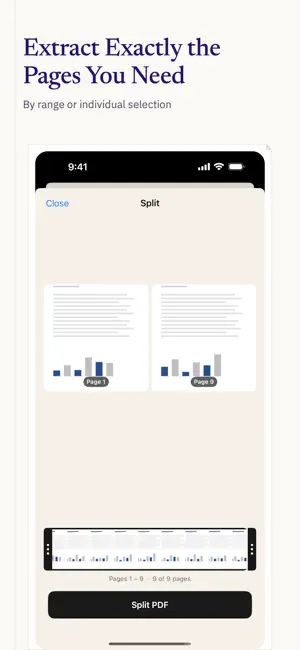
PDFlow gives your iPhone and iPad 9 PDF tools in one clean app. Merge, split, compress, reorder, remove pages, rotate, unlock, protect, and convert to images — every file is processed on your device, and no account is required to use the tools. BUY ONCE. OWN IT FOREVER. PDFlow Pro is a one-time purchase of $19.99. One payment, full access, no renewal. Prefer to spend less up front? One month costs $2.99 and does not auto-renew. Try every tool first with the free trial. WHAT PDFLOW DOES MERGE — Combine several PDFs into one document. Import from Files, Google Drive, email attachments, or any app. Drag to reorder before merging. SPLIT — Pull out a page range or a set of specific pages from any PDF. Visual thumbnail grid, several output files in one session. COMPRESS — Reduce PDF file size at three levels: Small, Medium, High. The estimated output size is shown before you export, so you know what you are getting. REORDER — A full thumbnail grid. Drag any page to any position and fix a scrambled document in seconds. REMOVE PAGES — Tap to select one page or many, then delete them all in a single action. ROTATE — Rotate pages into the file itself, not just the view, so the fix survives when you send the PDF on. Right, left, or 180°. UNLOCK — Remove password protection from a PDF you own. Nothing is uploaded, nothing leaves your device. PROTECT — Add AES password encryption to any PDF, including files that came from iCloud Drive or Google Drive. TO IMAGES — Convert every page of a PDF to JPG or PNG. All pages at once. Save to Photos or Files, or export the set as a ZIP. PRIVATE BY DESIGN Every tool runs entirely on your iPhone or iPad. Your files are never uploaded to a server, and the tools keep working with no connection at all. Google Drive sign-in exists only as an optional import source — one way in among several, never a requirement. CLEAN INTERFACE One tool per screen. No buried menus, no upsell in the middle of a task, no ads. Open the app, do the job, done. WORKS WITH · Files (iCloud Drive, On My iPhone) · Google Drive · Email attachments · Any app that supports the iOS Share Sheet PRICING · Free trial — try all 9 tools · PDFlow One Month: $2.99 — 30 days, no auto-renewal · PDFlow Lifetime: $19.99 — buy once, own forever Payment is charged to your Apple ID at confirmation of purchase.
What’s new
Version 1.4.2 · Updated October 4, 2026
Minor update. Nothing changed in the app.
App privacy
The developer, Trivialware, reported these privacy practices to Apple.
Data Not Collected
The developer does not collect any data from this app.
Alternatives to PDFlow: Split & Delete Pages
Looking for apps like PDFlow: Split & Delete Pages? Here are 6 similar apps on the App Store. The highest rated is Reading light: Luma (4.9/5), and all 6 are free to download.
-
 Bunclip: Clip, Listen Japanese
-
 Pagelet - Delete PDF Pages
-
 PDF Merger & Splitter: Combine
-
 Illuminance Meter: Lux PPFD
-
 Reading light: Luma
4.9
Reading light: Luma
4.9
-
 EPM View
1.0
EPM View
1.0
| App | Rating | Price | Last updated | Compare |
|---|---|---|---|---|
| PDFlow: Split & Delete Pages | 4.5 / 5 (2 ratings) | Free | October 4, 2026 | |
| Bunclip: Clip, Listen Japanese | – | Free | Oct 10, 2026 | Compare |
| Pagelet - Delete PDF Pages | – | Free | Oct 19, 2026 | Compare |
| PDF Merger & Splitter: Combine | – | Free | Oct 15, 2026 | Compare |
| Illuminance Meter: Lux PPFD | – | Free | Oct 11, 2026 | Compare |
| Reading light: Luma | 4.9 / 5 (71) | Free | Jul 2, 2025 | Compare |
| EPM View | 1.0 / 5 (1) | Free | Sep 11, 2026 | Compare |