

Transcribe & Dictate - Ownvox
Tristan Achebach Productivity iPhoneiPadiPod touch
Transcribe & Dictate - Ownvox is a free Productivity app for iPhone and iPad by Tristan Achebach. Requires iOS 26.0. Updated September 15, 2026.
- Price
- Free
- on the App Store
- Size
- 42 MB
- Age 4+
- Updated
- Sep 15
- 2026 · v1.0.13
Screenshots

About Transcribe & Dictate - Ownvox
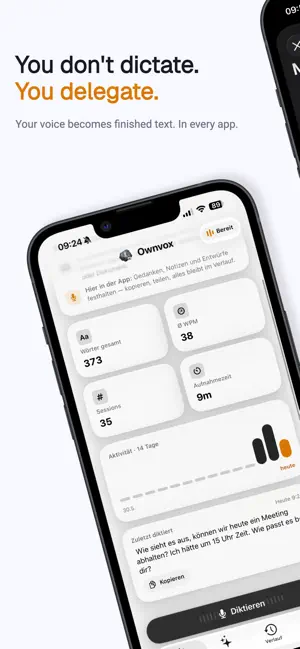
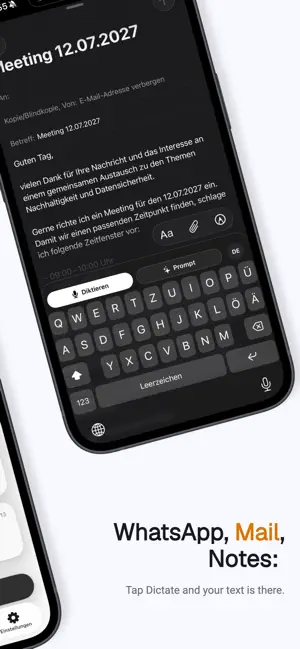
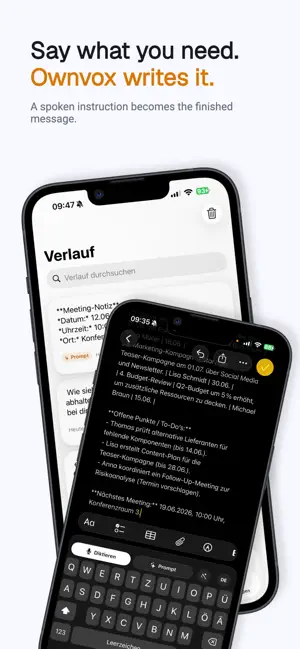
Ownvox is the keyboard that turns your voice into finished text. In WhatsApp, Mail, Notes and everywhere else you write. DICTATE IN EVERY APP Tap Dictate on the Ownvox keyboard and just start talking. Your text appears right in the input field, cleanly written with proper punctuation. Faster than typing and more accurate than the built-in dictation. YOU DON'T DICTATE. YOU DELEGATE. In Prompt mode you simply say what you need and Ownvox writes it: the friendly reply, the packing list, the meeting notes. Copy a message first and the answer will refer to it automatically. SKILLS: YOUR TEXT, AUTOMATICALLY REFINED Skills turn your spoken words into formal emails, short replies, bullet points or summaries. Pick one from the library or describe your own skill in a single sentence. YOUR WORDS BELONG TO YOU Zero retention: recordings and texts are discarded immediately after processing. Nothing is stored and nothing is used for training. Processing happens on servers in the EU. No tracking, no ads, no data sharing. ALWAYS READY The microphone starts instantly whenever you need it. The Live Activity in the Dynamic Island shows you the status at all times, and one tap ends it. YOUR HISTORY Everything you dictate is waiting for you in the app. Search it, copy it, share it. OWNVOX PRO Try Ownvox Pro free for 7 days. After that it continues as a monthly or yearly subscription, cancel anytime.
What’s new
Version 1.0.13 · Updated September 15, 2026
• Keyboard setup now reliably detects when you have enabled Ownvox in Settings. • Clearer start: free trial and Pro subscription are easy to tell apart at a glance. • Dictations are inserted without stray spaces, and empty recordings are no longer pasted as text. • Onboarding polish: full labels and more room when the keyboard is open.
App privacy
The developer, Tristan Achebach, reported these privacy practices to Apple.
Data Linked to You
The following data, which may be collected and linked to your identity, may be used for the following purposes:
- Purchases: Purchase History
- Contact Info: Email Address
- User Content: Other User Content
- Identifiers: User ID, Device ID
Used for: App Functionality
Data Not Linked to You
The following data, which may be collected but is not linked to your identity, may be used for the following purposes:
- Usage Data: Product Interaction
Used for: Analytics
Alternatives to Transcribe & Dictate - Ownvox
Looking for apps like Transcribe & Dictate - Ownvox? Here are 6 similar apps on the App Store.
-
 PDF Summarize AI Scan - PDFOne
-
 MindInbox: AI Idea Inbox
-
 Klartext
-
 FRoSTA Farmer App
-
 Sprechly: Voice Recorder & AI
-
 SimaSport
| App | Rating | Price | Last updated | Compare |
|---|---|---|---|---|
| Transcribe & Dictate - Ownvox | – | Free | September 15, 2026 | |
| PDF Summarize AI Scan - PDFOne | – | Free | Apr 15, 2026 | Compare |
| MindInbox: AI Idea Inbox | – | Free | Jun 18, 2026 | Compare |
| Klartext | – | Free | Oct 8, 2026 | Compare |
| FRoSTA Farmer App | – | Free | Aug 11, 2026 | Compare |
| Sprechly: Voice Recorder & AI | – | Free | Oct 11, 2026 | Compare |
| SimaSport | – | Free | Jan 23, 2025 | Compare |