

GreySpace: File Transfer
Fabien Chauveau Productivity iPhoneiPadiPod touchMac
GreySpace: File Transfer is a free Productivity app for iPhone and iPad by Fabien Chauveau. Requires iOS 13.0. Updated October 21, 2026.
- Price
- Free
- on the App Store
- Size
- 90 MB
- Age 4+
- Updated
- Oct 21
- 2026 · v3.0.0
Screenshots


About GreySpace: File Transfer
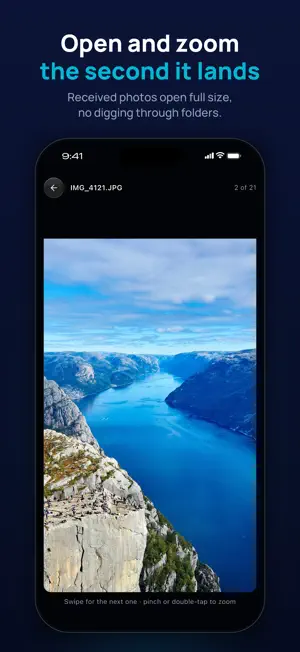
GreySpace sends your files between iPhone, iPad, Mac and PC. Directly, at full Wi-Fi speed. A train station. 10 GB of footage stuck on your phone. The cable slows you down. Messaging apps wreck the quality. And the cloud makes you upload everything before you can download it again. GreySpace sends your files from one device to the other at full Wi-Fi speed: no internet, no cloud, no compression. Your files, direct. WHY CREATORS STOPPED UPLOADING • Real speed: 8 minutes of 4K video went from an iPhone to a computer in 20 seconds, over a phone hotspot, with no internet. • Zero compression: every file arrives identical, byte for byte. It is checked on arrival and only shows up once it is intact. • 100% offline: your files never leave your network. No server, no cloud, nothing to upload. • Works with a PC too: on the same network, GreySpace finds the PC across the room as easily as your Mac. • No size limit: send 100 GB and your internet connection never sees a byte. • Automatic resume: signal drop, elevator, incoming call. The transfer picks up where it stopped and never resends the files that already arrived. • Send with a hand gesture: make a fist above your iPhone to grab your photo, then open your hand in front of your computer. HOW IT WORKS 1. Both devices on the same Wi-Fi, or a simple phone hotspot, even without internet. 2. They find each other on their own, in seconds. 3. Pick photos, videos, documents, whole folders. Send. What you receive lands in the Files app, or straight in your photo library if you ask. Received photos open full size, ready to zoom. No second GreySpace device around? The app has a built-in web receiver: it shows a QR code, and any browser on the same network receives the file. FREE, FOREVER • Receiving: unlimited, on every plan. It will never cost a thing. • Sending: 10 GB per month. No account needed to transfer. Speed is never capped: a free transfer goes exactly as fast as a Pro one. GREYSPACE PRO • Unlimited sending, no monthly cap. • Up to 5 devices on the same account. • Clipboard everywhere: text copied on your Mac lands on your iPhone, even far from home, end-to-end encrypted. If GreySpace is not on screen, the text waits 10 minutes: open the app and it is ready to paste. • Commercial use included. No account needed to subscribe: your subscription is tied to your Apple Account, and "Restore purchases" finds it on your other Apple devices. A GreySpace account (email + 6-digit code) is optional: if you are signed in when you buy, your Pro also follows you to your other GreySpace devices, and keeps working offline. GreySpace Pro is an auto-renewable subscription, monthly or yearly. Prices are shown in the app before you subscribe and may vary by country. Payment is charged to your Apple Account at confirmation of purchase. The subscription renews automatically unless cancelled at least 24 hours before the end of the current period. Renewal is charged within the 24 hours before the period ends. You can manage or cancel your subscription at any time in your Apple Account settings. Terms of Use (EULA): https://www.apple.com/legal/internet-services/itunes/dev/stdeula/ Privacy Policy: https://getgreyspace.com/en/privacy/
What’s new
Version 3.0.0 · Updated October 21, 2026
GreySpace 3.0 is a whole new app. • A new, simpler home: your photos and your devices on one screen, one button to send. • Send with a hand gesture: make a fist above your iPhone, open your hand in front of your computer. • Shared clipboard: text copied on one of your devices waits on the other, ready to paste. • Pro: your clipboard follows you even far from home, end-to-end encrypted. • Received photos open full size; double-tap to zoom. • A new receiving screen: watch your files arrive one by one, each one checked.
App privacy
The developer, Fabien Chauveau, reported these privacy practices to Apple.
Data Linked to You
The following data, which may be collected and linked to your identity, may be used for the following purposes:
- Usage Data: Product Interaction
- Purchases: Purchase History
- Contact Info: Email Address
- Identifiers: User ID, Device ID
Used for: Developer’s Advertising or Marketing, Analytics, App Functionality
Data Not Linked to You
The following data, which may be collected but is not linked to your identity, may be used for the following purposes:
- User Content: Customer Support
- Diagnostics: Other Diagnostic Data
Used for: App Functionality
Alternatives to GreySpace: File Transfer
Looking for apps like GreySpace: File Transfer? Here are 6 similar apps on the App Store.


| App | Rating | Price | Last updated | Compare |
|---|---|---|---|---|
| GreySpace: File Transfer | – | Free | October 21, 2026 | |
| Zetrr Planner | – | Free | Oct 9, 2026 | Compare |
| Kart | – | Free | Oct 29, 2026 | Compare |
| Pooz | – | Free | May 5, 2026 | Compare |
| Rentify - Property Management | – | Free | Sep 26, 2026 | Compare |
| Door-Waar | – | Free | Aug 7, 2025 | Compare |
| MyLocaser | – | Free | Jun 25, 2026 | Compare |