

Claudio - Voice Audio Recorder
PT. PEMROGRAM KODE INDONESIA Productivity iPhoneiPadiPod touch
Claudio - Voice Audio Recorder is a free Productivity app for iPhone and iPad by PT. PEMROGRAM KODE INDONESIA. Requires iOS 16.0. Updated September 12, 2026.
- Price
- Free
- on the App Store
- Size
- 10 MB
- Age 4+
- Updated
- Sep 12
- 2026 · v1.2.0
Screenshots
About Claudio - Voice Audio Recorder
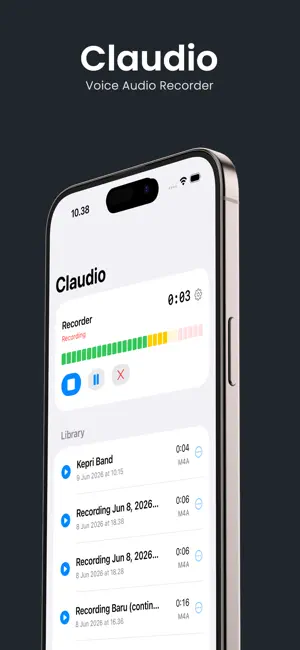
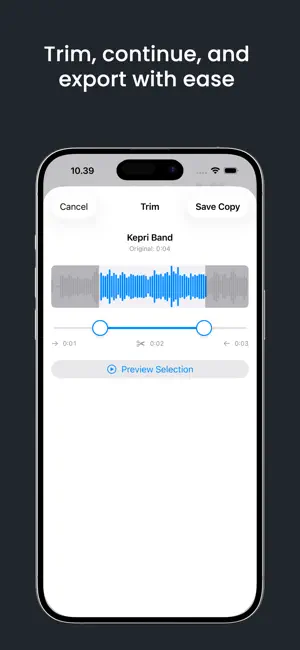
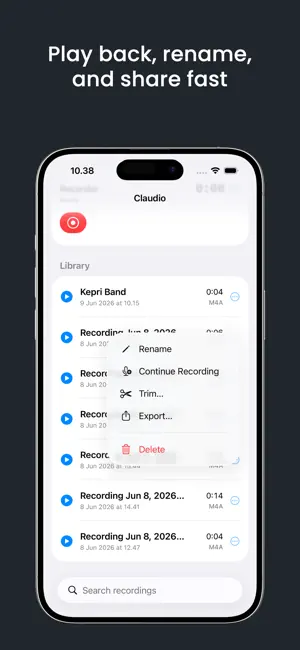
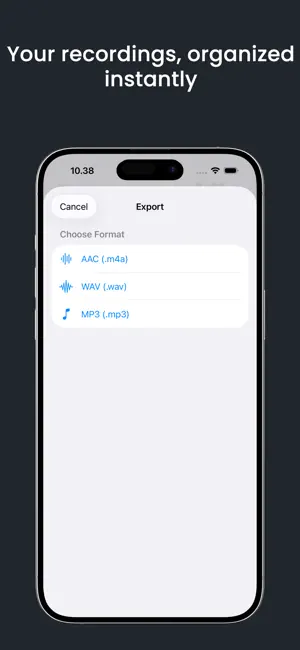
Claudio is a focused audio recorder for voice notes, meetings, interviews, lectures, music ideas, and everyday moments. Record with one tap using your iPhone’s built-in microphone or a connected Bluetooth or USB microphone. Pause and resume recordings, continue an existing recording, automatically pause during silence, and choose the format and quality that fit your needs. Import audio from Files and edit recordings with powerful but simple tools: • Trim unwanted sections • Normalize volume • Reduce background noise • Add fade in and fade out • Amplify quiet recordings Turn recordings into on-device transcripts with timestamps and create concise summaries without sending your audio or transcript text to a server. Transcription availability depends on the language and device. Keep your library organized with search, folders, tags, favorites, and markers. Control playback speed, repeat recordings, set a sleep timer, and continue listening with reliable audio routing. For larger projects, create up to four-track audio sessions. Adjust volume and pan for each track, then mix and export your project. Claudio also includes: • Export and share audio files • Manual iCloud Drive backup and restore • Face ID or Touch ID app lock • Home Screen widget • Shortcuts support for faster actions Record clearly. Edit simply. Keep your audio organized.
What’s new
Version 1.2.0 · Updated September 12, 2026
Version 1.2.0 brings powerful tools for recording, editing, and organizing your audio. • Create on-device transcripts with timestamps • Generate concise summaries from your transcripts • Edit audio with normalize, noise reduction, fade, and amplify tools • Import audio files from Files • Create and mix projects with up to four tracks • Back up and restore recordings and library metadata with iCloud Drive • Protect your library with Face ID or Touch ID • Use the Claudio widget and Shortcuts for faster actions • Configure recording formats, quality, silence pause, playback speed, repeat, and sleep timer • Improved Bluetooth and USB microphone support Thank you for using Claudio.
App privacy
The developer, PT. PEMROGRAM KODE INDONESIA, reported these privacy practices to Apple.
Data Not Linked to You
The following data, which may be collected but is not linked to your identity, may be used for the following purposes:
- Location: Coarse Location
- Identifiers: Device ID
- Usage Data: Product Interaction, Advertising Data
- Diagnostics: Other Diagnostic Data
Used for: Third-Party Advertising, Analytics, App Functionality
Alternatives to Claudio - Voice Audio Recorder
Looking for apps like Claudio - Voice Audio Recorder? Here are 6 similar apps on the App Store.
-
 Only This
-
 Galleyhear: Proofread Aloud
-
 Wisper:Speech to Text AI Notes
-
 Proflio
-
 Prush
Prush
-
 Kiri - Private offline AI App
| App | Rating | Price | Last updated | Compare |
|---|---|---|---|---|
| Claudio - Voice Audio Recorder | – | Free | September 12, 2026 | |
| Only This | – | Free | Sep 5, 2026 | Compare |
| Galleyhear: Proofread Aloud | – | 0.99 USD | Sep 29, 2026 | Compare |
| Wisper:Speech to Text AI Notes | – | Free | Oct 15, 2026 | Compare |
| Proflio | – | 2.99 USD | Aug 22, 2026 | Compare |
| Prush | – | Free | Aug 18, 2026 | Compare |
| Kiri - Private offline AI App | – | Free | Oct 18, 2026 | Compare |