

CueCam: Teleprompter
Rajan Nagar Productivity iPhoneiPadiPod touch
CueCam: Teleprompter is a free Productivity app for iPhone and iPad by Rajan Nagar. Rated 5.0/5 from 3 ratings. Requires iOS 17.0. Updated August 14, 2026.
- Rating
- 5.0
- 3 ratings
- Price
- Free
- on the App Store
- Size
- 6 MB
- Age 4+
- Updated
- Aug 14
- 2026 · v1.0.3
Screenshots
About CueCam: Teleprompter
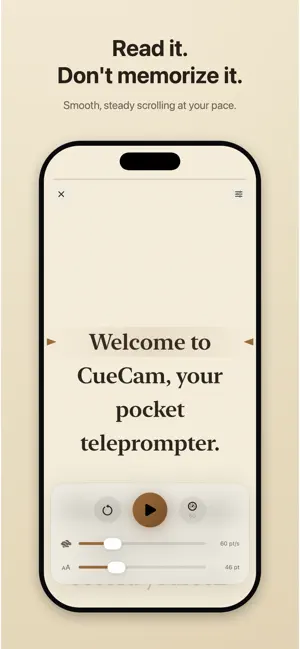
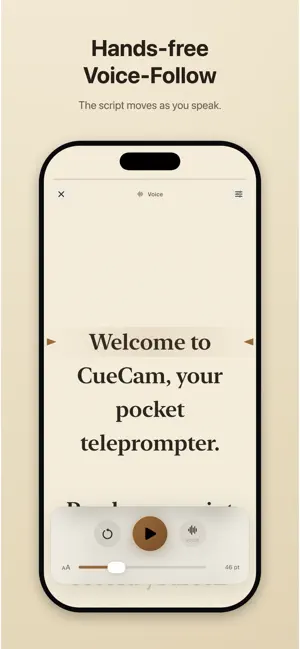
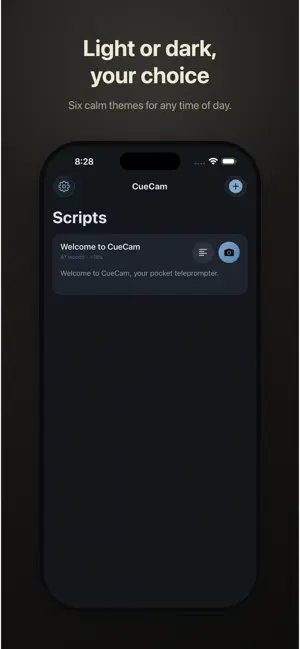
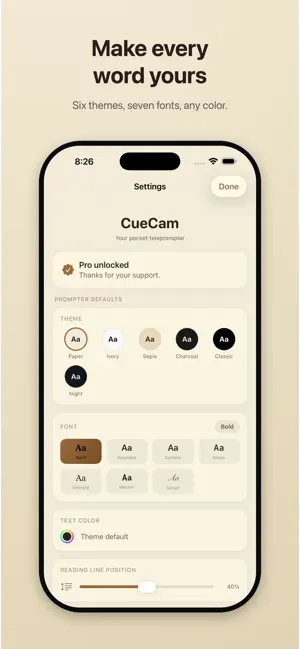
Read your script. Don't memorize it. CueCam is a calm, easy-on-the-eyes teleprompter that helps you speak with confidence, whether you're filming a video or giving a speech. Read on a warm, book-like screen, or record yourself while your words scroll right over the live camera. Your script stays on screen to guide you, but it never appears in the video. WHY CUECAM - Looks like a reader, not a gadget. Warm, low-contrast themes that are kind to your eyes. - Record-ready. The teleprompter floats over the camera so you keep eye contact with the lens. - Everything stays on your device. No account, no cloud, no subscription. MADE FOR - Creators filming TikToks, Reels, YouTube videos, and talking-head content - Speakers, presenters, and anyone reading vows, a toast, or a pitch - Teachers, coaches, and course creators recording lessons FEATURES - Screen mode: read on a full-screen, distraction-free prompter - Camera mode: scroll over the live camera and record, then save to Photos or share to TikTok and Instagram - Voice-follow: the script moves as you speak, using on-device speech recognition - Karaoke highlight: the line you're reading stays bright while the rest dims - Hands-free volume control: play, pause, or record with the volume buttons - Six reader themes (light and dark), seven fonts, custom text color, adjustable size and reading position - Aspect guides for 9:16, 1:1, and 16:9 so you frame perfectly for every platform - 3-2-1 countdown, mirror mode for beam-splitter rigs, and smooth, steady scrolling - Starter templates: YouTube intro, TikTok hook, best man speech, wedding vows, sales pitch, product demo - Write or paste any script, and share it as a PDF FREE TO START Use CueCam free with up to three scripts, the Paper theme, and core reading and recording. Unlock CueCam Pro once (no subscription) for unlimited scripts, every theme and font, custom colors, voice-follow, karaoke highlight, mirror mode, and hands-free control. Your words, your pace, your story. Just press play.
What’s new
Version 1.0.3 · Updated August 14, 2026
The screen now stays awake while you read. No more auto-lock mid-script. Voice-follow got a big upgrade: it reacts faster, tracks the exact line you are reading at the arrows, keeps following after a pause or a drag, and recovers automatically on long scripts. Camera mode improvements: recordings keep the correct orientation when you film in landscape, a phone call mid-recording now saves the footage you already captured, and the volume buttons use the system camera-button support on iOS 17.2 and later. Also: smoother scrolling over video, a quicker app launch, and VoiceOver labels throughout the app. Questions or ideas? We read everything: [email protected]
App privacy
The developer, Rajan Nagar, reported these privacy practices to Apple.
Data Not Collected
The developer does not collect any data from this app.
Alternatives to CueCam: Teleprompter
Looking for apps like CueCam: Teleprompter? Here are 6 similar apps on the App Store. The highest rated is AI Expense Tracker & Budget (5.0/5), and all 6 are free to download.
-
 Quick Notes Jot Pad & Write
-
 Learn Russian by FluenTech
4.7
Learn Russian by FluenTech
4.7
-
 Inkfluence - eBook Maker
4.8
Inkfluence - eBook Maker
4.8
-
 AI Expense Tracker & Budget
5.0
AI Expense Tracker & Budget
5.0
-
 Meeting Notes Taker - Waya
5.0
Meeting Notes Taker - Waya
5.0
-
 Teleprompter Script – CueSync
5.0
Teleprompter Script – CueSync
5.0
| App | Rating | Price | Last updated | Compare |
|---|---|---|---|---|
| CueCam: Teleprompter | 5.0 / 5 (3 ratings) | Free | August 14, 2026 | |
| Quick Notes Jot Pad & Write | – | Free | Jun 12, 2026 | Compare |
| Learn Russian by FluenTech | 4.7 / 5 (6) | Free | Sep 22, 2026 | Compare |
| Inkfluence - eBook Maker | 4.8 / 5 (12) | Free | Aug 19, 2026 | Compare |
| AI Expense Tracker & Budget | 5.0 / 5 (1) | Free | Sep 9, 2026 | Compare |
| Meeting Notes Taker - Waya | 5.0 / 5 (3) | Free | Sep 15, 2026 | Compare |
| Teleprompter Script – CueSync | 5.0 / 5 (6) | Free | Aug 19, 2026 | Compare |