

Lockd: Pomodoro Timer
Eslam Younis Productivity iPhoneiPadiPod touch
Lockd: Pomodoro Timer is a free Productivity app for iPhone and iPad by Eslam Younis. Requires iOS 17.0. Updated June 23, 2026.
- Price
- Free
- on the App Store
- Size
- 20 MB
- Age 4+
- Updated
- Jun 23
- 2026 · v1.1.1
Screenshots
About Lockd: Pomodoro Timer
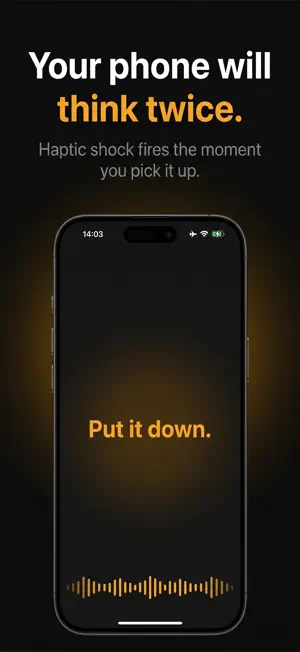
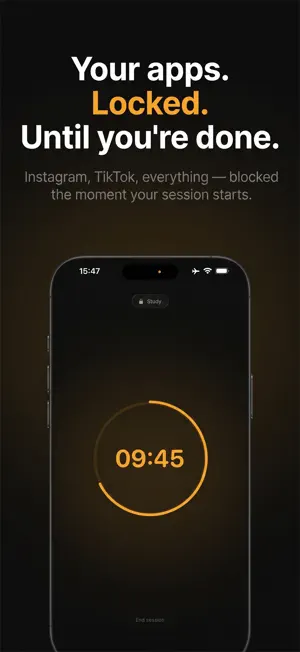
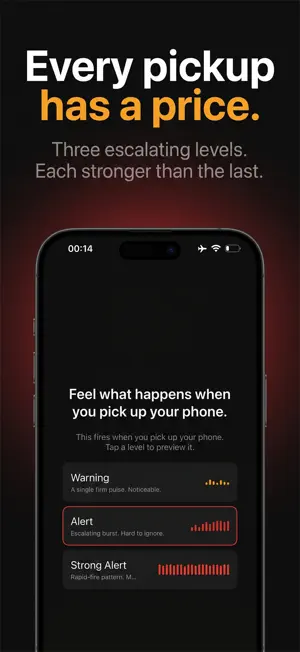
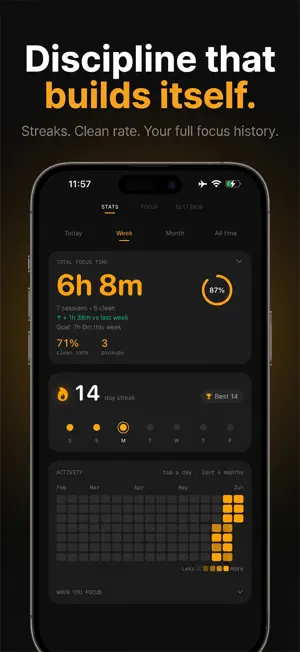
Update regarding Legal: Privacy: Hello App Review Team, Thank you for your feedback. We determined that the current version does not require access to Motion & Fitness Activity information. We have therefore removed the Motion & Fitness permission request and its usage-description entry. We also revised onboarding to request notification permission instead. The explanatory screen now uses a neutral “Continue” action that proceeds directly to Apple’s native permission dialog, without a “Maybe Later” or dismiss option. Notifications are used for focus-session alerts and remain fully controlled by the user through iOS settings. Thank you for reviewing the updated submission. ------------------- Lockd helps you focus by blocking distracting apps and catching the mindless phone pickups that break your concentration. WHO IT'S FOR 1. You check your phone without even thinking 2. You lose hours to social media and notifications 3. You struggle to start and stay in deep work 4. You want focus habits that actually stick KEY FEATURES 1. Pickup detection that pulls you back the moment you lift your phone 2. Real app blocking during sessions, powered by Apple Screen Time 3. Custom focus timers for work, study, reading, or a phone-free break 4. Session stats for focused time and how often you reached for your phone 5. Live Activities and widgets for your Lock Screen and Home Screen 6. A clean, minimal, distraction-free design PRIVACY FIRST 1. No account, name, or email required 2. Your focus data stays on your device 3. Lockd never sees which apps you block, iOS keeps that private 4. Analytics are optional and can be turned off anytime HOW IT WORKS 1. Pick your focus length 2. Choose the apps to block 3. Press start and stay in the zone CONTACT AND LINKS Support: https://lockdfocus.app/support Privacy: https://lockdfocus.app/privacy Terms: https://lockdfocus.app/terms
What’s new
Version 1.1.1 · Updated June 23, 2026
- minor update
App privacy
The developer, Eslam Younis, reported these privacy practices to Apple.
Data Linked to You
The following data, which may be collected and linked to your identity, may be used for the following purposes:
- Identifiers: User ID
- Usage Data: Product Interaction, Other Usage Data
- Purchases: Purchase History
- User Content: Customer Support, Other User Content
Used for: Analytics, App Functionality
Alternatives to Lockd: Pomodoro Timer
Looking for apps like Lockd: Pomodoro Timer? Here are 6 similar apps on the App Store. The highest rated is LapLog (5.0/5), and all 6 are free to download.
-
 FocusMind - Pomodoro Timer
-
 PostTube
-
 LapLog
5.0
LapLog
5.0
-
 Pomodoro Focus Timer - Tickro
-
 My Clock: Pomodoro Focus Timer
-
 Pomodoro Focus Timer: OneTap
5.0
Pomodoro Focus Timer: OneTap
5.0
| App | Rating | Price | Last updated | Compare |
|---|---|---|---|---|
| Lockd: Pomodoro Timer | – | Free | June 23, 2026 | |
| FocusMind - Pomodoro Timer | – | Free | May 25, 2026 | Compare |
| PostTube | – | Free | Aug 2, 2026 | Compare |
| LapLog | 5.0 / 5 (1) | Free | May 1, 2026 | Compare |
| Pomodoro Focus Timer - Tickro | – | Free | Jun 10, 2026 | Compare |
| My Clock: Pomodoro Focus Timer | – | Free | Aug 1, 2026 | Compare |
| Pomodoro Focus Timer: OneTap | 5.0 / 5 (1) | Free | Jul 16, 2026 | Compare |