

TieLoop: Personal CRM
胜天 何 Lifestyle iPhoneiPadiPod touch
TieLoop: Personal CRM is a free Lifestyle app for iPhone and iPad by 胜天 何. Requires iOS 17.0. Updated October 10, 2026.
- Price
- Free
- on the App Store
- Size
- 20 MB
- Age 4+
- Updated
- Oct 10
- 2026 · v2026.10100
Screenshots


About TieLoop: Personal CRM
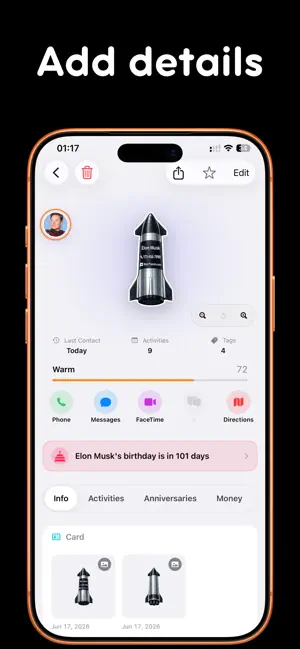
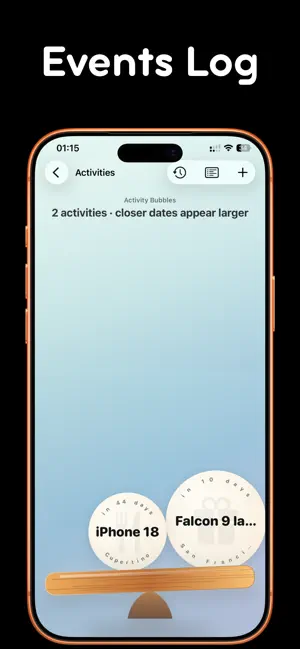
TieLoop is a private personal CRM for the relationships that matter. It goes beyond a static address book by connecting contacts, shared moments, anniversaries, money records, locations, and relationship context into one clear relationship map. Use TieLoop to: - Organize contacts with groups, tags, companies, roles, notes, and relationship types - Record shared activities like meals, meetings, trips, coffee chats, and gatherings - Explore a relationship graph centered around your own circles and connections - See contact locations and activity places on a native map - Keep birthdays, anniversaries, and important relationship reminders close at hand - Track gifts, loans, repayments, and other money records between people - Create and share a personal card with QR code, nearby transfer, exported card file, or an iCloud link - Optionally sync data across your devices through your own iCloud account - Protect private relationship data with Face ID or your device passcode Card sharing is designed for in-person introductions and cross-device handoff: show a QR code, send a complete card to nearby devices, export a card file, or generate an iCloud link when you need a fallback. TieLoop is local-first by default. Contacts, Location, Photos, Camera, Local Network, Motion, Notifications, and Face ID permissions are requested only when you start a related feature. The app does not include third-party tracking SDKs. Relationships should feel easier to remember and easier to care for. TieLoop helps you turn scattered interactions into a living map of people, moments, and meaningful follow-ups. Terms of Use: https://www.apple.com/legal/internet-services/itunes/dev/stdeula/
What’s new
Version 2026.10100 · Updated October 10, 2026
Keep the places, moments, photos, and expenses from a trip together in one activity. • Multi-day itineraries: Add places by day, reorder stops, and move them between dates to record an entire trip in one activity. • Custom events: Name each event your way, from lunch and taxi rides to watching the sunset. Link it to a place, adjust its participants, and find activities by place, address, or event name. • Event photos: Add up to 9 photos to each event, reorder them, and browse them full screen. The first photo becomes the event cover. Photos work even when expense recording is off. • Photos on the map: A stop's event photos take priority over the activity cover. Select a stop to browse its photos, and follow numbered stops and schematic lines to revisit your itinerary. • Event expenses: Record an optional amount, currency, and whether the cost was split equally or covered by one person. Recorded totals are grouped by currency. Clear choices for previous activity costs help avoid double-counting when switching to event expenses. • More custom icons: Choose from around 300 icons for relationship types, activity types, and financial purposes, with categories, Chinese and English search, and suggested icons. • Clearer interfaces: Improved financial cards, pickers, currency labels, and larger-text layouts. Unsettled and historical net amounts are easier to distinguish, with expanded explanations of Closeness calculations. • Compatible backups: Back up and restore itineraries, events, photos, and expense details, with continued support for older backups.
App privacy
The developer, 胜天 何, reported these privacy practices to Apple.
Data Not Collected
The developer does not collect any data from this app.