

Odigo: Gas & EV Charging
Jules Marvin Eguilos Navigation iPhoneiPadiPod touch
Odigo: Gas & EV Charging is a free Navigation app for iPhone and iPad by Jules Marvin Eguilos. Rated 5.0/5 from 3 ratings. Requires iOS 18.0.
- Rating
- 5.0
- 3 ratings
- Price
- Free
- on the App Store
- Size
- 37 MB
- Age 4+
- Updated
- Aug 1
- 2026 · v1.1.1
Screenshots
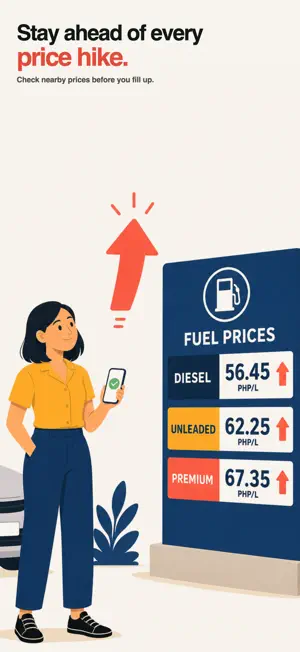


About Odigo: Gas & EV Charging
Odigo helps Filipino drivers beat the weekly price hike. See nearby fuel and EV charging prices, know what's changing before Tuesday, and choose your stop with confidence — anywhere in the Philippines. FIND FUEL FOR LESS - Live price map of nearby gas stations with prices per liter - Filter by grade: Unleaded, Premium 95/97/100, Diesel - Sort by cheapest, closest, or top rated - "Cheapest" and "Closest" badges on station cards - Station details: all fuel grades, amenities, hours, photos, reviews - Price source labels so you know the trust level (official, driver-reported, Odigo estimate) - Freshness indicator: see how recently a price was reported - Filter by amenities: 24/7, restrooms, car wash, ATM, shop, LPG, air pump, wheelchair access - Distance and route ETA to each station - Compare every grade at one station, and see how it stacks up vs the NCR average - Search by name, brand, address, or city - Directions via Apple Maps, Google Maps, or Waze STAY AHEAD OF PRICES - Nationwide reference prices for Unleaded, Premium 95/97, Diesel - Weekly hikes and rollbacks at a glance - Next-week fuel price forecast with confidence levels CHARGE WITH CONFIDENCE (EV) - Live charger map with price per kWh, max power (kW), and distance - Speed tiers from AC Standard to DC Fast and ultra-fast charging - Connector details: CCS2, CCS1, CHAdeMO, Type 2, NACS and more - Pricing models: per-kWh, per-minute, session, free, subscription - Spot free chargers, plus connection, idle, and parking fees - Site info: access tier, hours, payment methods, amenities - Accreditation badge and price provenance you can trust - Nationwide charging rates by connector family - Pinned chargers with live price, power, and distance - Filter by connector type or network; sort by cheapest DRIVING NEWS - STAY INFORMED A built-in feed to keep you ready before you roll out: - Curated "For you" driving news, ranked by relevance to where you drive - Categories: fuel, weather, traffic, road works, regulatory, EV, lifestyle - Weather advisories classified into clear tiers with driver guidance - Current conditions card: live temperature, wind, and humidity - Critical alerts always surface at the top, even past your filters - Push notifications for the categories you choose, with quiet hours and a daily limit so you're informed, never overwhelmed - Set the regions you drive to see only news that affects you - Motoring-outlet filter for car reviews and journalism PLAN YOUR TRIP - Route preview with estimated fuel/charge cost and savings vs the priciest stop - Compare alternate routes by time, distance, cost, and stops - Smart stop suggestions and drag-to-reorder waypoints - Map styles (Standard, Satellite, Hybrid) and your preferred nav app - Set distance units, default fuel grade, search radius, and default sort CONTRIBUTE & SAVE - Report pump prices with camera scanning (on-device) or manual entry - Report hours, amenities, or closures to help other drivers - Write reviews and add photos - Earn Street Cred for your contributions - Save favorite stations and chargers; sync across devices when signed in BROWSE FREE, NO ACCOUNT NEEDED Explore the map, prices, and details as a guest. An account is free and optional - sign in with Apple, Google, or an email magic link only when you want to save favorites or contribute. Prices are estimates and may change - always confirm at the pump or charger before fueling.
What’s new
Version 1.1.1 · Updated August 1, 2026
Fixed: Bug reporting UI Gas Price Manual Entry UI Google Maps Photos
App privacy
The developer, Jules Marvin Eguilos, reported these privacy practices to Apple.
Data Linked to You
The following data, which may be collected and linked to your identity, may be used for the following purposes:
- Contact Info: Email Address, Name
- User Content: Photos or Videos, Other User Content
Used for: App Functionality
Data Not Linked to You
The following data, which may be collected but is not linked to your identity, may be used for the following purposes:
- Location: Coarse Location, Precise Location
- Identifiers: Device ID
- Usage Data: Product Interaction
- Diagnostics: Performance Data
Used for: Analytics, App Functionality
Alternatives to Odigo: Gas & EV Charging
Looking for apps like Odigo: Gas & EV Charging? Here are 6 similar apps on the App Store. The highest rated is Drift: Things To Do Nearby (5.0/5), and all 6 are free to download.
-
 GasKo
3.7
GasKo
3.7
-
 MaxiPlein - Fuel Prices
-
 miGas: Fuel Prices Map
-
 Drift: Things To Do Nearby
5.0
Drift: Things To Do Nearby
5.0
-
 ParkIt! - Remember My Spot
-
 OdiGo
5.0
OdiGo
5.0
| App | Rating | Price | Last updated | Compare |
|---|---|---|---|---|
| Odigo: Gas & EV Charging | 5.0 / 5 (3 ratings) | Free | August 1, 2026 | |
| GasKo | 3.7 / 5 (3) | Free | Oct 10, 2026 | Compare |
| MaxiPlein - Fuel Prices | – | Free | Oct 2, 2026 | Compare |
| miGas: Fuel Prices Map | – | Free | Jul 5, 2026 | Compare |
| Drift: Things To Do Nearby | 5.0 / 5 (2) | Free | Oct 16, 2026 | Compare |
| ParkIt! - Remember My Spot | – | Free | Jun 26, 2026 | Compare |
| OdiGo | 5.0 / 5 (1) | Free | Aug 31, 2026 | Compare |