

Diction: Speak to Text Games
Luminous Designs LLC Games iPhoneiPadiPod touch
Diction: Speak to Text Games is a free Games app for iPhone and iPad by Luminous Designs LLC. Requires iOS 18.0. Updated September 30, 2026.
- Price
- Free
- on the App Store
- Size
- 119 MB
- Age 12+
- Updated
- Sep 30
- 2026 · v1.3
Screenshots


About Diction: Speak to Text Games
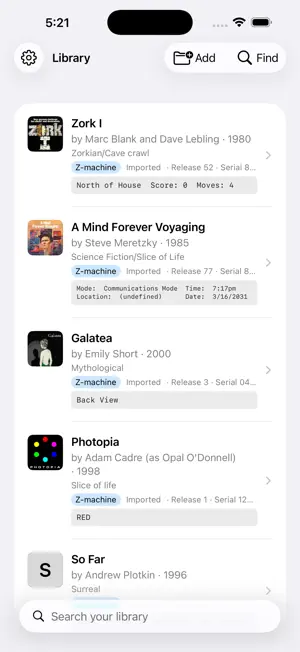
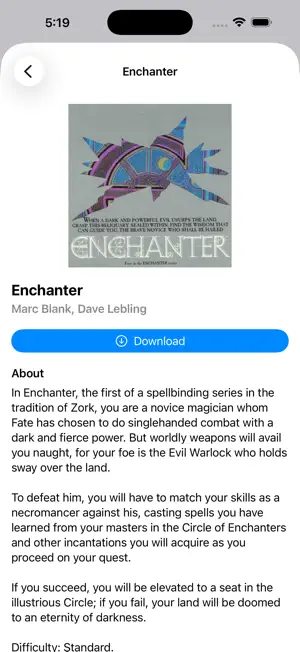
Play interactive fiction games with your voice, while the device reads the game to you! The free version lets you control the built-in game "All Things Devours" with your voice! It also lets you add any game you wish, and in any game you can have narration with Apple's Accessibility TTS engine in any game and you can give commands with the keyboard. **Unlock the full version to give voice commands in any game, and to use the upgraded neural voice engine.** Use Find to search ifdb.org, or tap on a handy list of classic games to play immediately! Say or type "game" followed by these commands to issue commands to Diction itself: * "stop": stop narrating the current game output * "repeat": narrate the current game output again * "windows": explain what grid panels are open, e.g. a status bar * "window 2": read out what's in window 2, e.g. the status bar * "keywords": read which words in the last output were bolded or colored (important for Blue Lacuna) * "inputs": read the last 20 commands you gave in reverse chronological order * "input 2": issue one of your previous commands Other features * Double-tap a word in the game log to add it to your input. * To add to the Apple voices you have to first visit your device's Settings > Accessibility > Read & Speak > Voices > English > Voice. * Tap the speaker icon in the top toolbar to silence the narration. Turn it back on at any time. * (Full version) The mic is automatically listening and can tell when you're done talking. * (Full version) Mute the mic in the top toolbar to stop giving voice input. * (Full version) The recognition favors words in the recent game log, to help with accuracy and to include unusual words and names.
What’s new
Version 1.3 · Updated September 30, 2026
The neural voices are now compatible with iOS 27.
App privacy
The developer, Luminous Designs LLC, reported these privacy practices to Apple.
Data Not Linked to You
The following data, which may be collected but is not linked to your identity, may be used for the following purposes:
- Usage Data: Product Interaction, Advertising Data
Used for: Third-Party Advertising, Developer’s Advertising or Marketing, Analytics, App Functionality
Alternatives to Diction: Speak to Text Games
Looking for apps like Diction: Speak to Text Games? Here are 6 similar apps on the App Store. The highest rated is MelodyDoku: Brain Puzzle Games (5.0/5), and 4 of the 6 are free to download.
-
 MelodyDoku: Brain Puzzle Games
5.0
MelodyDoku: Brain Puzzle Games
5.0
-
 The Midnight Imposter
-
 Blind Cube
-
 The Listening Maze
-
 Purple Friday
4.0
Purple Friday
4.0
-
 N'Back Butterfly
| App | Rating | Price | Last updated | Compare |
|---|---|---|---|---|
| Diction: Speak to Text Games | – | Free | September 30, 2026 | |
| MelodyDoku: Brain Puzzle Games | 5.0 / 5 (1) | Free | Jun 15, 2026 | Compare |
| The Midnight Imposter | – | Free | May 13, 2026 | Compare |
| Blind Cube | – | 2.99 USD | Feb 9, 2026 | Compare |
| The Listening Maze | – | Free | Oct 20, 2026 | Compare |
| Purple Friday | 4.0 / 5 (5) | 2.99 USD | Nov 27, 2024 | Compare |
| N'Back Butterfly | – | Free | Aug 26, 2026 | Compare |