

Dig Time - Focus Timer
SEOYEON PARK Productivity iPhoneiPadiPod touchApple Watch
Dig Time - Focus Timer is a free Productivity app for iPhone and iPad by SEOYEON PARK. Requires iOS 15.0. Updated October 15, 2026.
- Price
- Free
- on the App Store
- Size
- 86 MB
- Age 4+
- Updated
- Oct 15
- 2026 · v1.0.5
Screenshots



About Dig Time - Focus Timer
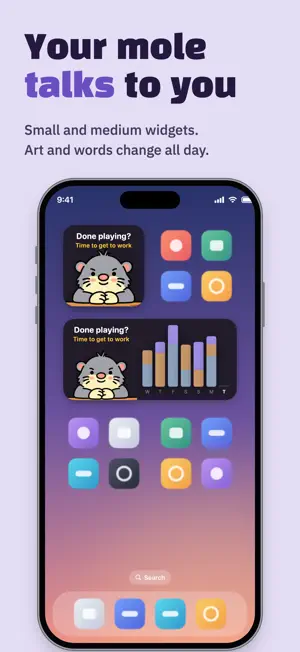
Flip your phone face down and a little mole starts digging. Pick it up and it's break time. No buttons to press. The time your phone stays face down becomes your study log. No sign-up, no login. Open it and go. Made for exam prep, coding, reading, and anything you do better with your phone out of reach. The less you look at the screen, the deeper the mole digs, while your phone quietly keeps time. ■ Face down to focus, pick up to rest - Lay it face down and focus starts after just a second. It won't start by accident while it's in your hand - Can't flip it? Start with a button instead - Rest longer than 30 minutes and the session wraps up on its own - Done enough for the day? Tap "Done for today" to close the day. The mole naps in its burrow until tomorrow ■ Time by item - Split your time into items like exam prep, coding, or reading - See today, this week, this month, and your full history on one screen - When a session ends, save or share the result card as an image - Start with 3 items and unlock one more every 300 hours of focus ■ Pick your mole - Choose Crayon, Goofy, Burrow Mole, Clay, or Felt. All free for now - New items start as a toddler's doodle. Focus 5+ minutes on two different days and it grows into the style you picked - Every item gets a random fur color, and some colors are rare ■ Beyond the app - Keep an eye on the timer from your Lock Screen with Live Activities - Home Screen widgets where the mole says something different depending on your day. Lock Screen widgets too - Apple Watch app and watch face complications show your status at a glance ■ Your records stay on your phone Records are saved on this device. Only an anonymous focus log is kept on our server to verify focus time, and you can delete it anytime in Settings.
What’s new
Version 1.0.5 · Updated October 15, 2026
New Apple Watch app. See on your wrist and watch face whether you're focusing or on a break. Tap "Done for today" to close the day. The mole shows how long it dug today and heads into its burrow. The Home Screen widget mole now shows different art and a line for each state. Lock Screen widgets are new too. On the idle screen, the mole asks "Flip your phone for 1 sec?" The app is now available in English, Japanese, and Simplified Chinese. Also: long-press an item to edit or delete it, and the mole's size and motion are polished.
App privacy
The developer, SEOYEON PARK, reported these privacy practices to Apple.
Data Linked to You
The following data, which may be collected and linked to your identity, may be used for the following purposes:
- User Content: Other User Content
- Identifiers: User ID
- Usage Data: Product Interaction
Used for: App Functionality
Alternatives to Dig Time - Focus Timer
Looking for apps like Dig Time - Focus Timer? Here are 6 similar apps on the App Store. The highest rated is MODA: Todo & Routine Planner (5.0/5), and all 6 are free to download.
-
 NoteTrack - 자유도 높은 트래커 메모앱
-
 BrewFocus - Focus in a Cafe
-
 Tikkle: Tiny Focus, Big Growth
-
 Readray: AI lens for reading
-
 할일 - To do list
4.4
할일 - To do list
4.4
-
 MODA: Todo & Routine Planner
5.0
MODA: Todo & Routine Planner
5.0
| App | Rating | Price | Last updated | Compare |
|---|---|---|---|---|
| Dig Time - Focus Timer | – | Free | October 15, 2026 | |
| NoteTrack - 자유도 높은 트래커 메모앱 | – | Free | Jul 2, 2026 | Compare |
| BrewFocus - Focus in a Cafe | – | Free | Oct 15, 2026 | Compare |
| Tikkle: Tiny Focus, Big Growth | – | Free | Sep 28, 2026 | Compare |
| Readray: AI lens for reading | – | Free | Oct 25, 2026 | Compare |
| 할일 - To do list | 4.4 / 5 (7) | Free | Aug 12, 2025 | Compare |
| MODA: Todo & Routine Planner | 5.0 / 5 (1) | Free | Sep 14, 2026 | Compare |