

Sticker Diary: Photo Scrapbook
文杰 饶 Lifestyle iPhoneiPadiPod touch
Sticker Diary: Photo Scrapbook is a free Lifestyle app for iPhone and iPad by 文杰 饶. Requires iOS 17.0. Updated October 13, 2026.
- Price
- Free
- on the App Store
- Size
- 92 MB
- Age 4+
- Updated
- Oct 13
- 2026 · v1.3.2
Screenshots
About Sticker Diary: Photo Scrapbook
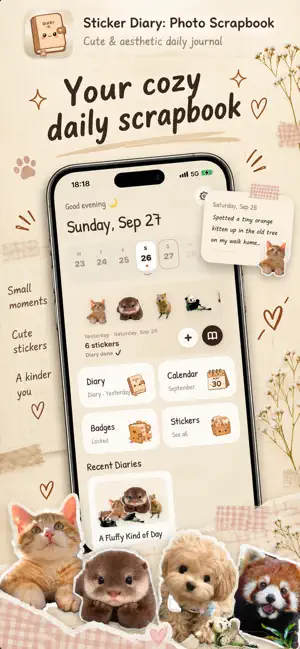
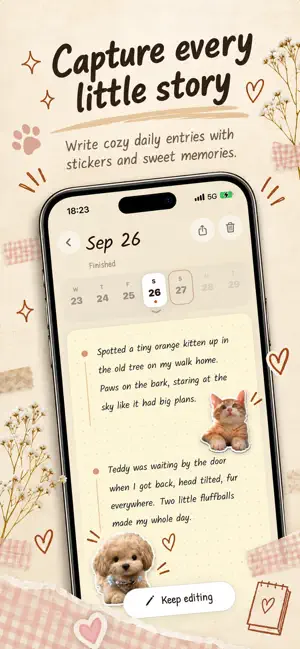
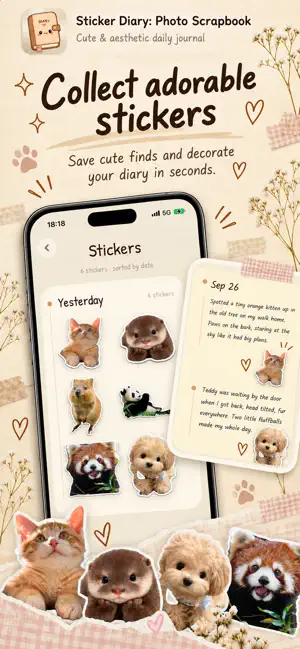
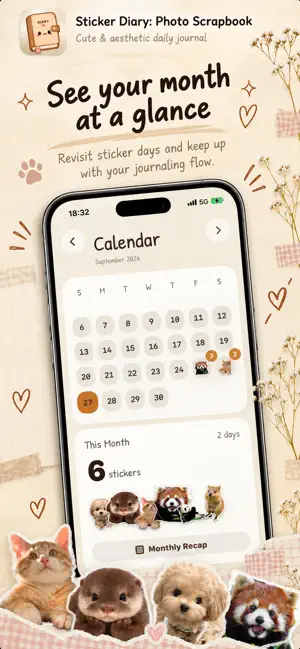
Turn everyday photos into cute stickers and keep a handwritten-style diary of your days. Snap a photo of your latte, your cat, a flower on the way home. Sticker Diary cuts out the subject right on your iPhone and drops it onto today's page as a sticker. Then write a few lines next to it, with a gentle writing prompt when you don't know where to start. Flip back through the pages later and your memories are all there: what you saw, what you ate, how you felt. HOW IT WORKS • Take or pick a photo — the subject is cut out automatically • Your sticker lands on today's diary page • Write beside each sticker, guided by rotating writing prompts • Browse your days in a calendar and relive them page by page FEATURES • One-tap sticker cutout, processed on device • Handwriting fonts and cozy paper themes • Rotating journaling prompts, or write your own • Calendar view and monthly recap • Home Screen widget with today's stickers • Achievement badges to keep your journaling streak going • Soft pencil sound while you write (can be turned off) PRIVATE BY DESIGN Your stickers and diary entries stay on your device. Photos are cut out on your iPhone and never uploaded. STICKER DIARY PRO Free pages hold up to 4 stickers. Pro unlocks: • Unlimited stickers on every page • All paper themes • All handwriting fonts Pro is available as a monthly or yearly auto-renewing subscription, or as a one-time Lifetime purchase that never renews. The yearly plan starts with a 7-day free trial for new subscribers; if you don't cancel before the trial ends, the yearly price is charged. Payment is charged to your Apple ID at confirmation of purchase. The subscription renews automatically unless canceled at least 24 hours before the end of the current period. You can manage or cancel it in your App Store account settings. Terms of Use: https://jackyrwj.github.io/StickerDiary/en/terms.html Privacy Policy: https://jackyrwj.github.io/StickerDiary/en/privacy-policy.html
What’s new
Version 1.3.2 · Updated October 13, 2026
Fixed an issue where AI diary writing failed to generate Polish and bug fixes
App privacy
The developer, 文杰 饶, reported these privacy practices to Apple.
Data Not Linked to You
The following data, which may be collected but is not linked to your identity, may be used for the following purposes:
- Purchases: Purchase History
- Identifiers: User ID
Used for: App Functionality
Alternatives to Sticker Diary: Photo Scrapbook
Looking for apps like Sticker Diary: Photo Scrapbook? Here are 6 similar apps on the App Store.
-
 Petaily
-
 Spark, Briefly
-
 Relationship Repair: Oren
-
 SnapOoo
-
 Moss: Private Journal & Diary
-
 Niello - AI Sticker Journal
| App | Rating | Price | Last updated | Compare |
|---|---|---|---|---|
| Sticker Diary: Photo Scrapbook | – | Free | October 13, 2026 | |
| Petaily | – | Free | Sep 27, 2026 | Compare |
| Spark, Briefly | – | Free | Sep 28, 2026 | Compare |
| Relationship Repair: Oren | – | Free | Sep 1, 2026 | Compare |
| SnapOoo | – | Free | Oct 15, 2026 | Compare |
| Moss: Private Journal & Diary | – | Free | Oct 18, 2026 | Compare |
| Niello - AI Sticker Journal | – | Free | Oct 17, 2026 | Compare |