

Walkthrough: Job Site Photos
Lock Ten Studio, LLC Business iPhoneiPadiPod touch
Walkthrough: Job Site Photos is a free Business app for iPhone and iPad by Lock Ten Studio, LLC. Rated 5.0/5 from 5 ratings. Requires iOS 16.4.
- Rating
- 5.0
- 5 ratings
- Price
- Free
- on the App Store
- Size
- 74 MB
- Age 4+
- Updated
- Oct 20
- 2026 · v1.4.2
Screenshots


About Walkthrough: Job Site Photos
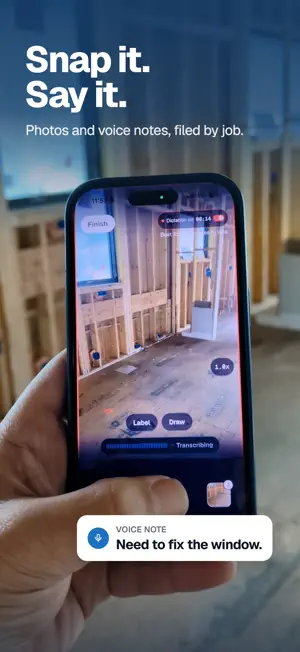
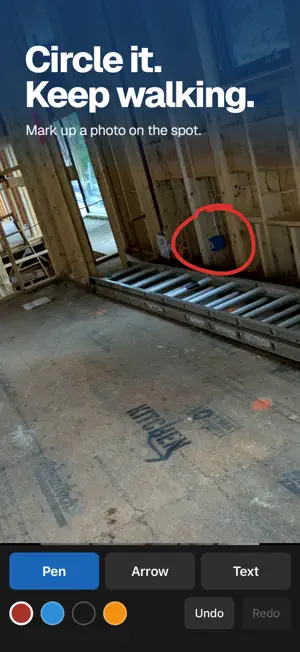
Take job photos, say what you see, and Walkthrough files it all by project. Your words become notes on your photos, and a clean report, punch list or daily log whenever you need one. CAPTURE ON SITE - Snap photos and talk as you walk. Your words are written down as you go. - Circle, draw or label right on a photo. - Works with no signal. Everything syncs when you're back in service. EVERY JOB IN ONE PLACE - Photos and notes are filed under each project, off your camera roll. - The whole history of every site, always with you. SEND IT OUT - Turn a walk into a clean PDF with your logo: site reports, punch lists, trade lists, owner updates and daily logs. - Text or email it in a tap, or save it to Dropbox or Google Drive. - Meeting notes: record a project meeting and get the decisions and action items (Pro). FOR THE OFFICE - See every photo and note from any computer, and save or share them from there. PLANS - Standard: photos, notes and every report type except meeting notes and the punch list. - Pro: everything in Standard, plus meeting notes and the punch list. New accounts get three free reports with every feature unlocked. No card needed to try it. Available in the United States, Canada and Australia. Terms of Use: https://lockten.ai/terms Privacy Policy: https://lockten.ai/privacy
Ratings & reviews
5.0
5 ratings
What’s new
Version 1.4.2 · Updated October 20, 2026
Camera fixes and smoother capture. - A quick second tap no longer misses a photo. - On camera-first walks, the camera stays ready longer between shots. - Start a new project with no signal. It syncs when you're back in service. - Error messages clear on their own instead of lingering. - Small fixes and polish.
App privacy
The developer, Lock Ten Studio, LLC, reported these privacy practices to Apple.
Data Linked to You
The following data, which may be collected and linked to your identity, may be used for the following purposes:
- Contact Info: Email Address
- User Content: Photos or Videos, Other User Content, Audio Data
- Identifiers: User ID
Used for: App Functionality, Other Purposes
Data Not Linked to You
The following data, which may be collected but is not linked to your identity, may be used for the following purposes:
- Diagnostics: Crash Data
Used for: Analytics, App Functionality