

Readloom - Convert PDF to EPUB
Nanthicha Chantasila Productivity iPhoneiPadiPod touch
Readloom - Convert PDF to EPUB is a free Productivity app for iPhone and iPad by Nanthicha Chantasila. Requires iOS 16.6. Updated September 7, 2026.
- Price
- Free
- on the App Store
- Size
- 8 MB
- Age 4+
- Updated
- Sep 7
- 2026 · v1.3.3
Screenshots
About Readloom - Convert PDF to EPUB
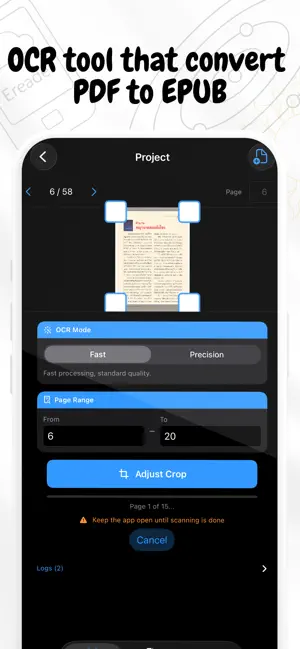
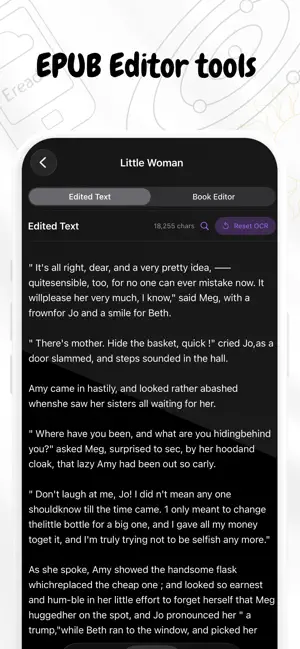
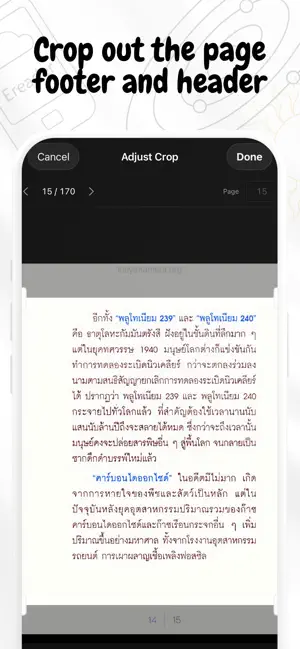
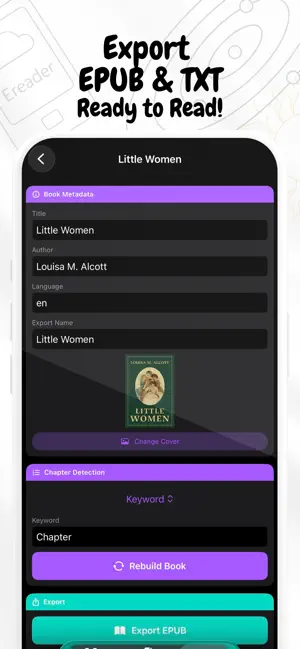
Readloom turns your PDFs into clean, editable text and exports as EPUB - right on your iPhone or iPad. Have a PDF you want to read on your Kindle, Xteink, or any e-reader but the text in PDF is too small? Readloom scans the pages with OCR, automatically splits the content into chapters, and lets you export everything as an EPUB or TXT file in minutes. What you can do: • Scan any PDF with OCR - choose Fast mode for speed or Precision for accuracy • Auto-detect chapters from numbered headings or keywords • Supports Thai text - including Thai chapter keywords like "บทที่" and "ตอนที่" • Edit chapter titles and clean up text before exporting • Export as EPUB (open on any e-reader or reading app) or plain TXT • Pick a custom cover image for each project • Everything stays in your device. How it works: 1. Open a PDF from your Files app 2. Set your page range and tap Start OCR 3. Readloom automatically finds and organizes the chapters - or you can set them manually 4. Review, edit, and export (send to your kindle or e-reader) Free to get started: Your first two projects support up to 350 pages each — no sign-up required. Upgrade to Readloom Pro with a one-time payment for unlimited pages and unlimited projects, forever. No subscription. No hidden fees. Pay once, use forever. For personal use only. Please respect all applicable laws.
What’s new
Version 1.3.3 · Updated September 7, 2026
v1.3.3 — What's New New Features • Bulk chapter selection — tap Select in the chapter list to pick multiple chapters, then merge, delete, or re-split them all at once. All actions are undoable. • Re-split by dialog — splits a chapter's text at dialog quote characters (" / "), turning one long chapter into multiple shorter ones. Available for single chapters and in bulk. Bug Fixes • Fixed a crash when tapping Undo while a rebuild was in progress • Fixed body text being incorrectly detected as chapter headings in Arabic number (123) mode • Fixed Thai keyword "ตอน" over-matching common words like "ตอนนี้" — now only "ตอนที่" triggers chapter detection • Fixed chapter numbers mid-page (no blank line above) not being detected as headings • Fixed action bar buttons wrapping to multiple lines on narrow iPad sidebar
App privacy
The developer, Nanthicha Chantasila, reported these privacy practices to Apple.
Data Not Collected
The developer does not collect any data from this app.
Alternatives to Readloom - Convert PDF to EPUB
Looking for apps like Readloom - Convert PDF to EPUB? Here are 6 similar apps on the App Store. The highest rated is EpubCraft: EPUB Editor & OCR (3.7/5), and 5 of the 6 are free to download.
-
 EpubCraft: EPUB Editor & OCR
3.7
EpubCraft: EPUB Editor & OCR
3.7
-
 OCR Server
-
 PDF To EPUB App
1.0
PDF To EPUB App
1.0
-
 PDF Scanner OCR: Smart Scan
-
 Epub to Pdf Converter*
3.3
Epub to Pdf Converter*
3.3
-
 PDF to EPUB Converter - P2EQ
| App | Rating | Price | Last updated | Compare |
|---|---|---|---|---|
| Readloom - Convert PDF to EPUB | – | Free | September 7, 2026 | |
| EpubCraft: EPUB Editor & OCR | 3.7 / 5 (3) | 4.99 USD | Sep 28, 2026 | Compare |
| OCR Server | – | Free | Oct 6, 2026 | Compare |
| PDF To EPUB App | 1.0 / 5 (2) | Free | Dec 27, 2025 | Compare |
| PDF Scanner OCR: Smart Scan | – | Free | Aug 9, 2026 | Compare |
| Epub to Pdf Converter* | 3.3 / 5 (3) | Free | May 19, 2026 | Compare |
| PDF to EPUB Converter - P2EQ | – | Free | May 5, 2026 | Compare |