

Super Shot 24: Camera & Prints
Aaron Heine Photo & Video iPhoneiPadiPod touch
Super Shot 24: Camera & Prints is a free Photo & Video app for iPhone and iPad by Aaron Heine. Rated 2.0/5 from 1 ratings. Requires iOS 17.0.
- Rating
- 2.0
- 1 ratings
- Price
- Free
- on the App Store
- Size
- 49 MB
- Age 4+
- Updated
- Aug 5
- 2026 · v3
Screenshots

About Super Shot 24: Camera & Prints
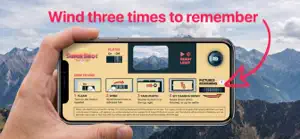
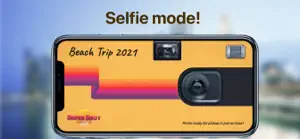
Have you ever taken photos on a film camera? When you pick up your envelope of prints, those are photos you've never seen before. The anticipation builds toward this one moment. You chose your shots carefully — how will they turn out? That was the definitive moment of your creative work. It was always an exciting surprise to see all of your photos for the first time as prints. Now that experience has returned. The Super Shot 24 goes to extremes to replicate the nostalgia of shooting on a film camera and seeing your photos for the first time ONLY when you pick up your prints. How to Get a Camera This app is an immersive, first-person experience that begins at your home. Your keys get you where you need to be. First, head to the store to get a disposable camera. Choose between a 12-shot camera and a 24-shot camera that includes 3 bonus shots! Just drop it on the checkout conveyor belt to get started. How to Use a Camera 1. Purchase a camera from the store. 2. Touch your camera to give it a name. 3. Swipe the winder three times to get to shooting. 4. Swipe it down to place it back on your desk. When a camera is on your desk, long-press it to print those photos, delete the camera, share it, or rename it. How to Print Your Photos — 3 Ways • When your roll is complete, you'll be given the option to print your camera. • Long-press your camera on the desk. • Use your keys to get to the print shop, where you can choose a camera to print. Printing Information Your photos are printed as real 4x6 prints, just like the film days. Prints are generally ready in about an hour and are picked up in person. Will I ever have my photos on my phone? Yes — but only after you've picked up your prints. The Super Shot 24 stays true to the days of print-first photography. Once your photos are available, just click your desktop mouse to see your album.
What’s new
Version 3 · Updated August 5, 2026
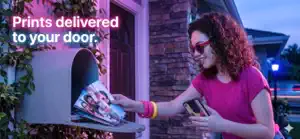
Your prints now ship to your door as real 4×6 photos. After you turn in a roll, your album appears on the computer screen and unlocks when your prints arrive. More reliable albums, smoother checkout, and a more polished desktop experience.
App privacy
The developer, Aaron Heine, reported these privacy practices to Apple.
Data Not Linked to You
The following data, which may be collected but is not linked to your identity, may be used for the following purposes:
- Contact Info: Physical Address, Email Address, Name
- User Content: Photos or Videos
Used for: App Functionality, Other Purposes
Alternatives to Super Shot 24: Camera & Prints
Looking for apps like Super Shot 24: Camera & Prints? Here are 6 similar apps on the App Store. The highest rated is y2k: 2000s photo editor (4.8/5), and all 6 are free to download.
-
 Framed - Take Aesthetic Photos
4.0
Framed - Take Aesthetic Photos
4.0
-
 Hipstamatic® Analog Camera
4.6
Hipstamatic® Analog Camera
4.6
-
 (Not Boring) Camera
4.6
(Not Boring) Camera
4.6
-
 Halo AI: Photo & Video Editor
4.3
Halo AI: Photo & Video Editor
4.3
-
 Heges 3D Scanner
2.8
Heges 3D Scanner
2.8
-
 y2k: 2000s photo editor
4.8
y2k: 2000s photo editor
4.8
| App | Rating | Price | Last updated | Compare |
|---|---|---|---|---|
| Super Shot 24: Camera & Prints | 2.0 / 5 (1 rating) | Free | August 5, 2026 | |
| Framed - Take Aesthetic Photos | 4.0 / 5 (36) | Free | Oct 10, 2026 | Compare |
| Hipstamatic® Analog Camera | 4.6 / 5 (2,837) | Free | Oct 3, 2026 | Compare |
| (Not Boring) Camera | 4.6 / 5 (5,449) | Free | Oct 20, 2026 | Compare |
| Halo AI: Photo & Video Editor | 4.3 / 5 (2,116) | Free | Oct 1, 2026 | Compare |
| Heges 3D Scanner | 2.8 / 5 (306) | Free | Sep 20, 2026 | Compare |
| y2k: 2000s photo editor | 4.8 / 5 (12,911) | Free | Oct 12, 2026 | Compare |