

NoteManagerPro
Klaus Mack Productivity iPhoneiPadiPod touchMac
NoteManagerPro is a free Productivity app for iPhone and iPad by Klaus Mack. Requires iOS 17.6. Updated October 21, 2026.
- Price
- Free
- on the App Store
- Size
- 7 MB
- Age 4+
- Updated
- Oct 21
- 2026 · v2.1.0
Screenshots



About NoteManagerPro
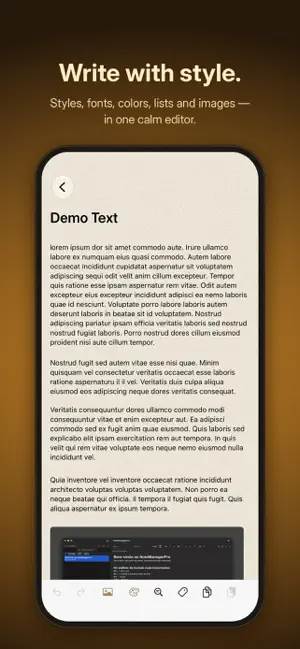
NoteManagerPro is your notes app for Mac, iPad and iPhone. Write, format, organize – calm, fast and free of distractions. WRITE WITH STYLE Headings, quotes and code, eight fonts, sizes from 8 to 72 points, bold, italic, underline and 15 text colors. Images sit right in the text: insert, move, resize. Web and email addresses become clickable on their own. MARKDOWN NOTES A separate note type for Markdown. You write in the formatted text; one click shows the plain Markdown. With tables, images, an outline for long notes, and import and export as .md files. LISTS AND TO-DOS Bullets, numbers, Roman numerals and checkboxes. Sub-lists renumber themselves. ORGANIZATION THAT GROWS WITH YOU Notebooks with their own colors, tags across all notebooks, pinned notes at the top. Advanced search filters by title, content, tags and date range. Find and replace within a note is included, of course. CALCULATE IN THE TEXT Select a calculation and insert the result with one click – with parentheses and powers. BACK UP, PRINT, SHARE Back up selected notes with their images to a folder and restore them, even from one device to another. Print and share as PDF. ON ALL YOUR DEVICES If you like, iCloud keeps your notes, notebooks and tags in sync across Mac, iPad and iPhone. Light or dark, 14 accent colors and eight soft backgrounds. In eight languages. FREE No subscription, no account, no tracking. Your notes stay with you.
What’s new
Version 2.1.0 · Updated October 21, 2026
• New languages: NoteManagerPro is now also available in Chinese (Simplified), Japanese, Korean, Norwegian and Swedish. • Language picker: In Settings, each language now has its flag in front of it. • Website and guide: Under Settings › About, the website link now opens the page in your chosen language, and a new link takes you straight to the user guide. • Better legibility: Dates and labels in the note list, the note count, the search field and the footers are now clearly stronger, in both light and dark appearance. • Disabled buttons: Buttons that aren't available, such as Undo, are now easy to tell apart from active ones. • Links: Links in notes still use the accent color. It is now adjusted automatically so it stands out clearly from the background in both light and dark appearance. Thank you for using NoteManagerPro!
App privacy
The developer, Klaus Mack, reported these privacy practices to Apple.
Data Not Collected
The developer does not collect any data from this app.
Alternatives to NoteManagerPro
Looking for apps like NoteManagerPro? Here are 6 similar apps on the App Store. The highest rated is Prime Timer: Just One Button (4.9/5), and 5 of the 6 are free to download.
-
 stockhome
-
 Time Block Planner - Timeblock
-
 iWriter Pro
4.7
iWriter Pro
4.7
-
 Prime Timer: Just One Button
4.9
Prime Timer: Just One Button
4.9
-
 MyNotes - Notes with Lock
4.7
MyNotes - Notes with Lock
4.7
-
 Rocket Typist
4.1
Rocket Typist
4.1
| App | Rating | Price | Last updated | Compare |
|---|---|---|---|---|
| NoteManagerPro | – | Free | October 21, 2026 | |
| stockhome | – | Free | Oct 18, 2026 | Compare |
| Time Block Planner - Timeblock | – | Free | Oct 13, 2026 | Compare |
| iWriter Pro | 4.7 / 5 (132) | 5.99 USD | Oct 12, 2026 | Compare |
| Prime Timer: Just One Button | 4.9 / 5 (16) | Free | Feb 28, 2026 | Compare |
| MyNotes - Notes with Lock | 4.7 / 5 (47) | Free | Nov 22, 2023 | Compare |
| Rocket Typist | 4.1 / 5 (24) | Free | Feb 23, 2026 | Compare |
Compare NoteManagerPro with the top alternatives: ratings, updates, ASO score and keyword gaps →