

Life Management Pro
Van Hiet Ho Productivity iPhoneiPadiPod touchMac
Life Management Pro is a free Productivity app for iPhone and iPad by Van Hiet Ho. Requires iOS 17.0. Updated August 10, 2026.
- Price
- Free
- on the App Store
- Size
- 15 MB
- Age 4+
- Updated
- Aug 10
- 2026 · v1.3.0
Screenshots
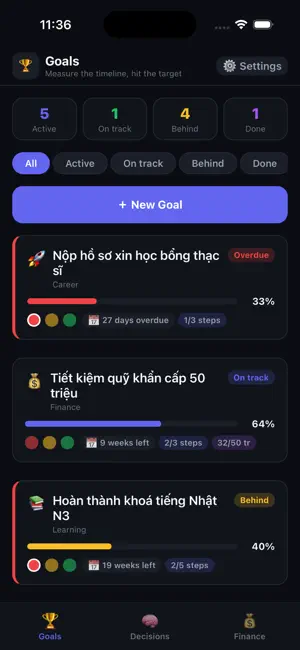

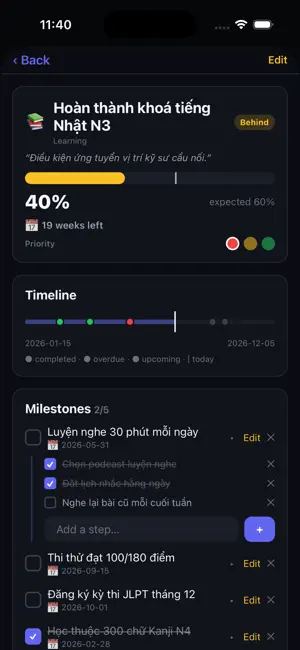
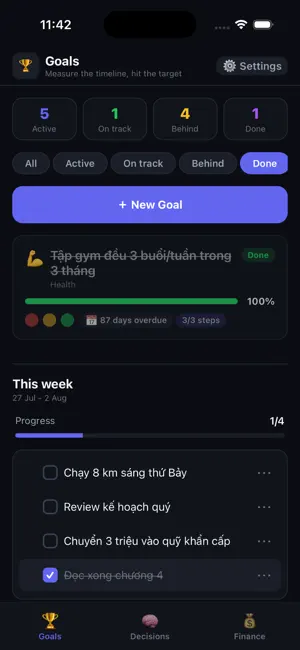
About Life Management Pro
Life Management is a personal planner built around one question: what am I supposed to be doing right now? TIMETABLE Your day as time blocks on a live rail - a now-line that slides down as the hours pass, a ring that drains while the current block runs out, and a second-by-second countdown to the next one. Blocks repeat only on the weekdays you choose, so the same slot can be the gym on Monday and a run on Tuesday. Blocks can run past midnight and carry their own icon. CHECKLISTS INSIDE A BLOCK Break any block into small steps. Keep a step every day, or add one to today only. YEAR MAP Your whole year on one line. Every task is a coloured branch running from its start date to its deadline, so something due in December visibly spans the months in between. Sub-tasks sit on the branch as beads, dated or spread evenly along it. Tap a branch for its checklist. MONEY Net worth against your target, assets and liabilities, monthly and yearly cashflow, cash on hand and your FIRE number. Crypto and the USD rate are priced live. A trading journal records each idea with its horizon, thesis and a pre-trade discipline checklist. HEALTH Track any measurement you care about, with a target and a history chart. NUMBERS AND REVIEW Blocks done, sub-tasks ticked, time elapsed and time remaining, focus hours, countdowns to the next block and to bedtime, and a 7-day on-schedule trend - folded into one line until you tap it. At the end of the year, every day is drawn as a single square you can replay. WIDGET The block you are in and the one coming next, with its countdown, on your Home Screen and on your Mac - without opening the app. REMINDERS A notification when a block starts, plus a diagnostics panel that shows you exactly what is scheduled and when it will fire. Sign in with Apple or Google. Your data syncs between iPhone and Mac. Note: the app interface is in Vietnamese.
What’s new
Version 1.3.0 · Updated August 10, 2026
Finance is now locked with Face ID or Touch ID. Open Finance and nothing is shown until you pass Face ID, Touch ID or your device passcode. It locks itself again when you leave the tab or send the app to the background, and the figures are covered in the app switcher. Come back within a few seconds and you are let straight in without scanning again. If your device has no passcode set there is nothing to authenticate against, so Finance still opens and tells you why it could not be locked. Year map: your whole year on one line, with every task drawn as a coloured branch running from its start to its deadline - so something due in December visibly spans the months between. Sub-tasks sit on the branch as beads, dated or spread evenly along it. Tap a branch for the checklist. Numbers everywhere. The year view counts tasks and sub-tasks done, what is overdue, days to your next deadline, your busiest month and days left in the year. The day view adds time elapsed and remaining, blocks done, sub-tasks ticked, focus hours, countdowns to the next block and to bedtime, and a 7-day adherence trend. Sub-tasks: break any time block into a small checklist. Add a one-off item to today only, or flip it to repeat every day. Different days can hold different blocks, so the same slot can be a gym session on Monday and a run on Tuesday. The timetable feels like time is moving: a live now-line sliding down the day, a ring that drains as the current block runs out, and a smooth second-by-second countdown. More reliable reminders, and if something fails to save you now see it instead of wondering. The separate Goals tab has been retired - long-term work now lives on the year map. Home Screen widget for iPhone and Mac: the block you are in and the one coming next, with its countdown, without opening the app. Fixed: block icons could show as raw text instead of icons.
App privacy
The developer, Van Hiet Ho, reported these privacy practices to Apple.
Data Linked to You
The following data, which may be collected and linked to your identity, may be used for the following purposes:
- Financial Info: Other Financial Info
- Contact Info: Email Address, Name
- User Content: Other User Content
- Identifiers: User ID
Used for: App Functionality
Alternatives to Life Management Pro
Looking for apps like Life Management Pro? Here are 6 similar apps on the App Store. The highest rated is Ahead: Countdown Calendar (5.0/5), and all 6 are free to download.
-
 LifeCycle: Life Management
-
 LifeOS: Know Your Time
-
 Ahead: Countdown Calendar
5.0
Ahead: Countdown Calendar
5.0
-
 SeTime: Time and task tracker
-
 Kanban: Organize anything
-
 Anythings: To-Do List & Tasks
5.0
Anythings: To-Do List & Tasks
5.0
| App | Rating | Price | Last updated | Compare |
|---|---|---|---|---|
| Life Management Pro | – | Free | August 10, 2026 | |
| LifeCycle: Life Management | – | Free | Sep 8, 2026 | Compare |
| LifeOS: Know Your Time | – | Free | Apr 6, 2026 | Compare |
| Ahead: Countdown Calendar | 5.0 / 5 (2) | Free | Apr 25, 2025 | Compare |
| SeTime: Time and task tracker | – | Free | Jan 19, 2026 | Compare |
| Kanban: Organize anything | – | Free | Sep 13, 2026 | Compare |
| Anythings: To-Do List & Tasks | 5.0 / 5 (4) | Free | Aug 10, 2026 | Compare |