

Keep Photos – Private Vault
NASIT SAGAR PRAFULBHAI Utilities iPhoneiPadiPod touch
Keep Photos – Private Vault is a free Utilities app for iPhone and iPad by NASIT SAGAR PRAFULBHAI. Rated 5.0/5 from 1 ratings. Requires iOS 26.6.
- Rating
- 5.0
- 1 ratings
- Price
- Free
- on the App Store
- Size
- 59 MB
- Age 4+
- Updated
- Oct 26
- 2026 · v1.4.4
Screenshots


About Keep Photos – Private Vault
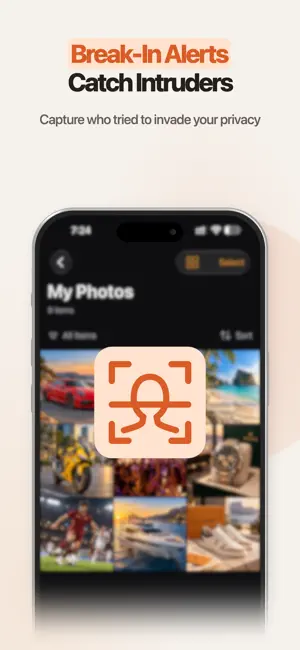
Move private photos and videos off your camera roll into a locked gallery that never leaves your phone. No accounts or advertising. Your vault stays on your device. Keep Photos gives you a separate space for photos and videos you don't want sitting in your camera roll. Your vault content stays on your device. WHAT YOU CAN DO • Import photos and videos from your camera roll into private folders • Organize with custom folder names, icons, and colors • Unlock with a 6-digit PIN or Face ID • Set a Panic PIN that opens a separate decoy gallery — hand your phone to someone and they see a different vault • Capture a photo of anyone who enters the wrong PIN too many times (Pro) • Disguise the app icon on your home screen with stealth alternate icons (Pro) • Flip the phone face-down to instantly lock (Pro) • Restore deleted items from a 30-day Trash, or wipe them immediately • Export folders back to Photos, Files, or AirDrop PRIVATE BY DESIGN • No accounts. No sign-up. No email required. • Your vault content stays on your device, with no account or advertising. • Basic usage events help improve setup, imports, and Pro through PostHog. Photos, files, PINs, and security activity are excluded. See the Privacy Policy. • Your gallery does not appear in Photos, system search, or iCloud Photos. PRO A subscription unlocks: • Decoy PIN and separate decoy gallery • Break-in capture — front-camera photo on repeated wrong PINs • Face-down auto-lock • Stealth app icons Cancel anytime. WHO IT'S FOR • You share your phone with kids, family, or coworkers sometimes • You want a clear line between your camera roll and your private photos • You travel or work in settings where a quick glance at your screen matters REQUIREMENTS • iPhone running iOS 26 or later • Face ID or Touch ID for biometric unlock (optional) • Camera access needed only for break-in capture (Pro) Pro Monthly and Pro Yearly are auto-renewable subscriptions. Eligible customers can start with a 3-day free trial, limited to one introductory offer per subscription group. Payment is charged to your Apple Account when the trial ends, or at purchase if you are not eligible for a trial. Subscriptions renew at the selected plan’s regular price unless cancelled at least 24 hours before the trial or current billing period ends. Manage or cancel in your App Store account settings. Terms of Use: https://keepprivate.space/terms Privacy Policy: https://keepprivate.space/privacy
What’s new
Version 1.4.4 · Updated October 26, 2026
Eligible customers can try Pro free for 3 days. View your trial end date and renewal status in Settings. A clearer Privacy & Analytics page explains how basic usage events help improve the app. Your photos and files remain on your device. Share feedback and contact support more easily from Settings.
App privacy
The developer, NASIT SAGAR PRAFULBHAI, reported these privacy practices to Apple.
Data Not Collected
The developer does not collect any data from this app.
Alternatives to Keep Photos – Private Vault
Looking for apps like Keep Photos – Private Vault? Here are 6 similar apps on the App Store. The highest rated is PuryFile: Metadata Remover (5.0/5), and all 6 are free to download.
-
 Sikandar: Scorekeeper
-
 Hide your photos and videos
-
 NoctaVault: Photo Vault & Lock
-
 SecureGallery: Photo Vault
-
 Hide Photos & Videos: Vault
4.3
-
 PuryFile: Metadata Remover
5.0
| App | Rating | Price | Last updated | Compare |
|---|---|---|---|---|
| Keep Photos – Private Vault | 5.0 / 5 (1 rating) | Free | October 26, 2026 | |
| Sikandar: Scorekeeper | – | Free | Sep 29, 2026 | Compare |
| Hide your photos and videos | – | Free | Jun 16, 2026 | Compare |
| NoctaVault: Photo Vault & Lock | – | Free | Aug 13, 2026 | Compare |
| SecureGallery: Photo Vault | – | Free | Oct 12, 2026 | Compare |
| Hide Photos & Videos: Vault | 4.3 / 5 (3) | Free | Oct 22, 2026 | Compare |
| PuryFile: Metadata Remover | 5.0 / 5 (1) | Free | Sep 1, 2026 | Compare |