

Scriptorium TR
BROCK ISAIAH GORDON Reference iPhoneiPadiPod touch
Scriptorium TR is a free Reference app for iPhone and iPad by BROCK ISAIAH GORDON. Rated 5.0/5 from 4 ratings. Requires iOS 15.0. Updated October 27, 2026.
- Rating
- 5.0
- 4 ratings
- Price
- Free
- on the App Store
- Size
- 185 MB
- Age 4+
- Updated
- Oct 27
- 2026 · v1.0.6
Screenshots
About Scriptorium TR
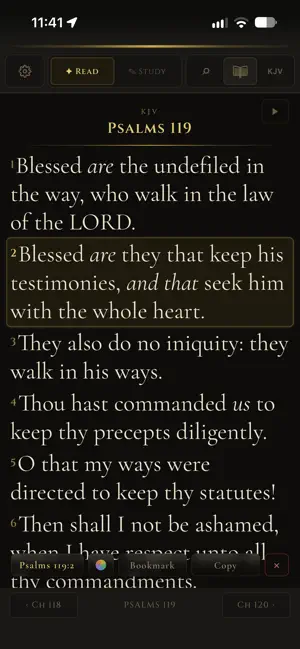
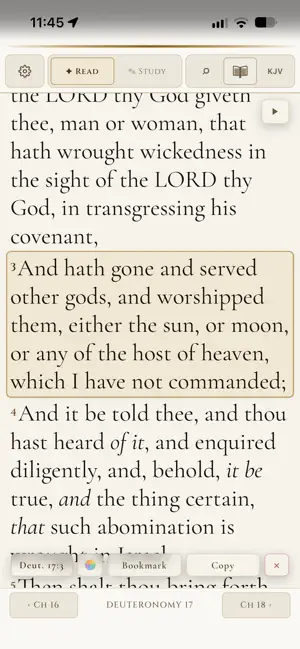
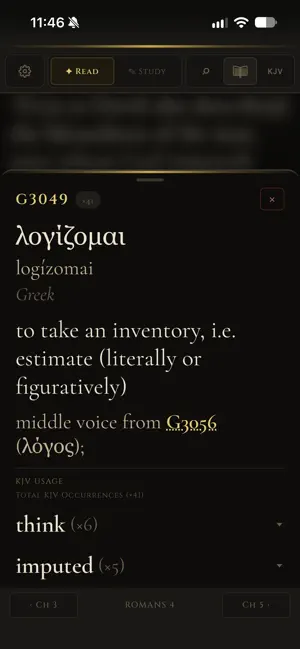
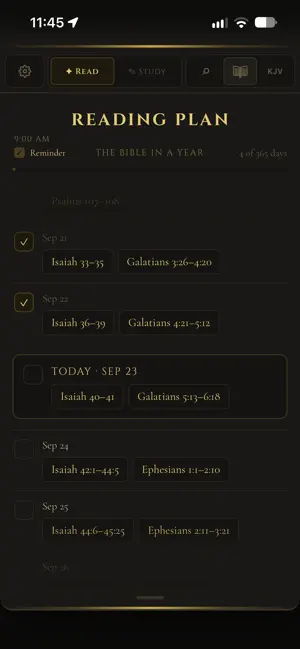
Scriptorium TR is a Bible translation comparison tool built for all believers of the Word. Compare multiple Bible translations side by side, verse by verse. Add notes, tag translations, and track how each version handles the original language texts — all in one clean, organized interface. Features: - Audio Bible compatible with any translation (non-browser generated voice requires a free download via FCBH) - Bookmarks - Bible search within any version - Side-by-side verse comparison across multiple translations - Search and reference navigator - Light mode, dark mode, and custom theme colors - Strong's Concordance & word mapping for quick look up - Webster's 1828 Dictionary - Clarence Larkin's charts Whether you're a pastor, missionary, translator, or Bible student, Scriptorium TR gives you the tools to study with depth and precision.
What’s new
Version 1.0.6 · Updated October 27, 2026
**Strong's, rebuilt word by word** Every word of the KJV is now linked to the Hebrew or Greek word it translates, from the King James Version's own texts: the Hebrew Masoretic text and the Textus Receptus. When the KJV splits one Hebrew word across a verse ("And God saw"), its pieces are linked as one. The small words the Hebrew writes on its words ("and", "in", "his") go with the word they belong to. The words the translators supplied stay in italics, and every other word is underlined: solid where it has a Strong's number, dotted where the Hebrew word has none. The KJV usage counts are the KJV's own. **Interlinear** See any verse in its Hebrew or Greek, word by word: each word with its transliteration and full parsing ("Verb · Qal · Perfect · 3rd masculine singular"). Hebrew reads from the right. Tap a word to see its definition under it. Open it from any Strong's entry, or select a verse and tap Parse. Small Hebrew words with no Strong's number of their own, such as lo ("unto him"), have an entry too. **Search the dictionary and Strong's** Search now has tabs for verses, Webster's 1828 dictionary and Strong's. Results come as you type, and your recent searches are kept. Words that Webster's 1828 doesn't have come from Wiktionary. **More commentaries built in** The Scofield Reference Notes, Spurgeon's Treasury of David, F. B. Meyer's Through the Bible Day by Day and Clarence Larkin's Dispensational Truth now come with the app, alongside the Treasury of Scripture Knowledge. **Verse Feed** A new place in Study Tools to swipe through well-known verses, one at a time. Double-tap a verse to add it to Memory Verses. **Fixes and improvements** • Choose the version when adding a memory verse • A number named in a Strong's definition opens in a window of its own • Eight Strong's entries corrected, and a clear message when an entry doesn't exist • Content no longer sits a status bar too high on some screens • "Copied" and "Bookmarked" show on a backing you can see, and slide away with the bar
App privacy
The developer, BROCK ISAIAH GORDON, reported these privacy practices to Apple.
Data Linked to You
The following data, which may be collected and linked to your identity, may be used for the following purposes:
- Contact Info: Email Address
Used for: App Functionality
Alternatives to Scriptorium TR
Looking for apps like Scriptorium TR? Here are 6 similar apps on the App Store. The highest rated is Folio Bible (5.0/5), and all 6 are free to download.
-
 Bless Up: Jamaican Bible Study
-
 MannaForMe: Bible Study
-
 NGET Bible
-
 Folio Bible
5.0
Folio Bible
5.0
-
 Mizmor: Psalms Hebrew–English
5.0
Mizmor: Psalms Hebrew–English
5.0
-
 Sacred Lineage — Family Tree
5.0
Sacred Lineage — Family Tree
5.0
| App | Rating | Price | Last updated | Compare |
|---|---|---|---|---|
| Scriptorium TR | 5.0 / 5 (4 ratings) | Free | October 27, 2026 | |
| Bless Up: Jamaican Bible Study | – | Free | Oct 17, 2026 | Compare |
| MannaForMe: Bible Study | – | Free | Oct 19, 2026 | Compare |
| NGET Bible | – | Free | Oct 5, 2026 | Compare |
| Folio Bible | 5.0 / 5 (1) | Free | Aug 6, 2026 | Compare |
| Mizmor: Psalms Hebrew–English | 5.0 / 5 (4) | Free | Sep 23, 2026 | Compare |
| Sacred Lineage — Family Tree | 5.0 / 5 (1) | Free | Oct 14, 2026 | Compare |
Compare Scriptorium TR with the top alternatives: ratings, updates, ASO score and keyword gaps →