

Metadata Cleaner: Word & PDF
Myworkingmemory LLC Utilities iPhoneiPadiPod touchMac
Metadata Cleaner: Word & PDF is a free Utilities app for iPhone and iPad by Myworkingmemory LLC. Requires iOS 17.0. Updated August 26, 2026.
- Price
- Free
- on the App Store
- Size
- 3 MB
- Age 4+
- Updated
- Aug 26
- 2026 · v1.0.4
Screenshots



About Metadata Cleaner: Word & PDF
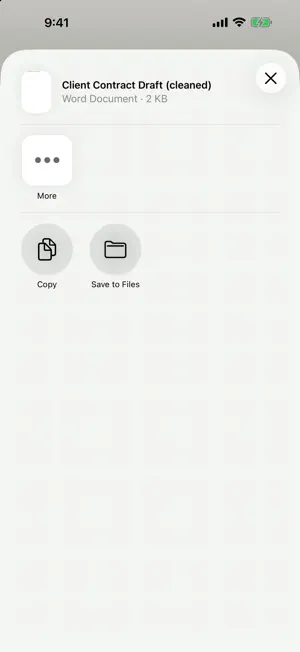
Metadata Cleaner removes hidden document information from Word and PDF files before you share them. Use it for contracts, drafts, forms, client files, school papers, business documents, invoices, records, and PDFs that may contain hidden author, reviewer, editing, or document details. WHAT IT CLEANS OR CHECKS • Word .docx document properties • Author and last-modified names • Comments and reviewer identities • Tracked changes and editing history • Hidden text • Custom document properties • PDF document metadata • PDF annotations • PDF attachments and embedded files • PDF scripts and document actions when they can be safely removed • PDF XMP metadata and hidden layers are checked and reported when they may remain PRIVATE BY DESIGN • Processing happens on your device • No account • No sign-in • No ads • Your original file is unchanged • You get a separate cleaned copy to share IMPORTANT • Metadata Cleaner is not a redaction tool. It removes hidden document information, not text that is visible on the page. • It does not OCR files. It does not inspect photo EXIF or GPS data inside embedded images. Embedded images are kept as-is. • Interactive PDF form fields are preserved and are not flattened. • Always review the cleaned copy before sharing anything sensitive. https://www.myworkingmemory.ai/metadata-terms.html https://www.myworkingmemory.ai/metadata-privacy.html PAID ACCESS Metadata Cleaner is free to download. Creating a cleaned copy requires active Monthly Access or Annual Access, which are auto-renewable subscriptions. Ruby Edition is a separate non-consumable in-app purchase that adds batch cleaning for up to 100 files. Ruby Edition does not replace Monthly or Annual Access. An active subscription is still required to use batch cleaning. Prices are shown by the App Store.
What’s new
Version 1.0.4 · Updated August 26, 2026
Cleaning a large file no longer blocks the screen, the cleaned copy is written and checked before you are told it is ready, and batch cleaning in Ruby Edition reports every file it could not clean instead of stopping.
App privacy
The developer, Myworkingmemory LLC, reported these privacy practices to Apple.
Data Not Linked to You
The following data, which may be collected but is not linked to your identity, may be used for the following purposes:
- Identifiers: Device ID
- Usage Data: Product Interaction
Used for: Analytics
Alternatives to Metadata Cleaner: Word & PDF
Looking for apps like Metadata Cleaner: Word & PDF? Here are 6 similar apps on the App Store. The highest rated is Metadata Cleaner – Privacy (5.0/5), and all 6 are free to download.
-
 Metadata Cleaner by Foundry
-
 Metadata Viewer: File Info
-
 Metadata Cleaner: Remove EXIF
1.0
Metadata Cleaner: Remove EXIF
1.0
-
 Martin Equipment
-
 Metadata Cleaner – Privacy
5.0
Metadata Cleaner – Privacy
5.0
-
 File Property Edit: Meta Tags
5.0
File Property Edit: Meta Tags
5.0
| App | Rating | Price | Last updated | Compare |
|---|---|---|---|---|
| Metadata Cleaner: Word & PDF | – | Free | August 26, 2026 | |
| Metadata Cleaner by Foundry | – | Free | Sep 18, 2026 | Compare |
| Metadata Viewer: File Info | – | Free | Sep 9, 2026 | Compare |
| Metadata Cleaner: Remove EXIF | 1.0 / 5 (1) | Free | Oct 12, 2026 | Compare |
| Martin Equipment | – | Free | Mar 25, 2025 | Compare |
| Metadata Cleaner – Privacy | 5.0 / 5 (1) | Free | Jul 17, 2026 | Compare |
| File Property Edit: Meta Tags | 5.0 / 5 (2) | Free | Oct 19, 2026 | Compare |