

Touchpad: Swim Coach Tools
Bryson Alef LLC Sports iPhoneiPadiPod touch
Touchpad: Swim Coach Tools is a free Sports app for iPhone and iPad by Bryson Alef LLC. Rated 5.0/5 from 4 ratings. Requires iOS 15.1.
- Rating
- 5.0
- 4 ratings
- Price
- Free
- on the App Store
- Size
- 57 MB
- Age 4+
- Updated
- Oct 15
- 2026 · v1.8.6
Screenshots

About Touchpad: Swim Coach Tools
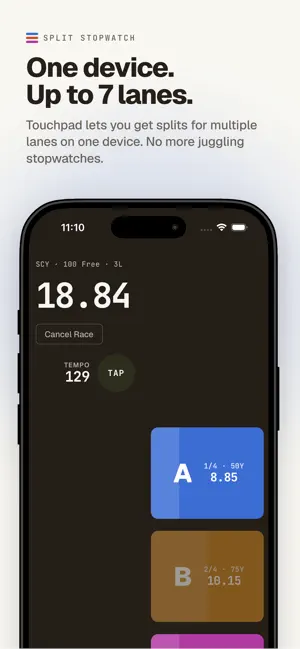
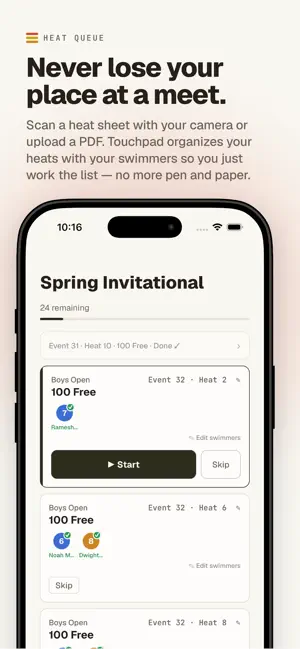
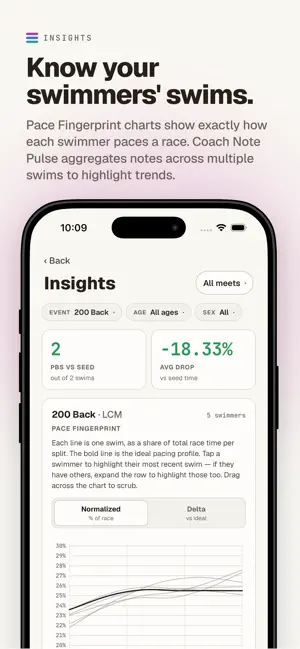
Built by coaches, for coaches. Touchpad is a swim stopwatch that does what a regular stopwatch (or even multiple stopwatches) can't: time multiple lanes in a heat at the same time, capture individual splits length by length, and tell you how each swim actually compared to where it should have been — all from one place. Touchpad runs your whole session, practice or meet, and organizes your insights when you're done. For free, always, you get the following features: Time the race - Set the course (SCY, SCM, LCM), pick the event, choose how many lanes. Or create your own custom swim. - Tap an individual lane button for each split. The app captures every split, the total time, and the deltas between the captured time and elite times, automatically. - Up to 7 lanes per heat, with a layout that keeps the timing buttons vibrant and within reach, organized in a line so you can match the pool. See the swim, not just the time - Every split is compared to an ideal pacing profile for that event and course built from aggregations of multiple elite swims for that race. - A signed delta next to each ideal time tells you exactly how much faster or slower the swimmer was on that length. - A built-in Tempo Counter on the home page helps you capture stroke rate by tap. Manage your workouts - Write workouts in plain text and watch them get parsed live - Save specific sets and reference them in future workouts for easy copy-paste - With Touchpad Team, share workouts with other coaches and edit collaboratively Tag what mattered - Every lane card opens a notes sheet with quick-add notes for each lane: Start, Underwater & Breakout, Stroke, Turns, Tempo & Pacing, Breathing, Finish, Context, etc. Tap what happened, add free text if you want, save. Notes are editable weeks later from History — so you can review a meet swim against what you saw in the moment. With a Touchpad Team subscription, Insights will aggregate notes across a meet so you can see what your team is doing well or needs to work on. And sync data across devices with a free Touchpad account. --- Touchpad Team (paid subscription) — for coaches running real meets and real rosters With a Touchpad Team subscription, you get access to: Organize your team - Roster & progress. Keep your team's swimmers in the app. Tag who swam in which lane after the race. Stats like best times update automatically, with a trend chart per event on each swimmer's profile. - Invite assistant coaches to your team by email. Everyone sees the same roster, the same meet, the same meet queue. Switch between teams without losing where you were — each team keeps its own queue and history. Run the meet - Heat sheet scanner. Photograph the printed heat sheet, or upload the meet PDF. The app reads it, filters to your club, and builds you a queue of heats with your swimmers in event order. Each lane shows the parsed seed time next to that swimmer's personal best. Names are fuzzy-matched against your roster — exact matches, fuzzy candidates, and unmatched names are flagged so you can fix them before you build the queue. Multi-page PDFs go in as a single scan. - Work the queue heat by heat — Start → time → results → next heat queued and waiting. Skip or insert a manual heat. A post-session summary shows every result with seed comparison. You can manually time with the split stopwatch, or enter splits off the board. See a preview of the time your swimmer is on track for, assuming an ideal race. Better Practice Tools - Replay: set up your iPhone or iPad and capture video with a 5-60 second delay. Loop a reference video next to it. Insights - See what your team is doing well and what needs to be improved. Takes swims from meets and aggregates performances into actionable metrics. Always improving! Terms of Use (EULA): https://www.apple.com/legal/internet-services/itunes/dev/stdeula/
What’s new
Version 1.8.6 · Updated October 15, 2026
* New set generator functionality -- just type "!" as the first character of any line of your workout to generate a new set * Untitled workouts now get a generated name rather than staying untitled * Improvements to the Track a Meet workflow for better support for multiple coaches and longer events with multiple swimmers in lanes * New setting for changing display name order for swimmers * Minor bug fixes