

Cat Lock – Screen Time Control
ChelsKat LLC Productivity iPhoneiPadiPod touch
Cat Lock – Screen Time Control is a free Productivity app for iPhone and iPad by ChelsKat LLC. Requires iOS 17.4. Updated June 24, 2026.
- Price
- Free
- on the App Store
- Size
- 168 MB
- Age 4+
- Updated
- Jun 24
- 2026 · v1.0.1
Screenshots
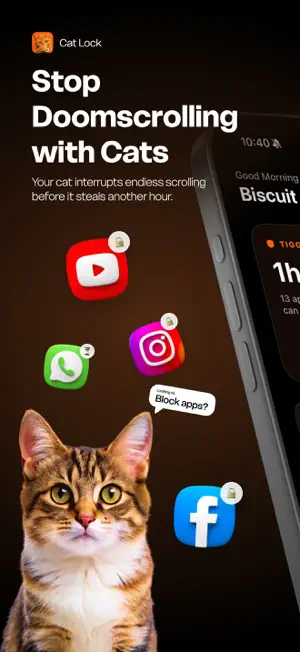


About Cat Lock – Screen Time Control
Cat Lock blocks your most distracting apps after you've used them too long. When time's up, your cat takes over the screen — and won't leave until you take a real break. HOW IT WORKS • Choose which apps to block — Instagram, TikTok, YouTube, X, Reddit, Discord, even games and shopping apps • Set your usage limit — 5 minutes to 2 hours • Use your apps normally until your time is up • When time's up, your cat takes over the screen • Watch a real cat video for 5 minutes • Apps unlock. Clock resets. Repeat. NOT ANOTHER BORING BLOCKER Most screen time apps either lock your apps all day or add an annoying delay to every single open. Cat Lock lets you actually use your apps — with real breaks built in. Instead of guilt, you get a cat. Usage-based, not punishment-based. WHAT MAKES CAT LOCK DIFFERENT • Usage-based blocking — time only counts while you're actually in the app • Real cat videos during every break — a different cat every time • New cats added all the time — the break never gets old • See your progress at a glance — track distractions blocked, streaks, and time reclaimed. • Per-app or combined limits — track each app separately or share one pool • Blocks apps AND websites — no Safari bypass • Works silently in the background — no willpower required THE CAT LOCK EXPERIENCE Your cat notices patterns. It counts every attempt your most tempting app makes. It shows you what you got back — not minutes, but movies, walks, and books. No screen time app has done it like this. And when you win the day, it tells you: "The apps tried. You won." PERFECT FOR • Doomscrollers who can't stop once they start • Anyone who opens an app for five minutes and looks up an hour later • Anyone whose willpower needs a gatekeeper • Cat people. Obviously. "Less doomscrolling. More life." Cat Lock requires a subscription to access all features. Terms of Service: https://www.catlock.io/terms Privacy Policy: https://www.catlock.io/privacy Terms of Use: https://www.apple.com/legal/internet-services/itunes/dev/stdeula/
What’s new
Version 1.0.1 · Updated June 24, 2026
Bug fixes and performance improvements
App privacy
The developer, ChelsKat LLC, reported these privacy practices to Apple.
Data Linked to You
The following data, which may be collected and linked to your identity, may be used for the following purposes:
- Purchases: Purchase History
Used for: Analytics, App Functionality
Data Not Linked to You
The following data, which may be collected but is not linked to your identity, may be used for the following purposes:
- Identifiers: User ID, Device ID
- Usage Data: Product Interaction
Used for: Analytics, App Functionality
Alternatives to Cat Lock – Screen Time Control
Looking for apps like Cat Lock – Screen Time Control? Here are 6 similar apps on the App Store. The highest rated is Haptics presets - Pulsar (5.0/5), and all 6 are free to download.
-
 Pet Pause
-
 bloc: The app
-
 Screen Time Control: CatNap
4.7
Screen Time Control: CatNap
4.7
-
 Nima: Block Reels & FYP
-
 AICA Ai
-
 Haptics presets - Pulsar
5.0
Haptics presets - Pulsar
5.0
| App | Rating | Price | Last updated | Compare |
|---|---|---|---|---|
| Cat Lock – Screen Time Control | – | Free | June 24, 2026 | |
| Pet Pause | – | Free | May 26, 2026 | Compare |
| bloc: The app | – | Free | Jun 13, 2026 | Compare |
| Screen Time Control: CatNap | 4.7 / 5 (18) | Free | Oct 15, 2026 | Compare |
| Nima: Block Reels & FYP | – | Free | Oct 13, 2026 | Compare |
| AICA Ai | – | Free | Aug 27, 2026 | Compare |
| Haptics presets - Pulsar | 5.0 / 5 (2) | Free | Sep 10, 2026 | Compare |