

slowDigest
Lucas Guillemot Productivity iPhoneiPadiPod touch
slowDigest is a free Productivity app for iPhone and iPad by Lucas Guillemot. Rated 1.0/5 from 1 ratings. Requires iOS 17.0. Updated October 5, 2026.
- Rating
- 1.0
- 1 ratings
- Price
- Free
- on the App Store
- Size
- 3 MB
- Age 4+
- Updated
- Oct 5
- 2026 · v1.0.10
Screenshots


About slowDigest
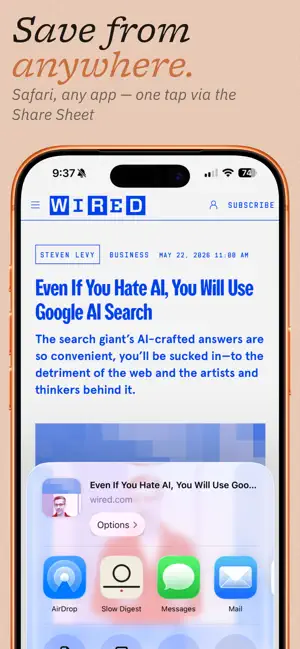
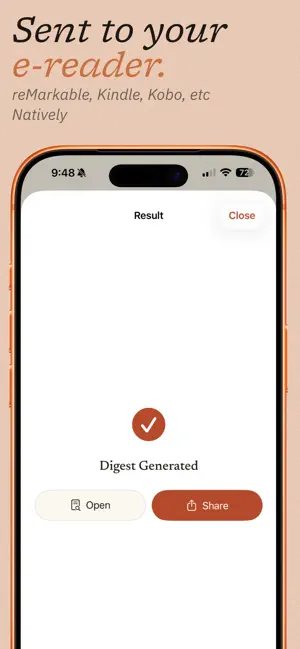
Slow Digest turns the articles you save into a clean, typeset PDF and sends it to your e-reader. You bought a device made for reading, and there's no simple way to get the web's long articles onto it. Slow Digest is that bridge. Save an article, and it arrives on your reader as a quiet, well-set page with no ads and no cookie banners. It works with Kindle, Kobo, reMarkable, Supernote, and Boox. HOW IT WORKS 1. Save an article from Safari or your reading app with the share sheet. 2. Slow Digest reads it, clears the clutter, and typesets it. 3. Your digest lands on your e-reader, ready to read. SUBSCRIBER ARTICLES Share an article from Safari while signed in to the publication, and Slow Digest keeps the full text you can read there. Nothing is unlocked that your own subscription doesn't already show you. BUILT FOR E-INK Justified text with real hyphenation, wide margins, and a cover that lists your reading time. Choose a serif or sans face and the size that suits your screen. Pick your device profile so the page fits, from Kindle and Kobo to reMarkable, Supernote, and Boox. READING, NOT SCROLLING A backlog of saved links tends to sit unread. A digest on the device you already read on gets opened. Slow Digest exists to move your attention off the phone and onto the page. FREE AND PRO The free tier gives you three digests a month, delivered to your reader. Pro removes the limit and adds automatic digests on the days and time you choose, sent to your device on its own. Slow Digest is made by one developer who wanted his own saved articles to get read. Questions and requests are welcome at [email protected]. Terms of Use (EULA): https://www.apple.com/legal/internet-services/itunes/dev/stdeula/ Privacy Policy: https://slowdigest.app/privacy
What’s new
Version 1.0.10 · Updated October 5, 2026
Subscriber articles come through in full: share them from Safari while signed in. Free delivery to your e-reader. The free tier now sends your digests straight to your device. Automatic digests at your local time. Scheduled sends follow your own time zone. A new toggle to include or drop images, so a digest stays light when you want text alone. A notification when your automatic digest has been sent. Fixes to sign-in, account verification, and purchases, plus sharing improvements for more reading apps.
App privacy
The developer, Lucas Guillemot, reported these privacy practices to Apple.
Data Linked to You
The following data, which may be collected and linked to your identity, may be used for the following purposes:
- Contact Info: Email Address
- User Content: Other User Content
- Identifiers: User ID
Used for: App Functionality
Alternatives to slowDigest
Looking for apps like slowDigest? Here are 6 similar apps on the App Store. The highest rated is Daily Planner – JustDay (5.0/5), and 4 of the 6 are free to download.
-
 Pocket Typewriter - Platn
-
 QR Share for Safari
-
 Daily Planner – JustDay
5.0
-
 SendPaper
-
 SceneMate
5.0
-
 HillNote
| App | Rating | Price | Last updated | Compare |
|---|---|---|---|---|
| slowDigest | 1.0 / 5 (1 rating) | Free | October 5, 2026 | |
| Pocket Typewriter - Platn | – | Free | Sep 4, 2026 | Compare |
| QR Share for Safari | – | 0.49 USD | Oct 5, 2026 | Compare |
| Daily Planner – JustDay | 5.0 / 5 (1) | Free | Oct 11, 2026 | Compare |
| SendPaper | – | 9.99 USD | Jul 24, 2026 | Compare |
| SceneMate | 5.0 / 5 (1) | Free | Oct 15, 2026 | Compare |
| HillNote | – | Free | Oct 18, 2026 | Compare |
Compare slowDigest with the top alternatives: ratings, updates, ASO score and keyword gaps →