

VBCC - VibeCoding remote
洋 刘 Utilities iPhoneiPadiPod touchApple Watch
VBCC - VibeCoding remote is a free Utilities app for iPhone and iPad by 洋 刘. Rated 5.0/5 from 2 ratings. Requires iOS 26.0. Updated October 21, 2026.
- Rating
- 5.0
- 2 ratings
- Price
- Free
- on the App Store
- Size
- 9 MB
- Age 4+
- Updated
- Oct 21
- 2026 · v2.0.1
Screenshots
About VBCC - VibeCoding remote
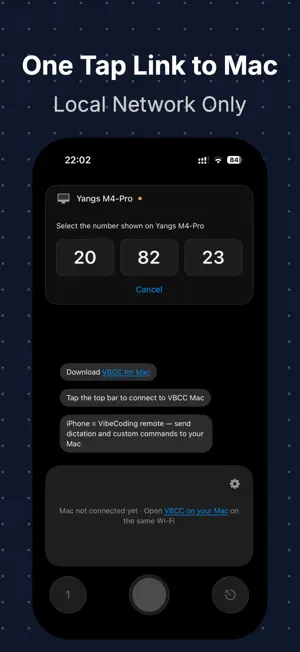
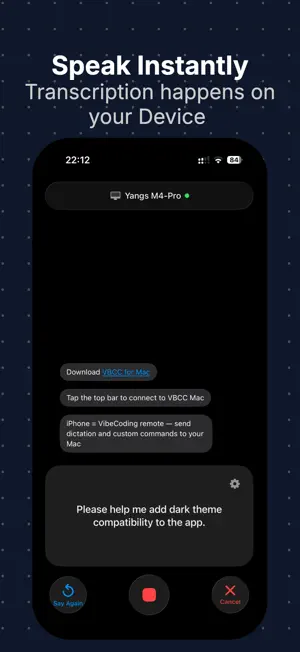
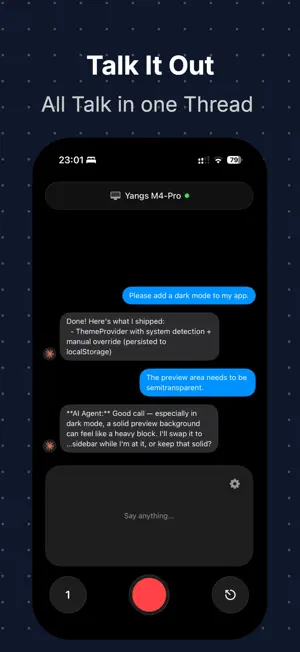
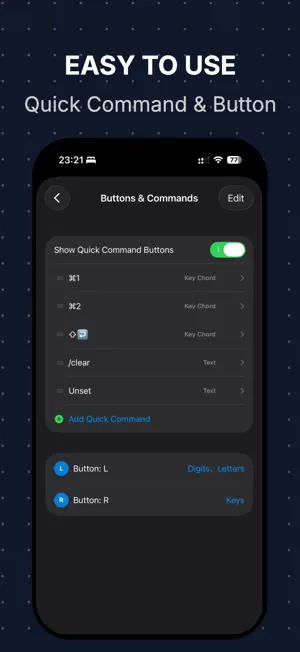
Turn your iPhone into a powerful input controller for your Mac. VBCC brings voice dictation, a remote keyboard, custom shortcuts, and a trackpad together in one app. Whether you're working with AI coding agents, writing documents, or navigating your Mac, VBCC helps you stay in your flow. VOICE INPUT — SPEAK AND SEND Dictate on your iPhone and send recognized text directly to the active input field on your Mac. Use Apple's built-in speech recognition or configure Doubao ASR. Choose your recognition language and audio input device. REMOTE KEYBOARD — CONTROLS AT YOUR FINGERTIPS Send navigation and editing keys from your iPhone, including modifier key combinations. With Pro, save frequently used text, prompts, and key combinations as customizable shortcut buttons. Integrate them with Apple Shortcuts and the Action Button on supported iPhones. REMOTE TRACKPAD — PRO Control your Mac's cursor directly from your iPhone: • One-finger cursor movement • Tap to click and double-tap to double-click • Long-press and drag • Two-finger tap for right-click • Two-finger horizontal and vertical scrolling with momentum • Adjustable cursor and scrolling sensitivity THREE HOME LAYOUTS Switch between the Messages layout for dictation and history, the Shortcuts layout for quick actions, and the Trackpad layout for pointer control. Shortcuts and Trackpad layouts require Pro. MESSAGES AND DEVELOPER TOOLS Keep your message history locally, with copy, resend, and Markdown preview support. You can even dictate and save messages while disconnected, then manually resend them when your Mac reconnects. Pro also includes: • Custom speech vocabulary and hotwords • iCloud sync for messages, shortcuts, and settings • Notifications from Claude Code, Codex, and Cursor via Mac Hooks On your Mac, you can optionally configure Ollama or Doubao for text refinement. Model services are configured separately and are not included with VBCC. PRIVATE, SIMPLE, AND DIRECT Connect your iPhone and Mac over a local network or supported P2P/AWDL connection. No VBCC account required. Basic dictation, remote keys, and message history are free. Pro is available as a one-time purchase. REQUIREMENTS • iPhone with iOS 26 or later • VBCC Mac companion app, macOS 13 or later • Local Network permission on iPhone • Accessibility permission on Mac • Trackpad requires Pro and VBCC Mac 2.0 or later Download the Mac app and explore the setup guide: https://imyiangyang.top/app/vbcc/
What’s new
Version 2.0.1 · Updated October 21, 2026
VBCC 2.0: From a voice keyboard to a complete Mac input controller. • NEW — Remote Trackpad (Pro): Move the cursor, click, double-click, drag, right-click, and scroll in any direction with momentum. Adjust pointer and scrolling sensitivity independently. • Three Home Layouts: Switch between Messages, Shortcuts, and Trackpad to match your workflow. • Remote Controls: Navigate and edit on your Mac using remote keys, modifier combinations, and custom shortcuts. • VBCC Mac 2.0 Support: Unlock trackpad functionality with the updated Mac companion app, available for both Apple Silicon and Intel Macs. Trackpad and Shortcuts layouts require Pro. Please update VBCC Mac to version 2.0 or later and enable Accessibility permission. Setup guide: https://imyiangyang.top/app/vbcc/tutorials.html
App privacy
The developer, 洋 刘, reported these privacy practices to Apple.
Data Not Collected
The developer does not collect any data from this app.
Alternatives to VBCC - VibeCoding remote
Looking for apps like VBCC - VibeCoding remote? Here are 6 similar apps on the App Store.


| App | Rating | Price | Last updated | Compare |
|---|---|---|---|---|
| VBCC - VibeCoding remote | 5.0 / 5 (2 ratings) | Free | October 21, 2026 | |
| LinkPad | – | Free | Oct 10, 2026 | Compare |
| Builders-hub (Supervisor) | – | Free | May 23, 2026 | Compare |
| 神游万里-桌前的山海 | – | Free | Sep 14, 2026 | Compare |
| 鲸鱼全能工具箱-你的手机效率百宝箱 | – | Free | Oct 18, 2026 | Compare |
| TV Remote: Smart TV | – | Free | Oct 15, 2026 | Compare |
| Katnet | – | Free | Apr 12, 2026 | Compare |