

AlterSend: File Transfer
Devaprime LLC Utilities iPhoneiPadiPod touch
AlterSend: File Transfer is a free Utilities app for iPhone and iPad by Devaprime LLC. Rated 4.0/5 from 4 ratings. Requires iOS 16.4.
- Rating
- 4.0
- 4 ratings
- Price
- Free
- on the App Store
- Size
- 232 MB
- Age 4+
- Updated
- Aug 21
- 2026 · v2.0
Screenshots


About AlterSend: File Transfer
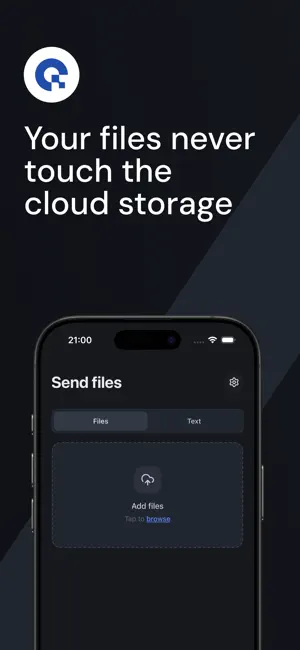
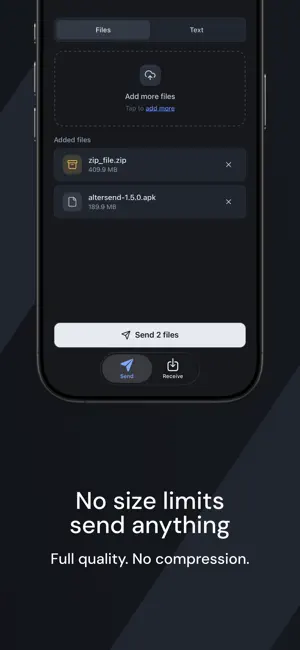
Send files directly between your devices - private, encrypted, no cloud storage and no size limits. AlterSend connects your phone and computer peer-to-peer and streams files straight across. Most file-sharing apps upload your files to a server first. AlterSend doesn't. Your data goes directly from one device to the other, so it never sits on someone else's cloud. Open the app, share a code or scan a QR, and start sending. WHY ALTERSEND • Private by design — direct, peer-to-peer, end-to-end encrypted. Your files are never stored in the cloud. • Fast & direct — send large files, folders, and long videos without waiting on slow uploads. • No size limits — share big videos and documents without compression or caps. • Cross-platform — move files between your devices: mobile and desktop. • No sign-up — no account, no email, no ads. • Simple pairing — connect with a short code or a QR scan. HOW IT WORKS 1. Open AlterSend on both devices. 2. Share the join code or scan the QR code to connect. 3. Pick your files and send — they arrive on the other device in seconds. GREAT FOR • Moving photos and videos between phone and computer • Sending large videos that are too big to email • Transferring documents, PDFs, and entire folders • Sharing files without cloud storage or an account • Backing up media from your phone to your Mac or PC PRIVATE BY DEFAULT AlterSend is built for people who care about privacy. There's no account to create and nothing to sign in to. Files transfer over an encrypted peer-to-peer connection and are nnever stored on our servers. When a direct connection isn't possible, an encrypted relay passes the data through without ever being able to read it. Download AlterSend and start sending files privately - no cloud storage, no limits. AlterSend Pro is an auto-renewable subscription. • Monthly — $6.99 per month • Yearly — $69.99 per year Payment is charged to your Apple Account at confirmation of purchase. The subscription renews automatically unless cancelled at least 24 hours before the end of the current period. Manage or cancel it any time in your Apple Account settings. Terms of Use: https://www.apple.com/legal/internet-services/itunes/dev/stdeula/ Privacy Policy: https://altersend.com/privacy
What’s new
Version 2.0 · Updated August 21, 2026
• Pro is here, unlock higher limits with an anonymous code • Transfers now keep running in the background, and resume where they left off • New light theme with a switcher in Settings • Add your own custom relay for full control over your connection • See live transfer speed and time remaining • Improved UI/UX with new haptics, native sheets and switches, and refreshed onboarding • Bug fixes
App privacy
The developer, Devaprime LLC, reported these privacy practices to Apple.
Data Not Linked to You
The following data, which may be collected but is not linked to your identity, may be used for the following purposes:
- Diagnostics: Crash Data, Other Diagnostic Data
Used for: App Functionality
Alternatives to AlterSend: File Transfer
Looking for apps like AlterSend: File Transfer? Here are 6 similar apps on the App Store. The highest rated is TabLinker: Tabs Manager (5.0/5), and all 6 are free to download.
-
 Entangle - Remote trackpad
4.0
-
 TabLinker: Tabs Manager
5.0
-
 SyncUp-Client
4.3
-
 Ensu - Ente's Local LLM
3.8
-
 Netsight - WiFi Tools
5.0
-
 GenPad: Phone Number Generator
4.3
| App | Rating | Price | Last updated | Compare |
|---|---|---|---|---|
| AlterSend: File Transfer | 4.0 / 5 (4 ratings) | Free | August 21, 2026 | |
| Entangle - Remote trackpad | 4.0 / 5 (1) | Free | Oct 14, 2026 | Compare |
| TabLinker: Tabs Manager | 5.0 / 5 (3) | Free | Oct 26, 2026 | Compare |
| SyncUp-Client | 4.3 / 5 (6) | Free | Oct 3, 2026 | Compare |
| Ensu - Ente's Local LLM | 3.8 / 5 (11) | Free | Oct 23, 2026 | Compare |
| Netsight - WiFi Tools | 5.0 / 5 (24) | Free | Oct 22, 2026 | Compare |
| GenPad: Phone Number Generator | 4.3 / 5 (6) | Free | Jun 7, 2026 | Compare |